
ctcLink DG5 LESSONS LEARNED December 14, 2021
CB
Published · 16 slides · 0 views

1 / 1
Description
ctcLink DG5 LESSONS LEARNED December 14, 2021 ctcLink Project Management Office ctclink DEPLOYMENT GROUPS TIMELINE Ctclink quality gates milestones Ctclink quality gates milestones DEPLOY Lessons Learned TRANSITION End-User Training
Related Topics
Share
Embed code
Download this presentation From Below
"ctcLink DG5 LESSONS LEARNED December 14, 2021" is the property of its rightful owner. Permission is granted to download and print the materials on this website for personal, non-commercial use only, and to display it on your personal computer provided you do not modify the materials and that you retain all copyright notices contained in the materials. By downloading content from our website, you accept the terms of this agreement.
Presentation Transcript
01
ctcLink DG5 LESSONS LEARNED December 14, 2021
ctcLink Project Management Office<br>
ctcLink Project Management Office<br>
02
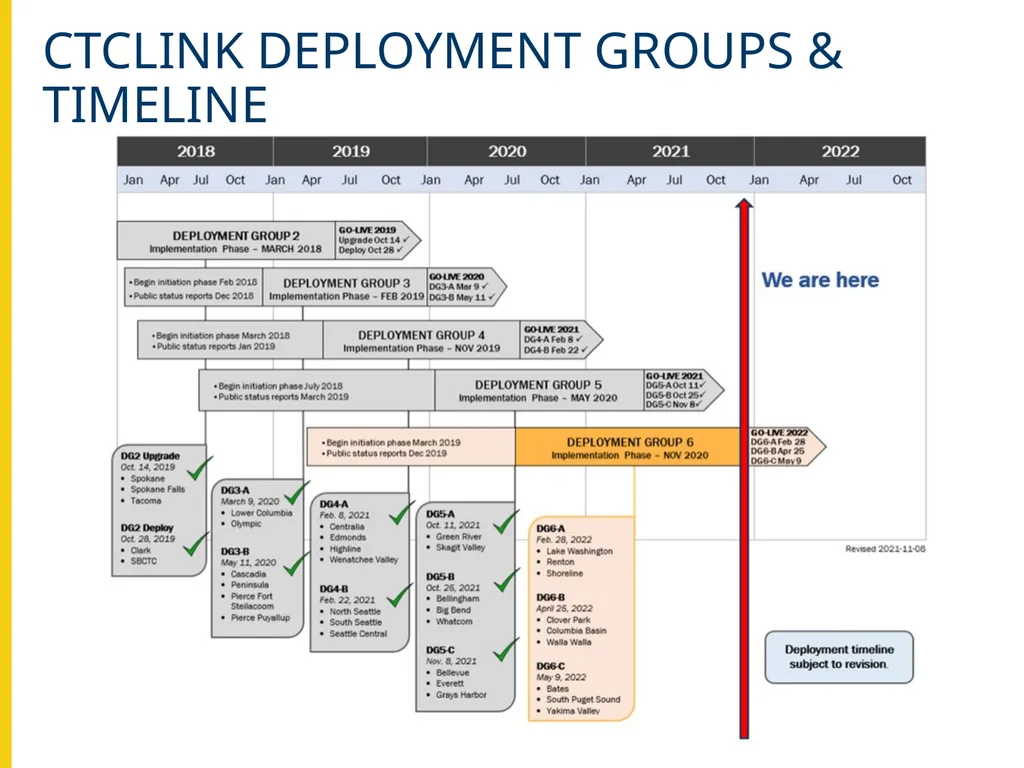
ctclink DEPLOYMENT GROUPS & TIMELINE<br>
03
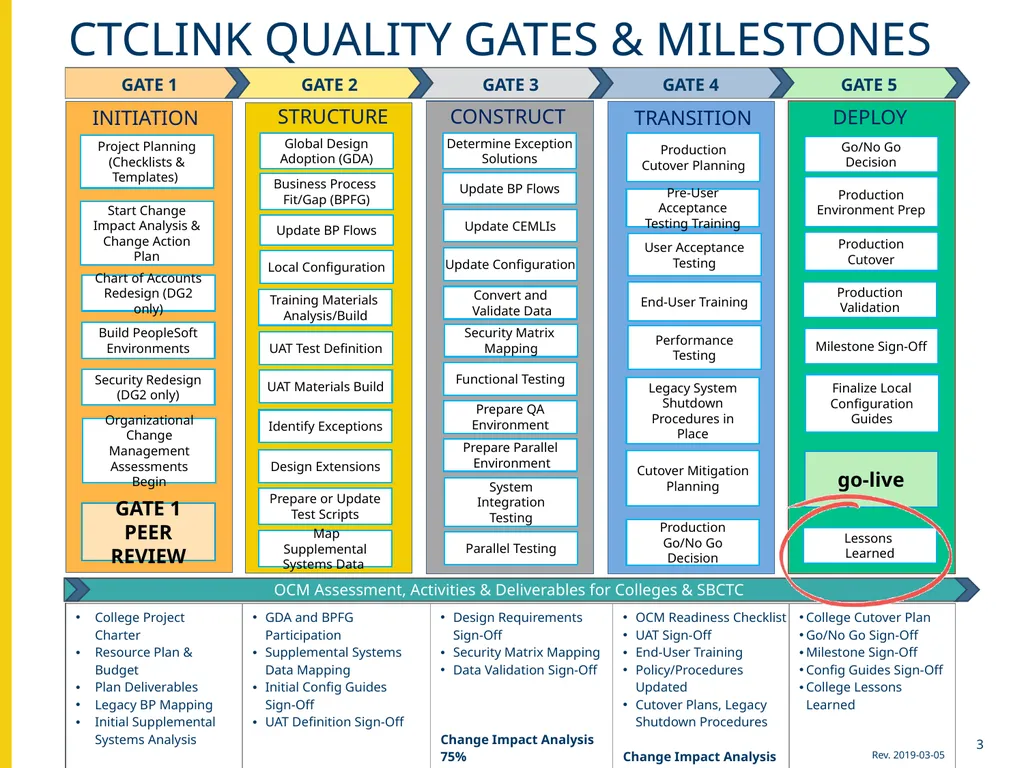
Ctclink quality gates & milestones Ctclink quality gates & milestones DEPLOY Lessons
Learned TRANSITION End-User Training User Acceptance Testing Production Go/No Go Decision Cutover Mitigation Planning Determine Exception
Solutions Update BP Flows Update CEMLIs Update Configuration Functional Testing Prepare QA
Environment Prepare Parallel
Environment CONSTRUCT Parallel Testing System Integration Testing Convert and
Validate Data Production Cutover Planning Production Cutover Security Matrix
Mapping Production Environment Prep STRUCTURE Global Design Adoption (GDA) Business Process Fit/Gap (BPFG) Update BP Flows Local Configuration UAT Test Definition UAT Materials Build Identify Exceptions Design Extensions Prepare or Update
Test Scripts Training Materials
Analysis/Build Map Supplemental Systems Data Go/No Go Decision Milestone Sign-Off go-live Finalize Local Configuration Guides Project Planning (Checklists & Templates) Security Redesign (DG2 only) Build PeopleSoft Environments Chart of Accounts Redesign (DG2 only) Performance Testing Organizational Change Management Assessments Begin OCM Assessment, Activities & Deliverables for Colleges & SBCTC Legacy System Shutdown Procedures in Place INITIATION Pre-User Acceptance Testing Training Production Validation GATE 1 PEER REVIEW Start Change Impact Analysis & Change Action Plan 3<br>
Learned TRANSITION End-User Training User Acceptance Testing Production Go/No Go Decision Cutover Mitigation Planning Determine Exception
Solutions Update BP Flows Update CEMLIs Update Configuration Functional Testing Prepare QA
Environment Prepare Parallel
Environment CONSTRUCT Parallel Testing System Integration Testing Convert and
Validate Data Production Cutover Planning Production Cutover Security Matrix
Mapping Production Environment Prep STRUCTURE Global Design Adoption (GDA) Business Process Fit/Gap (BPFG) Update BP Flows Local Configuration UAT Test Definition UAT Materials Build Identify Exceptions Design Extensions Prepare or Update
Test Scripts Training Materials
Analysis/Build Map Supplemental Systems Data Go/No Go Decision Milestone Sign-Off go-live Finalize Local Configuration Guides Project Planning (Checklists & Templates) Security Redesign (DG2 only) Build PeopleSoft Environments Chart of Accounts Redesign (DG2 only) Performance Testing Organizational Change Management Assessments Begin OCM Assessment, Activities & Deliverables for Colleges & SBCTC Legacy System Shutdown Procedures in Place INITIATION Pre-User Acceptance Testing Training Production Validation GATE 1 PEER REVIEW Start Change Impact Analysis & Change Action Plan 3<br>
04
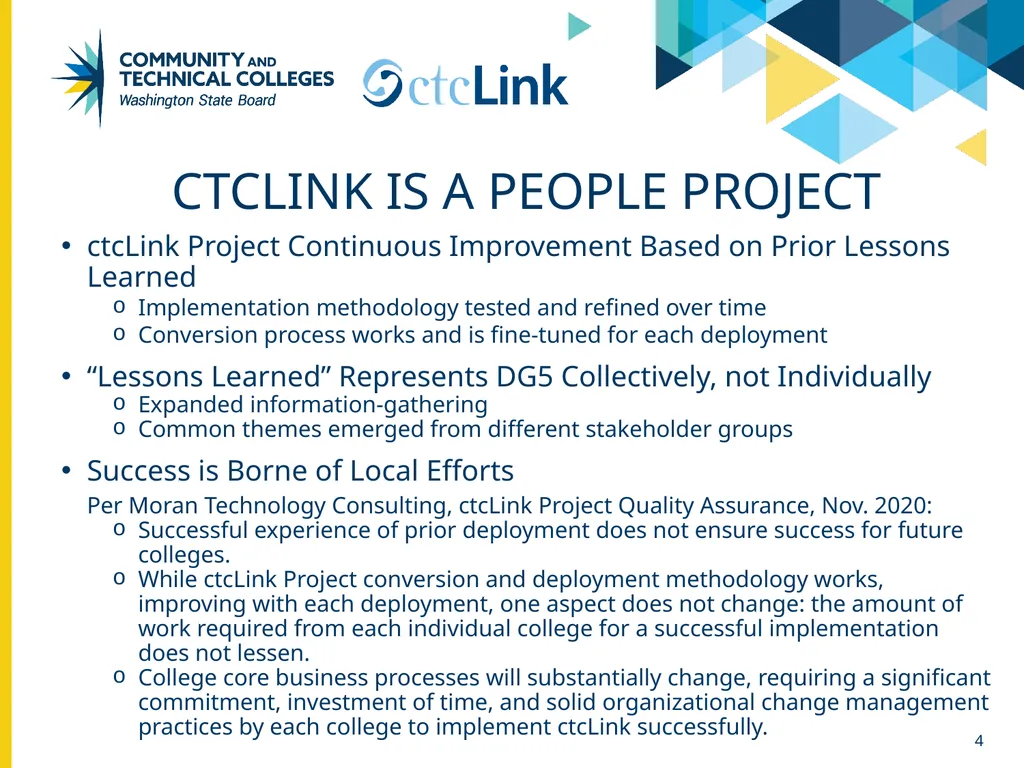
ctcLink is a people project ctcLink Project Continuous Improvement Based on Prior Lessons Learned
Implementation methodology tested and refined over time
Conversion process works and is fine-tuned for each deployment
“Lessons Learned” Represents DG5 Collectively, not Individually
Expanded information-gathering
Common themes emerged from different stakeholder groups
Success is Borne of Local Efforts
Per Moran Technology Consulting, ctcLink Project Quality Assurance, Nov. 2020:
Successful experience of prior deployment does not ensure success for future colleges.
While ctcLink Project conversion and deployment methodology works, improving with each deployment, one aspect does not change: the amount of work required from each individual college for a successful implementation does not lessen.
College core business processes will substantially change, requiring a significant commitment, investment of time, and solid organizational change management practices by each college to implement ctcLink successfully. 4<br>
Implementation methodology tested and refined over time
Conversion process works and is fine-tuned for each deployment
“Lessons Learned” Represents DG5 Collectively, not Individually
Expanded information-gathering
Common themes emerged from different stakeholder groups
Success is Borne of Local Efforts
Per Moran Technology Consulting, ctcLink Project Quality Assurance, Nov. 2020:
Successful experience of prior deployment does not ensure success for future colleges.
While ctcLink Project conversion and deployment methodology works, improving with each deployment, one aspect does not change: the amount of work required from each individual college for a successful implementation does not lessen.
College core business processes will substantially change, requiring a significant commitment, investment of time, and solid organizational change management practices by each college to implement ctcLink successfully. 4<br>
05
Significant changes from dg4 to dg5 New and improved strategies, training, and communication related to student financials
Increase in meetings with individual college project managers and teams
Guiding colleges through preparing for post go-live
Impact of the additional practice of final data validation activities during Cycle 4 data validation, Mock Go-Live Dry-Run
Significant improvements in learning and applying security
Substantially reduced conversion errors due to increased completion of User Acceptance Testing and data clean-up
DG5 colleges requested more “advanced” ctcLink post go-live support sessions 5<br>
Increase in meetings with individual college project managers and teams
Guiding colleges through preparing for post go-live
Impact of the additional practice of final data validation activities during Cycle 4 data validation, Mock Go-Live Dry-Run
Significant improvements in learning and applying security
Substantially reduced conversion errors due to increased completion of User Acceptance Testing and data clean-up
DG5 colleges requested more “advanced” ctcLink post go-live support sessions 5<br>
06
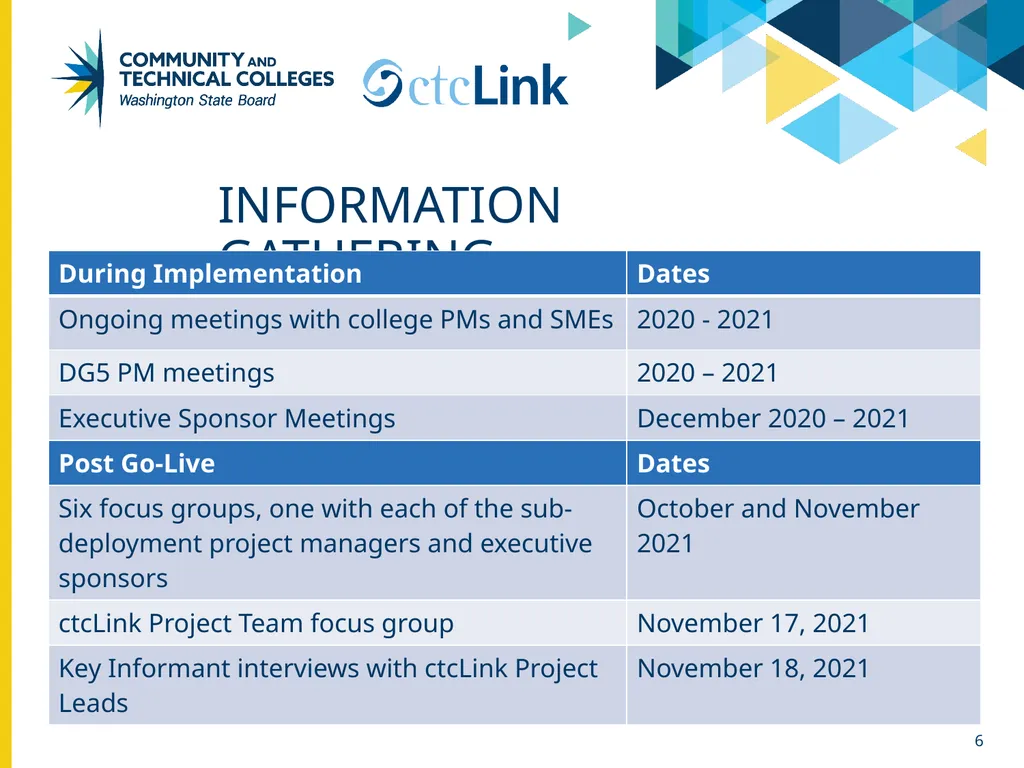
information gathering 6<br>
07
DG5 Lessons Learned Themes Importance of College Leadership Engagement
Preparing for Go-Live
Resource Planning
Training
Security
Transition to Support 7<br>
Preparing for Go-Live
Resource Planning
Training
Security
Transition to Support 7<br>
08
Importance of College Leadership Executive sponsors need to have the resources and authority to mitigate barriers, including college culture resistant to change and financial/resource. (college)
Executive leadership needs to reach out to change-resistors and subject matter experts on their teams. (college)
PMs should meet regularly with President, Executive Sponsor, and executive leadership to provide the executive leaders with the necessary information to budget, allocate, and manage resources necessary to complete ctcLink activities. (college)
Executive sponsors should not hold another role in the ctcLink Project structure, e.g., pillar lead. (college)
Engage supervisors early and make sure they are knowledgeable about what to expect from the change to ctcLink; they will be key to communicating with and supporting the training of their teams. (college)
Frequently recognize people for the ctcLink work they do, including compensation, public recognition, and celebrations. (college) 8<br>
Executive leadership needs to reach out to change-resistors and subject matter experts on their teams. (college)
PMs should meet regularly with President, Executive Sponsor, and executive leadership to provide the executive leaders with the necessary information to budget, allocate, and manage resources necessary to complete ctcLink activities. (college)
Executive sponsors should not hold another role in the ctcLink Project structure, e.g., pillar lead. (college)
Engage supervisors early and make sure they are knowledgeable about what to expect from the change to ctcLink; they will be key to communicating with and supporting the training of their teams. (college)
Frequently recognize people for the ctcLink work they do, including compensation, public recognition, and celebrations. (college) 8<br>
09
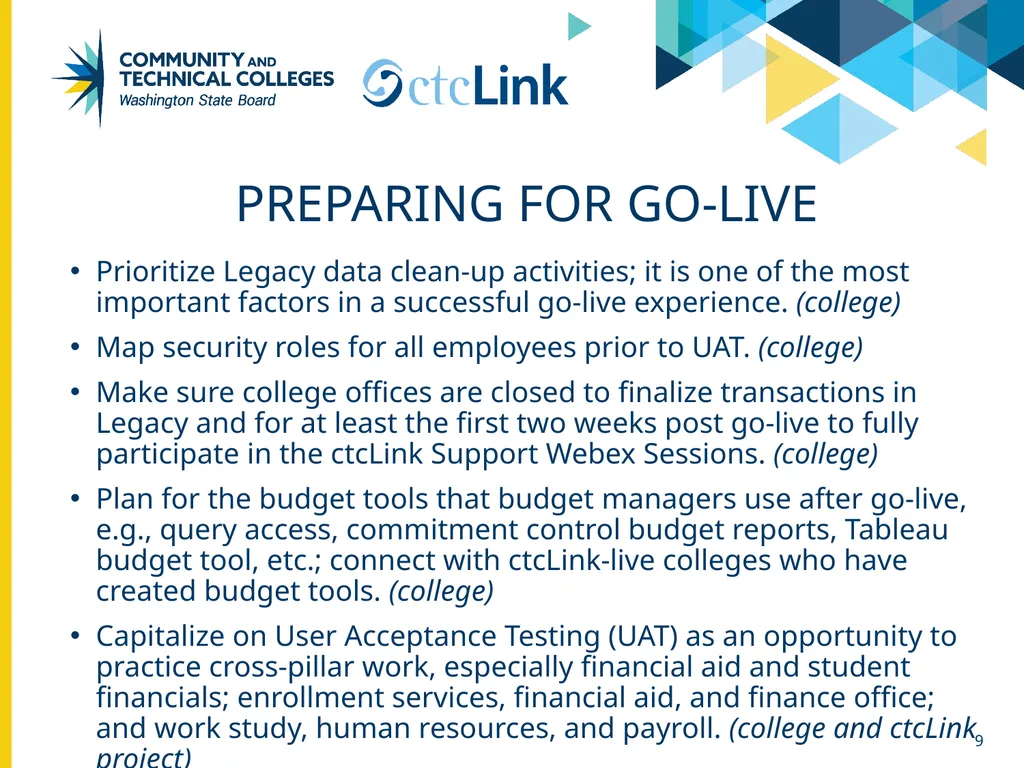
Preparing for Go-Live Prioritize Legacy data clean-up activities; it is one of the most important factors in a successful go-live experience. (college)
Map security roles for all employees prior to UAT. (college)
Make sure college offices are closed to finalize transactions in Legacy and for at least the first two weeks post go-live to fully participate in the ctcLink Support Webex Sessions. (college)
Plan for the budget tools that budget managers use after go-live, e.g., query access, commitment control budget reports, Tableau budget tool, etc.; connect with ctcLink-live colleges who have created budget tools. (college)
Capitalize on User Acceptance Testing (UAT) as an opportunity to practice cross-pillar work, especially financial aid and student financials; enrollment services, financial aid, and finance office; and work study, human resources, and payroll. (college and ctcLink project) 9<br>
Map security roles for all employees prior to UAT. (college)
Make sure college offices are closed to finalize transactions in Legacy and for at least the first two weeks post go-live to fully participate in the ctcLink Support Webex Sessions. (college)
Plan for the budget tools that budget managers use after go-live, e.g., query access, commitment control budget reports, Tableau budget tool, etc.; connect with ctcLink-live colleges who have created budget tools. (college)
Capitalize on User Acceptance Testing (UAT) as an opportunity to practice cross-pillar work, especially financial aid and student financials; enrollment services, financial aid, and finance office; and work study, human resources, and payroll. (college and ctcLink project) 9<br>
10
Preparing for Go-Live (CONT’d) Reinforce how configuration decisions impact ctcLink during UAT. (college and ctcLink project)
Practice final data validation activities during Cycle 4 data validation, Mock Go-Live Dry-Run. (ctcLink project) 10<br>
Practice final data validation activities during Cycle 4 data validation, Mock Go-Live Dry-Run. (ctcLink project) 10<br>
11
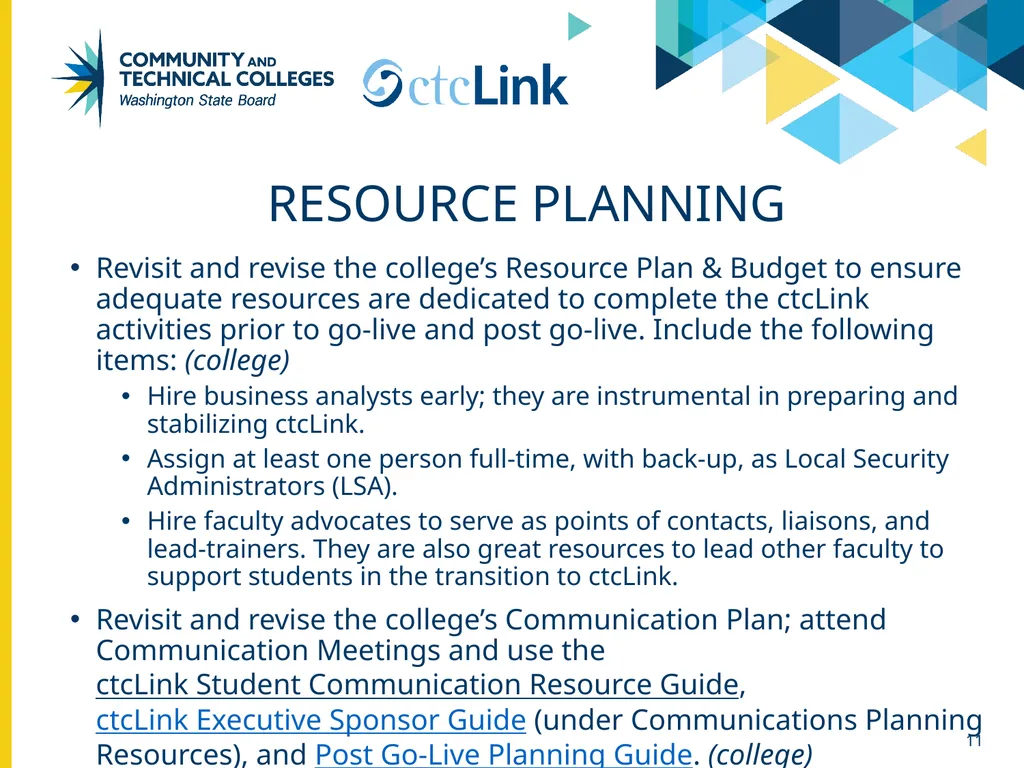
Resource Planning Revisit and revise the college’s Resource Plan & Budget to ensure adequate resources are dedicated to complete the ctcLink activities prior to go-live and post go-live. Include the following items: (college)
Hire business analysts early; they are instrumental in preparing and stabilizing ctcLink.
Assign at least one person full-time, with back-up, as Local Security Administrators (LSA).
Hire faculty advocates to serve as points of contacts, liaisons, and lead-trainers. They are also great resources to lead other faculty to support students in the transition to ctcLink.
Revisit and revise the college’s Communication Plan; attend Communication Meetings and use the ctcLink Student Communication Resource Guide, ctcLink Executive Sponsor Guide (under Communications Planning Resources), and Post Go-Live Planning Guide. (college) 11<br>
Hire business analysts early; they are instrumental in preparing and stabilizing ctcLink.
Assign at least one person full-time, with back-up, as Local Security Administrators (LSA).
Hire faculty advocates to serve as points of contacts, liaisons, and lead-trainers. They are also great resources to lead other faculty to support students in the transition to ctcLink.
Revisit and revise the college’s Communication Plan; attend Communication Meetings and use the ctcLink Student Communication Resource Guide, ctcLink Executive Sponsor Guide (under Communications Planning Resources), and Post Go-Live Planning Guide. (college) 11<br>
12
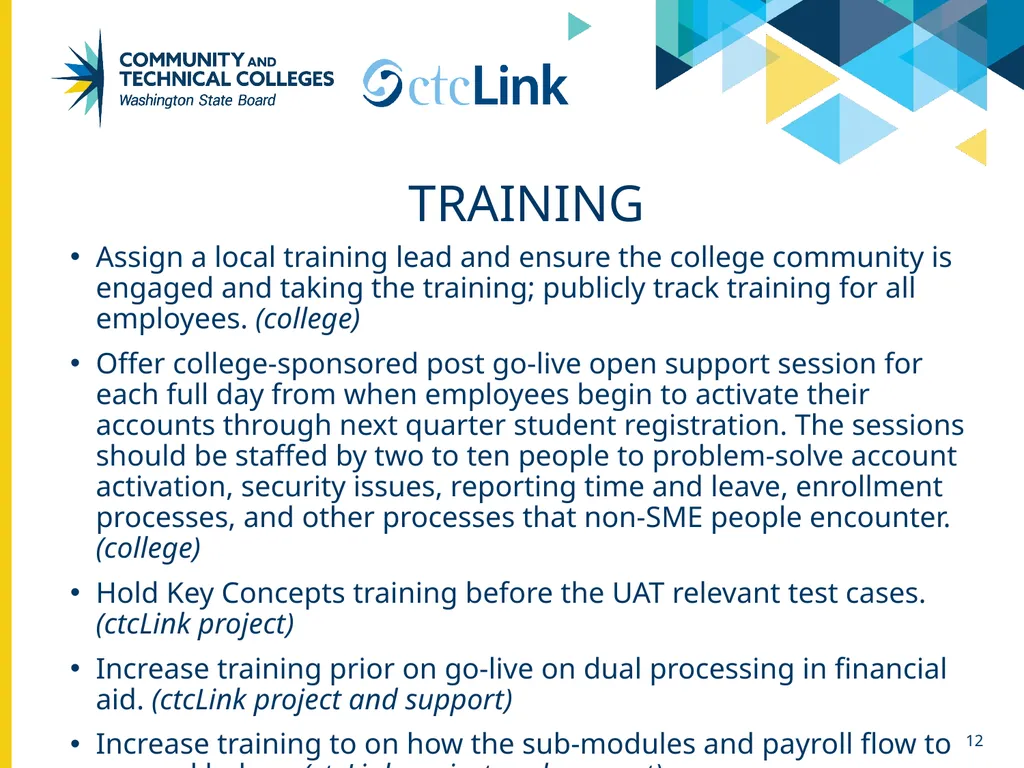
Training Assign a local training lead and ensure the college community is engaged and taking the training; publicly track training for all employees. (college)
Offer college-sponsored post go-live open support session for each full day from when employees begin to activate their accounts through next quarter student registration. The sessions should be staffed by two to ten people to problem-solve account activation, security issues, reporting time and leave, enrollment processes, and other processes that non-SME people encounter. (college)
Hold Key Concepts training before the UAT relevant test cases. (ctcLink project)
Increase training prior on go-live on dual processing in financial aid. (ctcLink project and support)
Increase training to on how the sub-modules and payroll flow to general ledger. (ctcLink project and support) 12<br>
Offer college-sponsored post go-live open support session for each full day from when employees begin to activate their accounts through next quarter student registration. The sessions should be staffed by two to ten people to problem-solve account activation, security issues, reporting time and leave, enrollment processes, and other processes that non-SME people encounter. (college)
Hold Key Concepts training before the UAT relevant test cases. (ctcLink project)
Increase training prior on go-live on dual processing in financial aid. (ctcLink project and support)
Increase training to on how the sub-modules and payroll flow to general ledger. (ctcLink project and support) 12<br>
13
Training (Cont’d) Within the Quick Reference Guides (QRGs), indicate the order of operations (e.g. this is step 1, 2, 7 or step 18) for each business process’ component parts to give context within the overall business process described (ctcLink project and support)
Centralize the branding of the QRGs to become the colleges’ How-To Guides where appropriate. (ctcLink support) 13<br>
Centralize the branding of the QRGs to become the colleges’ How-To Guides where appropriate. (ctcLink support) 13<br>
14
Security Engage college’s Legacy security leads in the security work prior to go-live so their knowledge and responsibility can be more aligned with ctcLink security requirements. (college)
Offer colleges Visio and other documentation to provide them the environment details they would need to work in the environment, including data snap-shots, corresponding security roles, and usage. (ctcLink project)
Develop more job aids to crosswalk job roles/duties to the necessary security roles (i.e., business operations by job descriptions that match to security roles). (ctcLink project)
Provide a link for LSAs in the QRGs that identify which security role(s) is needed for each business operation explained in the QRG. (ctcLink project and support) 14<br>
Offer colleges Visio and other documentation to provide them the environment details they would need to work in the environment, including data snap-shots, corresponding security roles, and usage. (ctcLink project)
Develop more job aids to crosswalk job roles/duties to the necessary security roles (i.e., business operations by job descriptions that match to security roles). (ctcLink project)
Provide a link for LSAs in the QRGs that identify which security role(s) is needed for each business operation explained in the QRG. (ctcLink project and support) 14<br>
15
Transition to Support Make sure the right people are present and actively engaged in the Webex Support Sessions. (college)
Partner with another ctcLink-live college and use the relevant ctcLink listserv to receive mentorship and learn best practices; these actions will enhance go-live support. (college)
Engage ctcLink Support team throughout the implementation activities prior to go-live for an easier transition. (ctcLink project and support)
Ensure the scheduled post go-live Webex Support Sessions are in alignment with the time of go-live and sequences of business processes. (ctcLink support) 15<br>
Partner with another ctcLink-live college and use the relevant ctcLink listserv to receive mentorship and learn best practices; these actions will enhance go-live support. (college)
Engage ctcLink Support team throughout the implementation activities prior to go-live for an easier transition. (ctcLink project and support)
Ensure the scheduled post go-live Webex Support Sessions are in alignment with the time of go-live and sequences of business processes. (ctcLink support) 15<br>
16
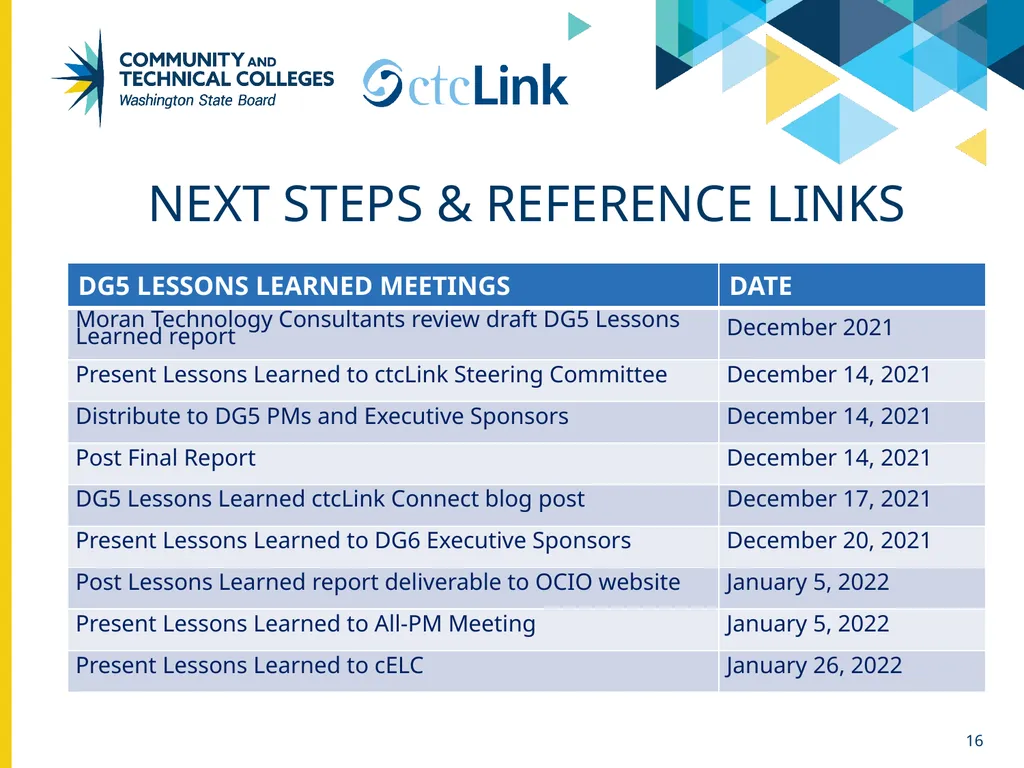
Next Steps & reference links 16<br>