
Importing Curve Data and Lofting a Solid

Published  . 0 views
↓ Download
Importing Curve Data and Lofting a Solid
1 / 1
Importing Curve Data and Lofting a Solid - slide 1 of 10 Importing Curve Data and Lofting a Solid - slide 2 of 10 Importing Curve Data and Lofting a Solid - slide 3 of 10 Importing Curve Data and Lofting a Solid - slide 4 of 10 Importing Curve Data and Lofting a Solid - slide 5 of 10 Importing Curve Data and Lofting a Solid - slide 6 of 10 Importing Curve Data and Lofting a Solid - slide 7 of 10 Importing Curve Data and Lofting a Solid - slide 8 of 10 Importing Curve Data and Lofting a Solid - slide 9 of 10 Importing Curve Data and Lofting a Solid - slide 10 of 10
Description: Importing Curve Data and Lofting a Solid Background and Motivation An example of how to handle irregular shapes in COMSOL Multiphysics. Shows one way to loft a solid. Exemplifies different ways of partitioning objects and curves. Model

Related Topics

Download Presentation

"Importing Curve Data and Lofting a Solid" is the property of its rightful owner. Permission is granted to download and print the materials on this website for personal, non-commercial use only, and to display it on your personal computer provided you do not modify the materials and that you retain all copyright notices contained in the materials. By downloading content from our website, you accept the terms of this agreement.

Presentation Transcript

slide1. Importing Curve Data and Lofting a Solid<br>
slide2. Background and Motivation An example of how to handle irregular shapes in COMSOL Multiphysics.
Shows one way to loft a solid.
Exemplifies different ways of partitioning objects and curves.<br>
slide3. Model Setup Creating curve objects of each of the text files
Making sure the points are aligned in the loft direction by partitioning the edges of the curves
Lofting the curves into a solid.
Hiding unnecessary edges to get a nice looking shape.<br>
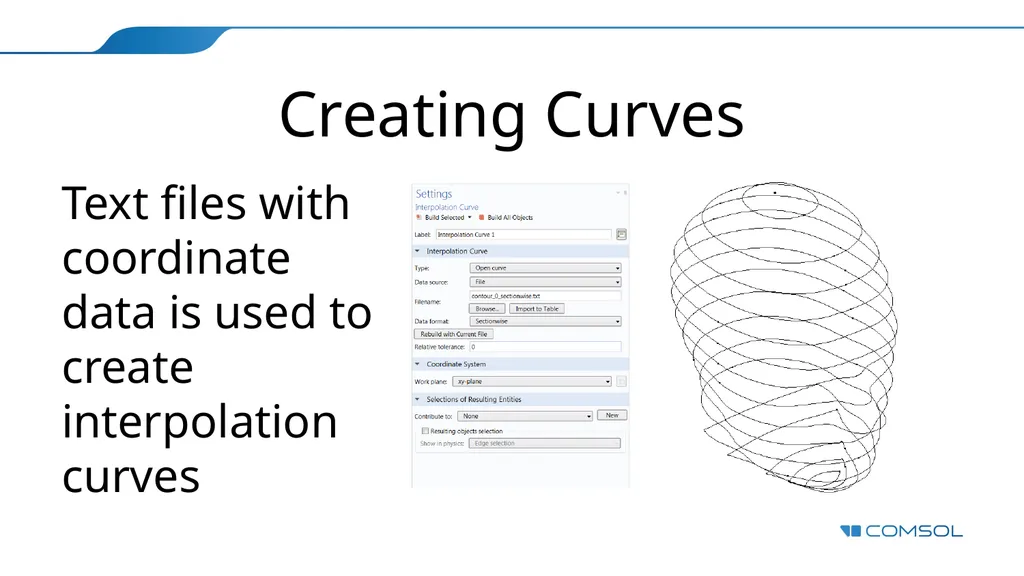
slide4. Creating Curves Text files with coordinate data is used to create interpolation curves<br>
slide5. Why Partition the Edges? The Loft operation requires all intermediate profiles to have the same amount of edges and points. The points also need to be aligned on a fairly straight line.
The start and end profiles may have less edges and can even be points.
Use the Measure button to see how many points and edges each curve object has.
Partition the objects and/or edges to get the amount and positions to match up.<br>
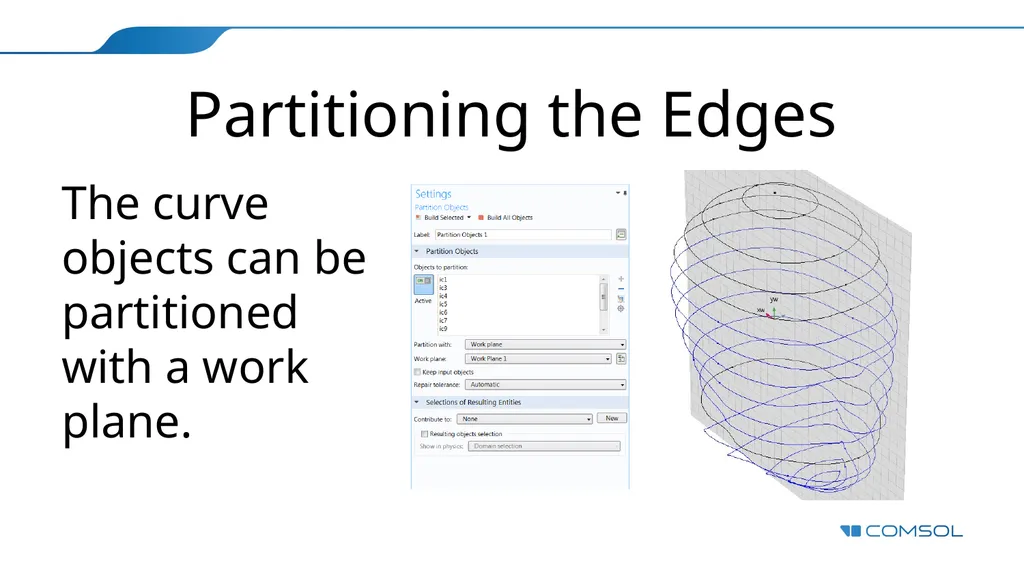
slide6. Partitioning the Edges The curve objects can be partitioned with a work plane.<br>
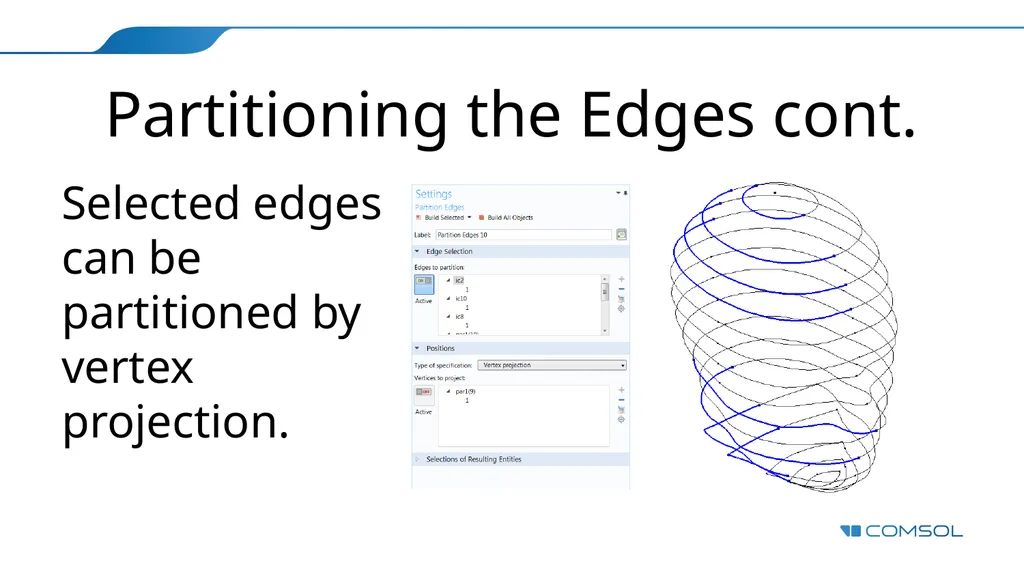
slide7. Partitioning the Edges cont. Selected edges can be partitioned by vertex projection.<br>
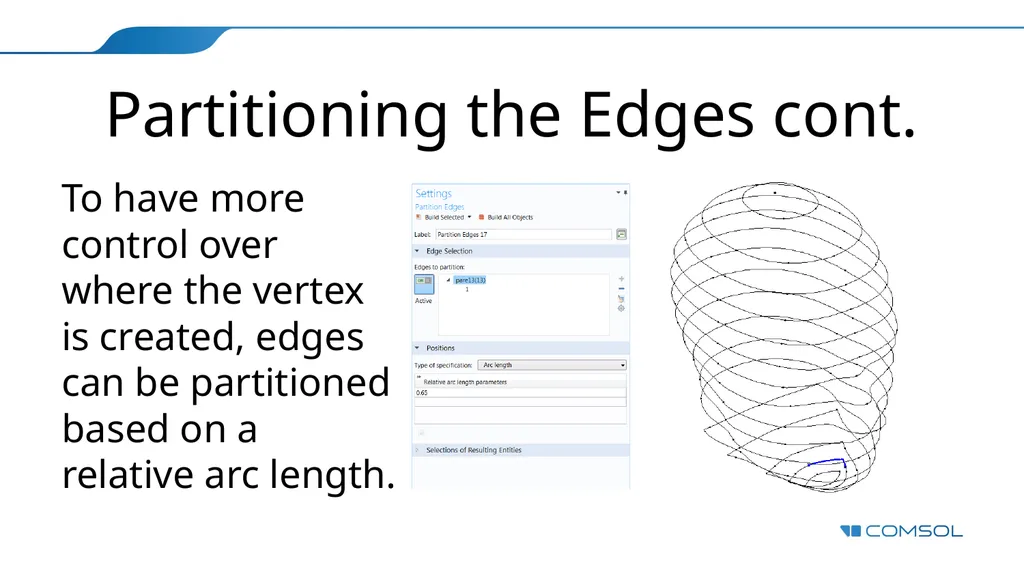
slide8. Partitioning the Edges cont. To have more control over where the vertex is created, edges can be partitioned based on a relative arc length.<br>
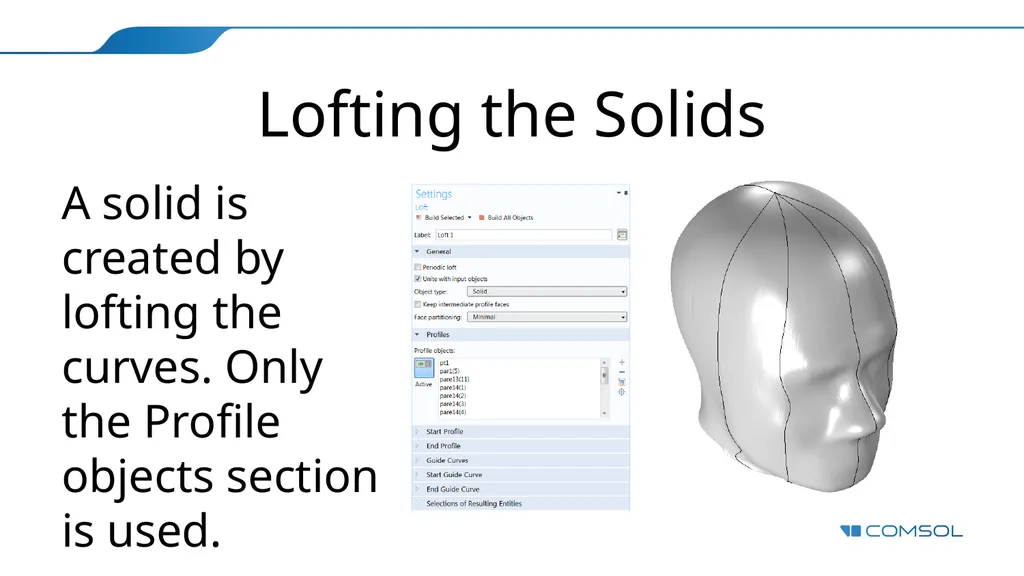
slide9. Lofting the Solids A solid is created by lofting the curves. Only the Profile objects section is used.<br>
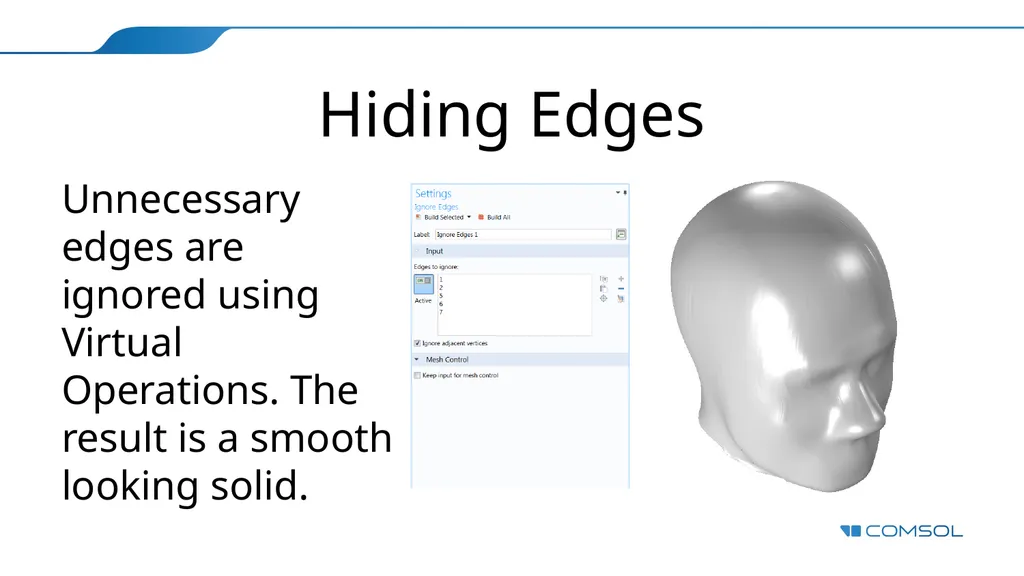
slide10. Hiding Edges Unnecessary edges are ignored using Virtual Operations. The result is a smooth looking solid.<br>