
Keys Keys Keys play an important role in the
CM
Published · 57 slides · 0 views

1 / 1


Description
Keys Keys Keys play an important role in the relational database. It is used to uniquely identify any record or row of data from the table. It is also used to establish and identify relationships between tables. Example ID is used as a key
Related Topics
Share
Embed code
Download this presentation From Below
"Keys Keys Keys play an important role in the" is the property of its rightful owner. Permission is granted to download and print the materials on this website for personal, non-commercial use only, and to display it on your personal computer provided you do not modify the materials and that you retain all copyright notices contained in the materials. By downloading content from our website, you accept the terms of this agreement.
Presentation Transcript
01
Keys<br>
02
Keys Keys play an important role in the relational database.
It is used to uniquely identify any record or row of data from the table. It is also used to establish and identify relationships between tables.<br>
It is used to uniquely identify any record or row of data from the table. It is also used to establish and identify relationships between tables.<br>
03
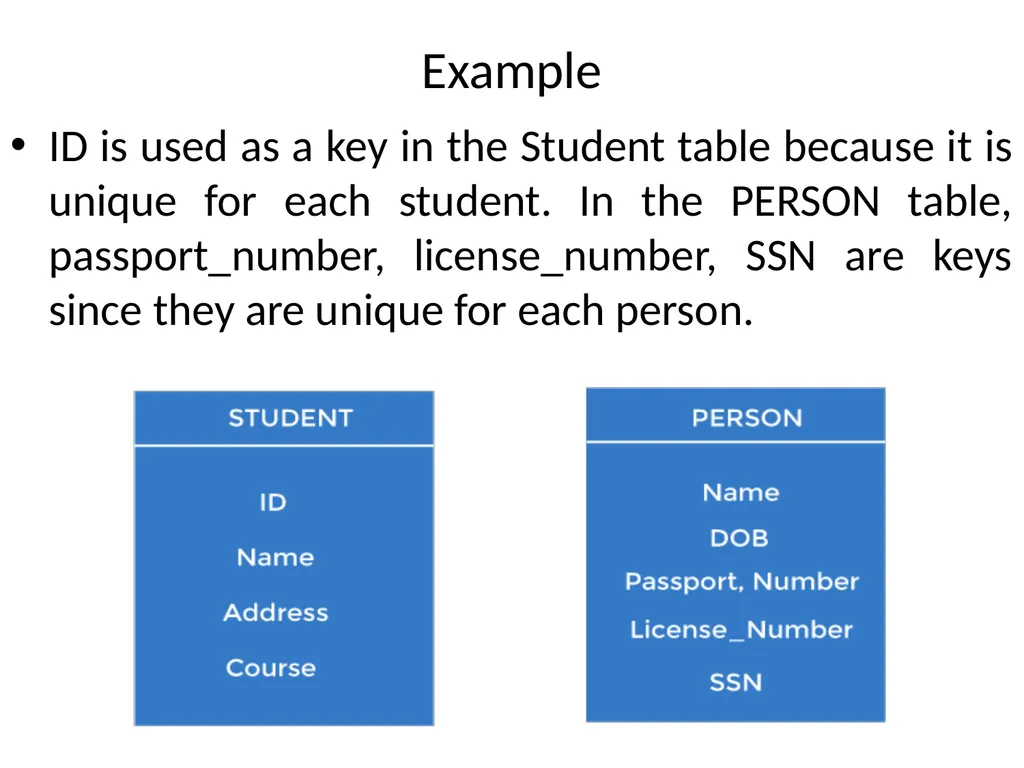
Example ID is used as a key in the Student table because it is unique for each student. In the PERSON table, passport_number, license_number, SSN are keys since they are unique for each person.<br>
04
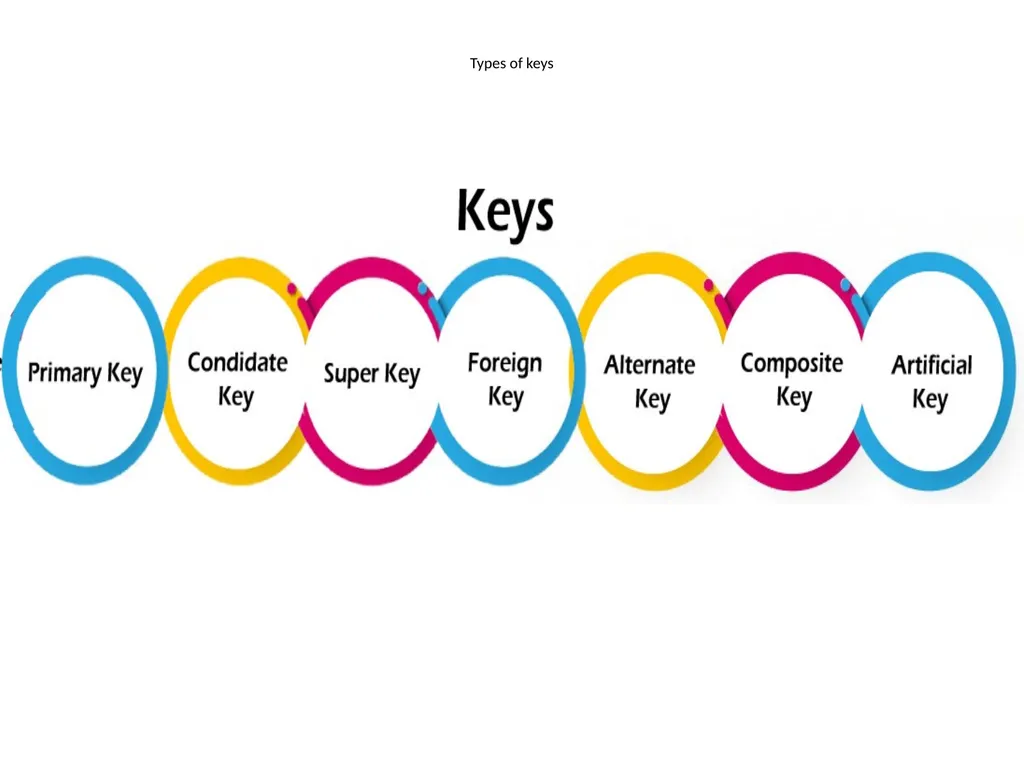
Types of keys<br>
05
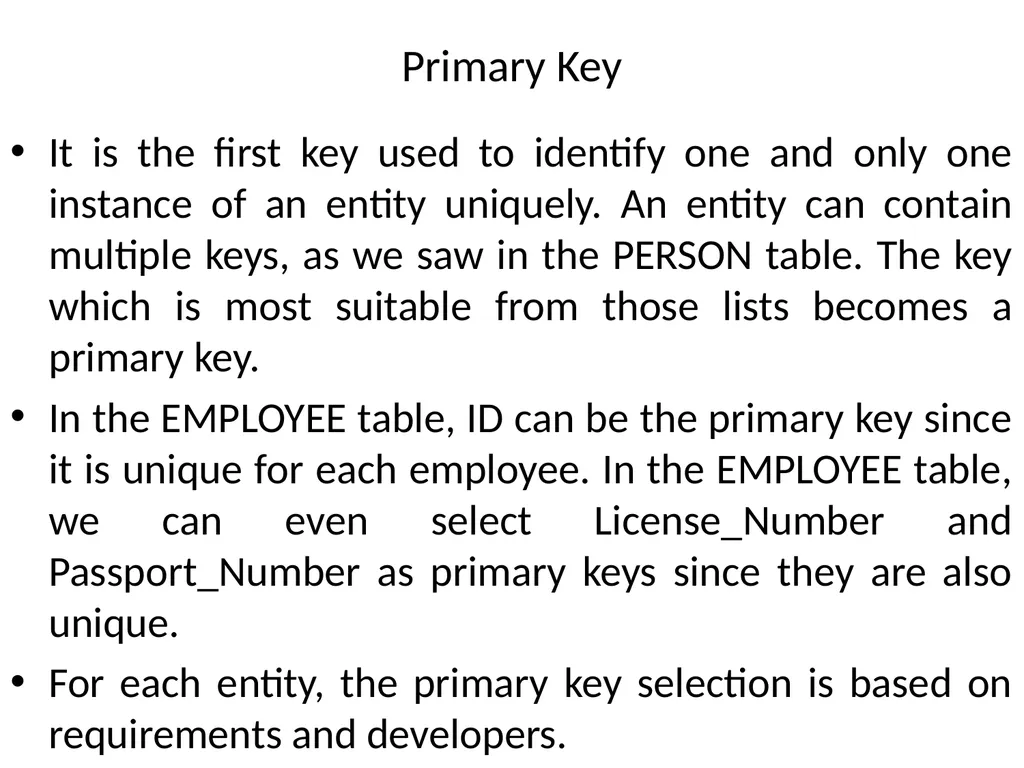
Primary Key It is the first key used to identify one and only one instance of an entity uniquely. An entity can contain multiple keys, as we saw in the PERSON table. The key which is most suitable from those lists becomes a primary key.
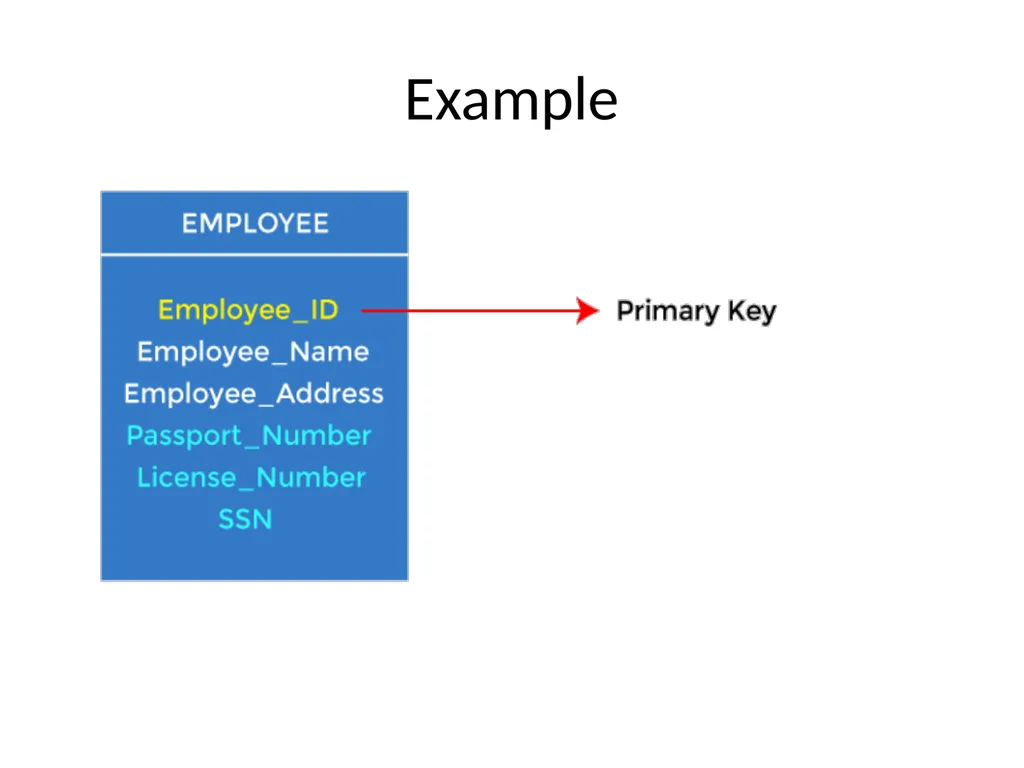
In the EMPLOYEE table, ID can be the primary key since it is unique for each employee. In the EMPLOYEE table, we can even select License_Number and Passport_Number as primary keys since they are also unique.
For each entity, the primary key selection is based on requirements and developers.<br>
In the EMPLOYEE table, ID can be the primary key since it is unique for each employee. In the EMPLOYEE table, we can even select License_Number and Passport_Number as primary keys since they are also unique.
For each entity, the primary key selection is based on requirements and developers.<br>
06
Example<br>
07
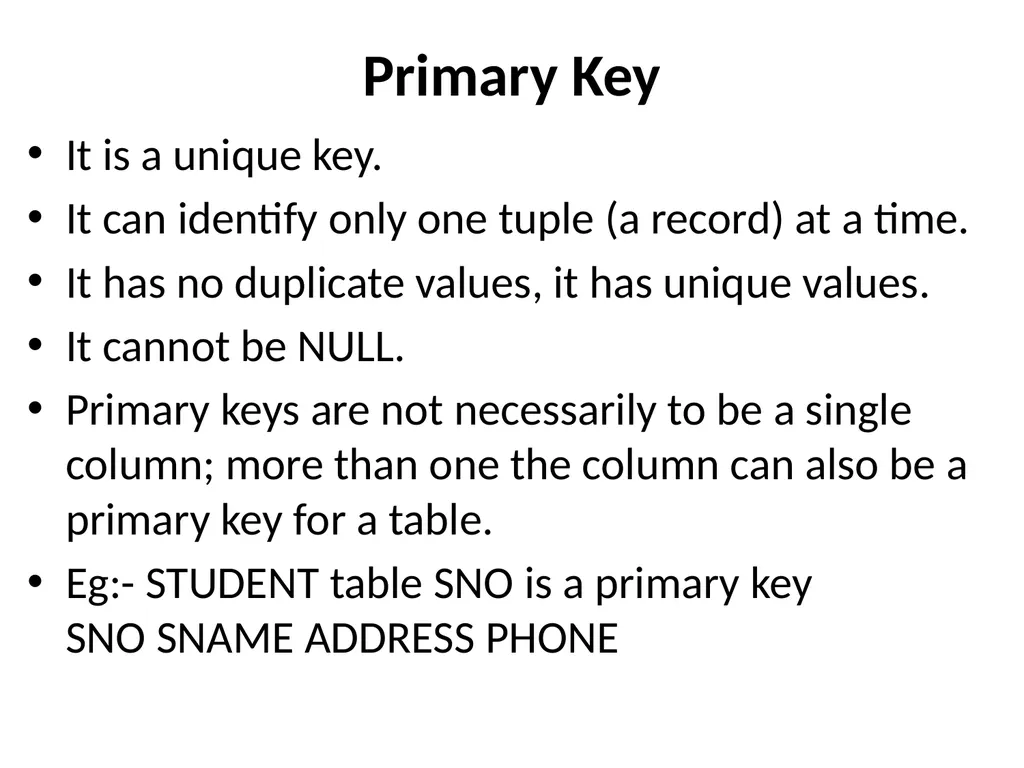
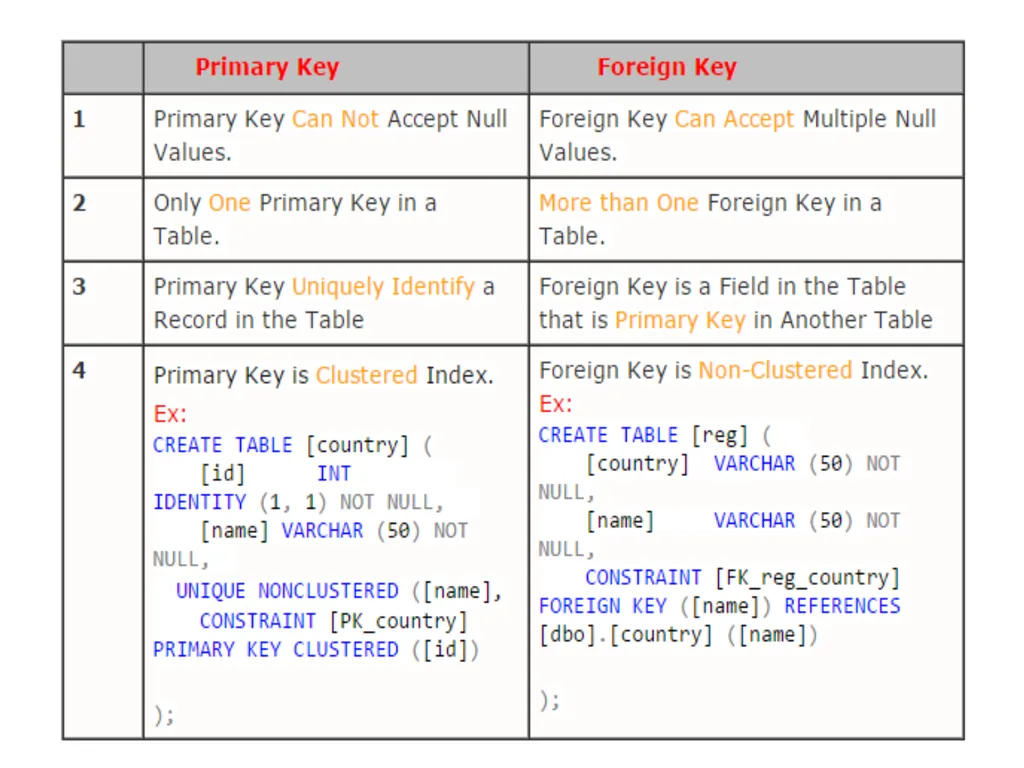
Primary Key It is a unique key.
It can identify only one tuple (a record) at a time.
It has no duplicate values, it has unique values.
It cannot be NULL.
Primary keys are not necessarily to be a single column; more than one the column can also be a primary key for a table.
Eg:- STUDENT table SNO is a primary key SNO SNAME ADDRESS PHONE<br>
It can identify only one tuple (a record) at a time.
It has no duplicate values, it has unique values.
It cannot be NULL.
Primary keys are not necessarily to be a single column; more than one the column can also be a primary key for a table.
Eg:- STUDENT table SNO is a primary key SNO SNAME ADDRESS PHONE<br>
08
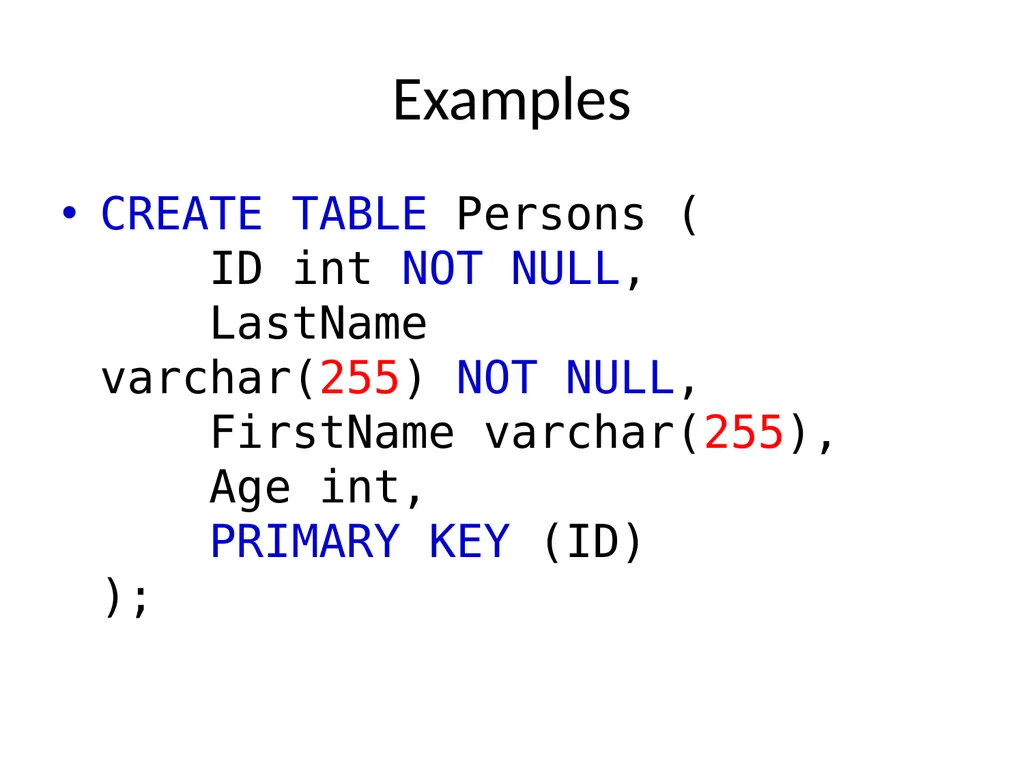
Examples CREATE TABLE Persons (
ID int NOT NULL,
LastName varchar(255) NOT NULL,
FirstName varchar(255),
Age int,
PRIMARY KEY (ID)
);<br>
09
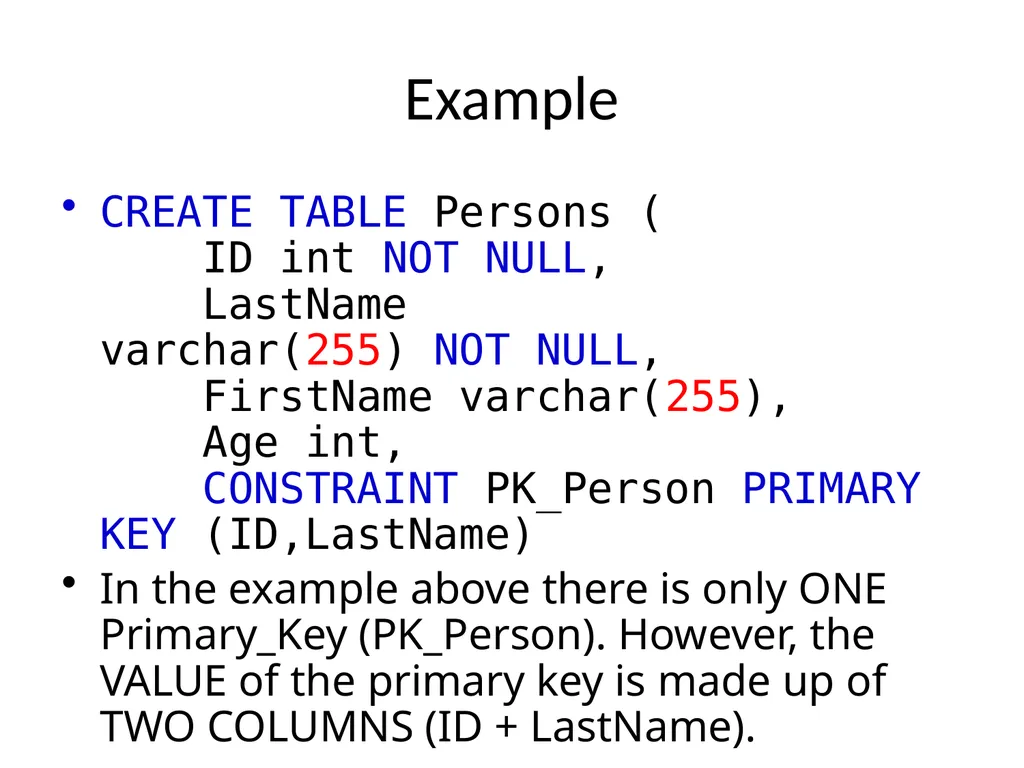
Example CREATE TABLE Persons (
ID int NOT NULL,
LastName varchar(255) NOT NULL,
FirstName varchar(255),
Age int,
CONSTRAINT PK_Person PRIMARY KEY (ID,LastName)
In the example above there is only ONE Primary_Key (PK_Person). However, the VALUE of the primary key is made up of TWO COLUMNS (ID + LastName).<br>
In the example above there is only ONE Primary_Key (PK_Person). However, the VALUE of the primary key is made up of TWO COLUMNS (ID + LastName).<br>
10
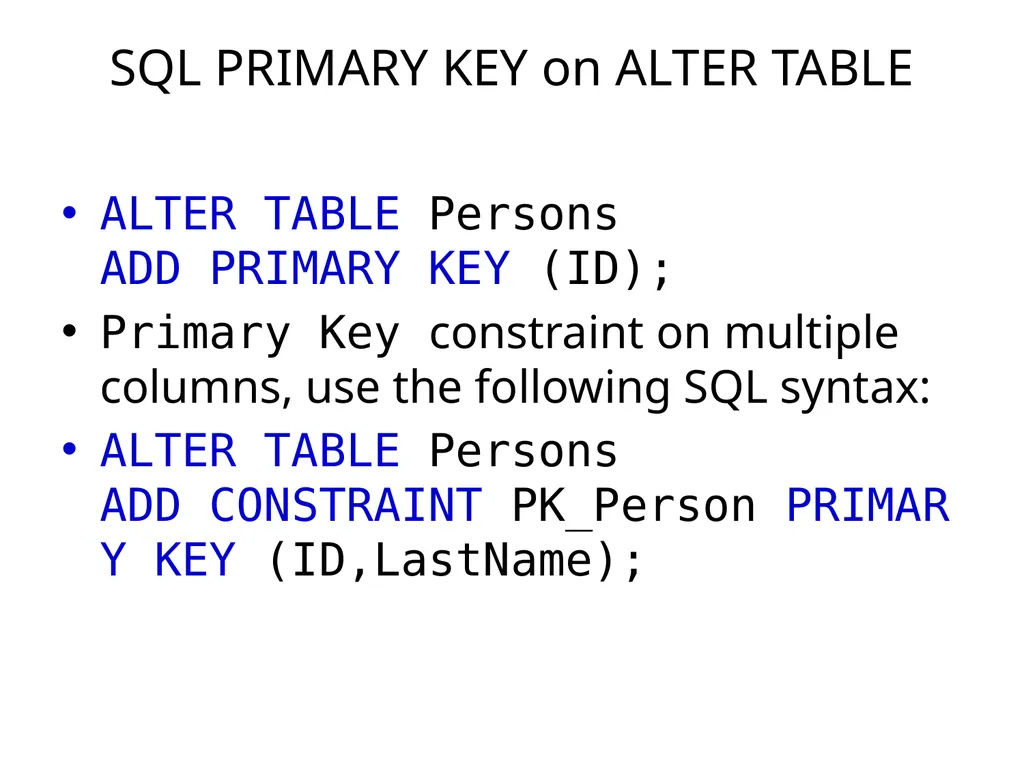
SQL PRIMARY KEY on ALTER TABLE ALTER TABLE Persons
ADD PRIMARY KEY (ID);
Primary Key constraint on multiple columns, use the following SQL syntax:
ALTER TABLE Persons ADD CONSTRAINT PK_Person PRIMARY KEY (ID,LastName);<br>
Primary Key constraint on multiple columns, use the following SQL syntax:
ALTER TABLE Persons ADD CONSTRAINT PK_Person PRIMARY KEY (ID,LastName);<br>
11
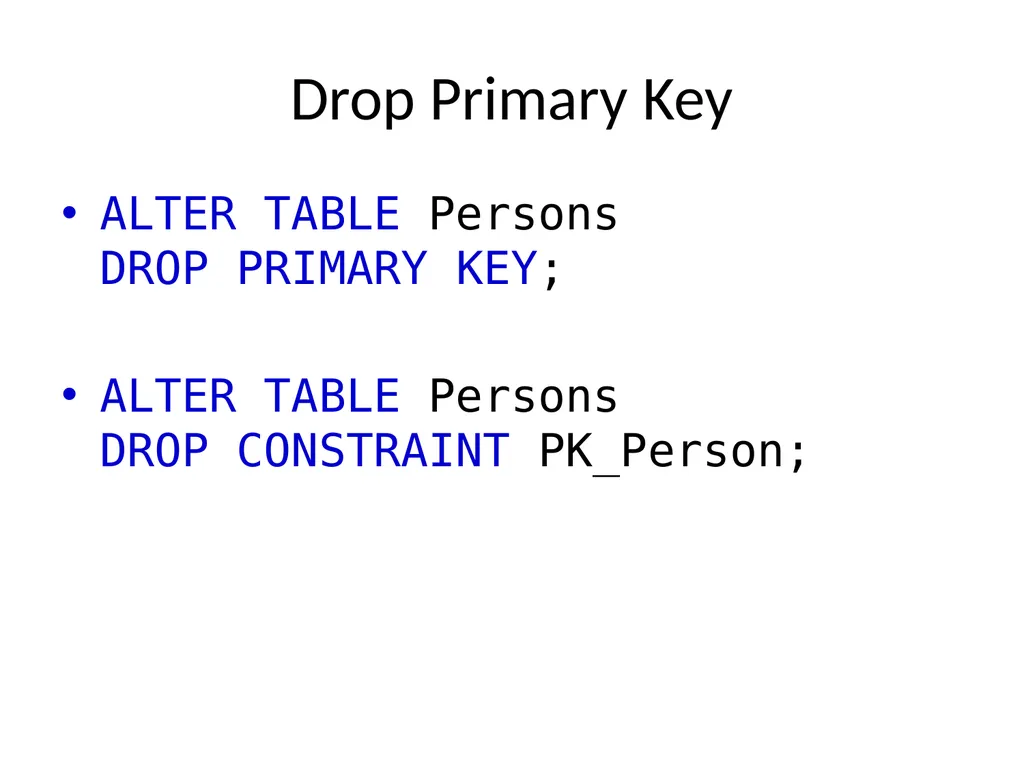
Drop Primary Key ALTER TABLE Persons
DROP PRIMARY KEY;
ALTER TABLE Persons DROP CONSTRAINT PK_Person;<br>
ALTER TABLE Persons DROP CONSTRAINT PK_Person;<br>
12
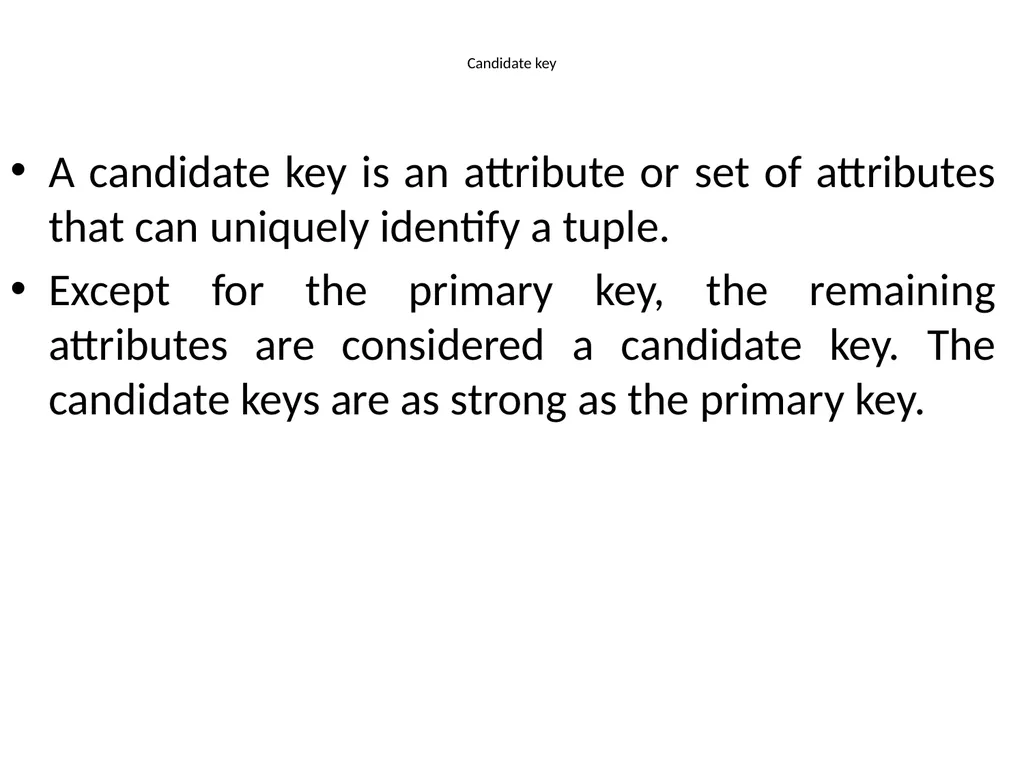
Candidate key A candidate key is an attribute or set of attributes that can uniquely identify a tuple.
Except for the primary key, the remaining attributes are considered a candidate key. The candidate keys are as strong as the primary key.<br>
Except for the primary key, the remaining attributes are considered a candidate key. The candidate keys are as strong as the primary key.<br>
13
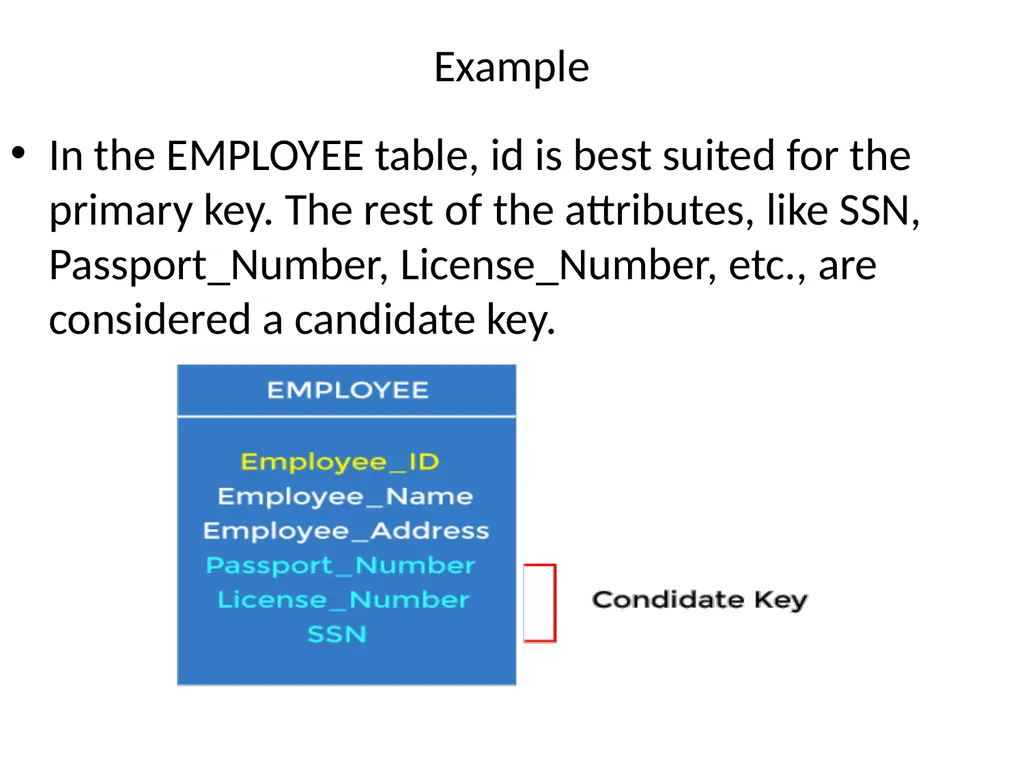
Example In the EMPLOYEE table, id is best suited for the primary key. The rest of the attributes, like SSN, Passport_Number, License_Number, etc., are considered a candidate key.<br>
14
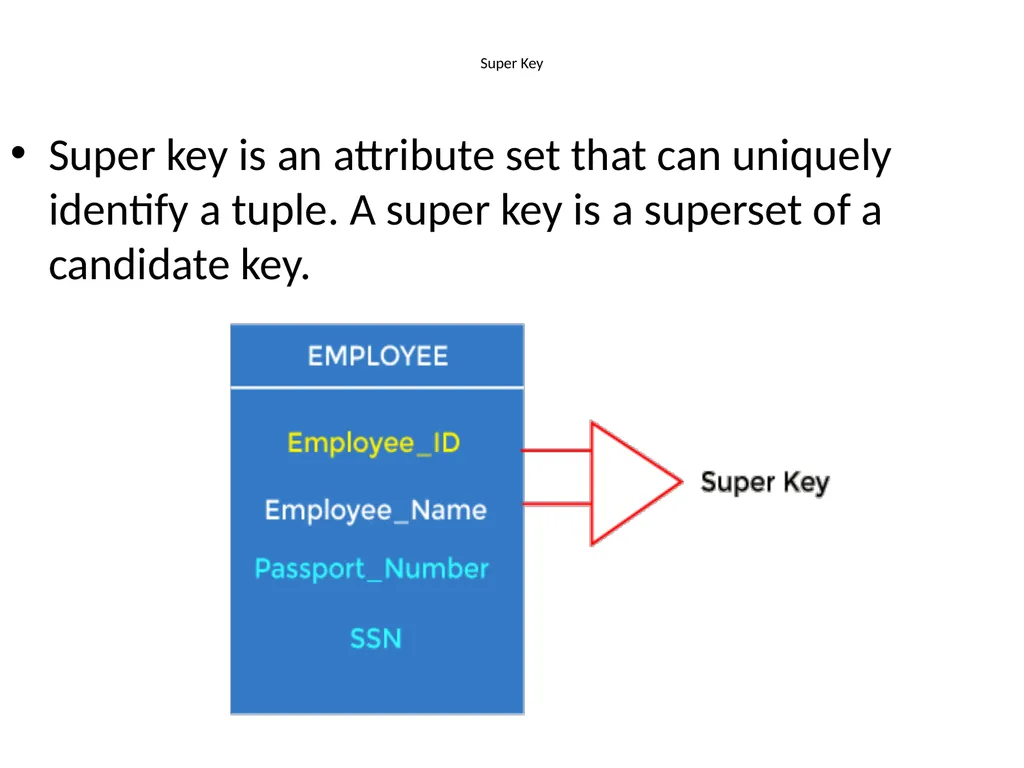
Super Key Super key is an attribute set that can uniquely identify a tuple. A super key is a superset of a candidate key.<br>
15
Example In the above EMPLOYEE table, for(EMPLOEE_ID, EMPLOYEE_NAME), the name of two employees can be the same, but their EMPLYEE_ID can't be the same. Hence, this combination can also be a key.
The super key would be EMPLOYEE-ID (EMPLOYEE_ID, EMPLOYEE-NAME), etc.<br>
The super key would be EMPLOYEE-ID (EMPLOYEE_ID, EMPLOYEE-NAME), etc.<br>
16
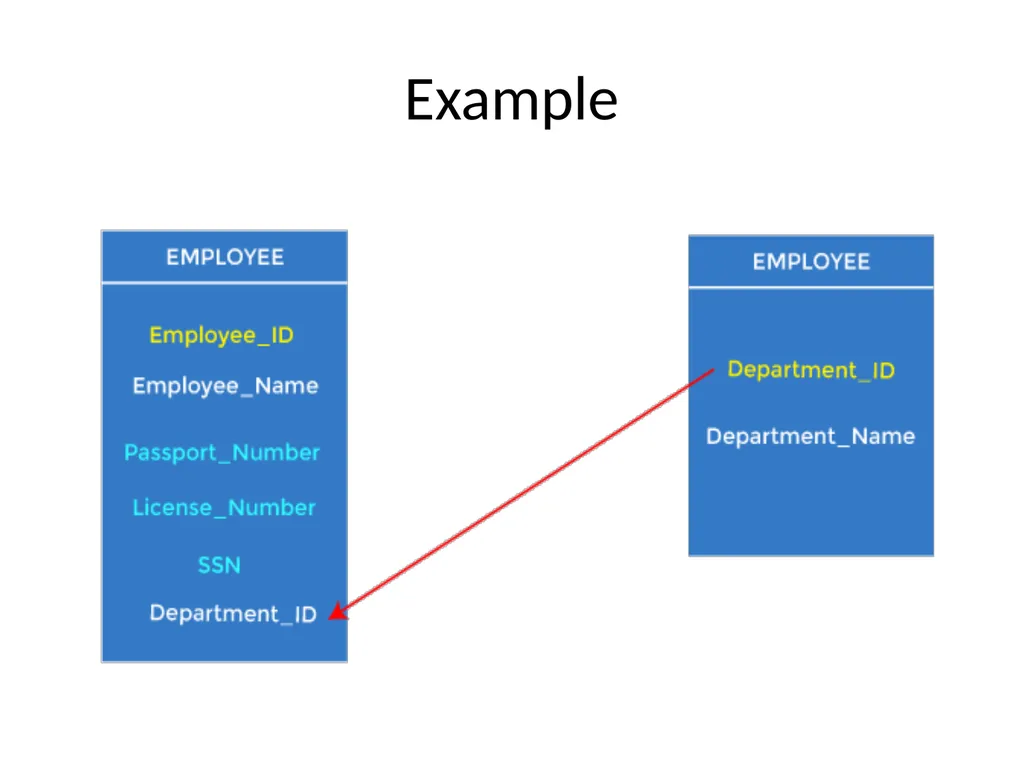
Foreign key Foreign keys are the column of the table used to point to the primary key of another table.
Every employee works in a specific department in a company, and employee and department are two different entities. So we can't store the department's information in the employee table. That's why we link these two tables through the primary key of one table.
We add the primary key of the DEPARTMENT table, Department_Id, as a new attribute in the EMPLOYEE table.
In the EMPLOYEE table, Department_Id is the foreign key, and both the tables are related.<br>
Every employee works in a specific department in a company, and employee and department are two different entities. So we can't store the department's information in the employee table. That's why we link these two tables through the primary key of one table.
We add the primary key of the DEPARTMENT table, Department_Id, as a new attribute in the EMPLOYEE table.
In the EMPLOYEE table, Department_Id is the foreign key, and both the tables are related.<br>
17
Example<br>
18
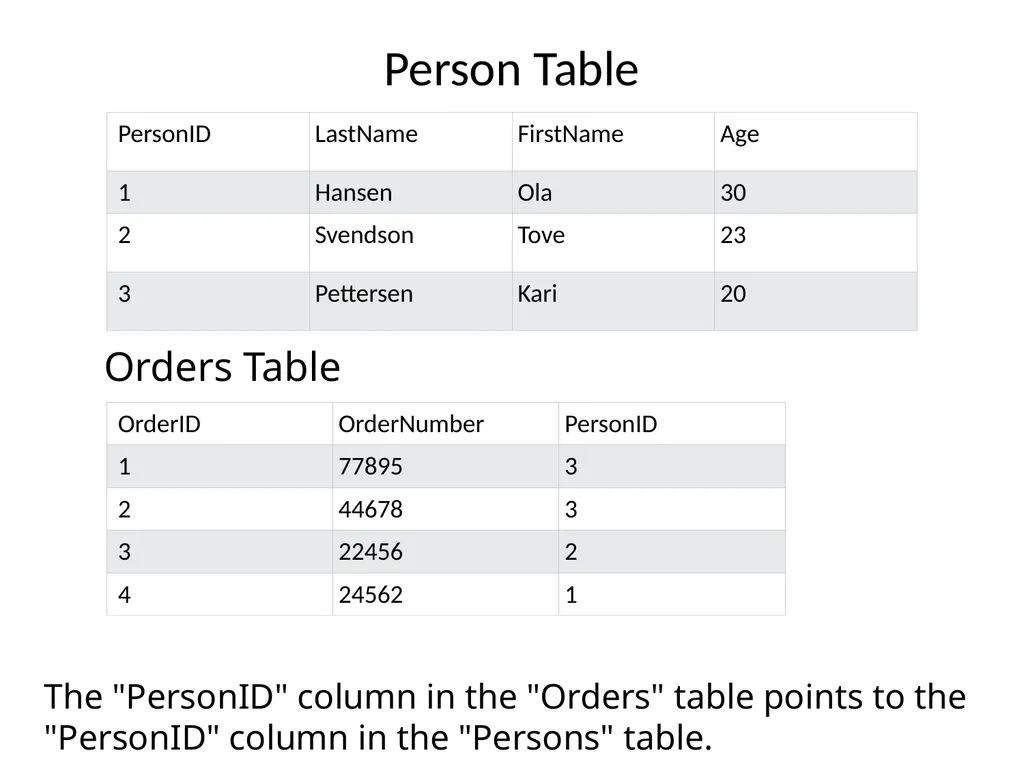
Person Table Orders Table The "PersonID" column in the "Orders" table points to the "PersonID" column in the "Persons" table.<br>
19
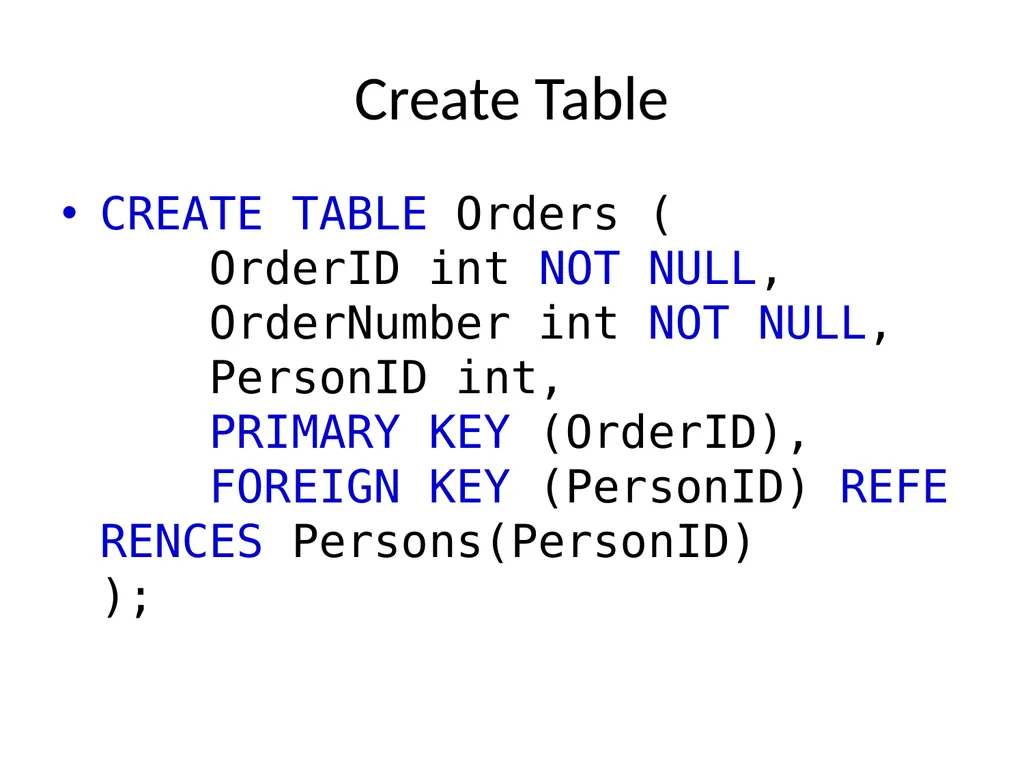
Create Table CREATE TABLE Orders (
OrderID int NOT NULL,
OrderNumber int NOT NULL,
PersonID int,
PRIMARY KEY (OrderID),
FOREIGN KEY (PersonID) REFERENCES Persons(PersonID)
);<br>
20
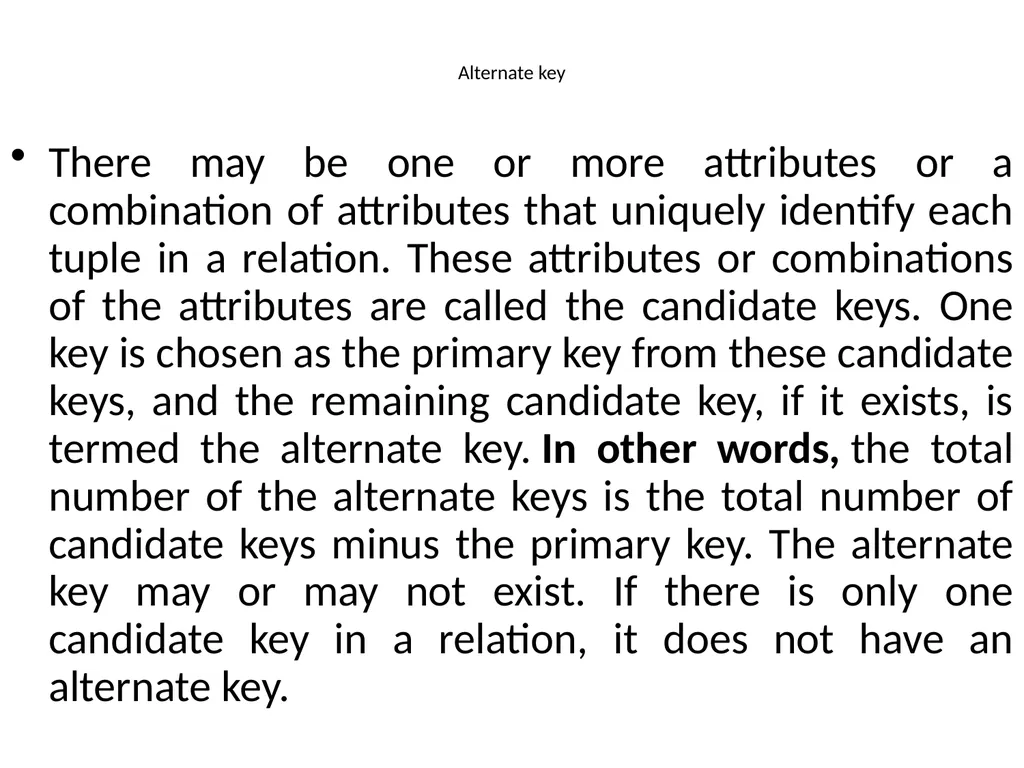
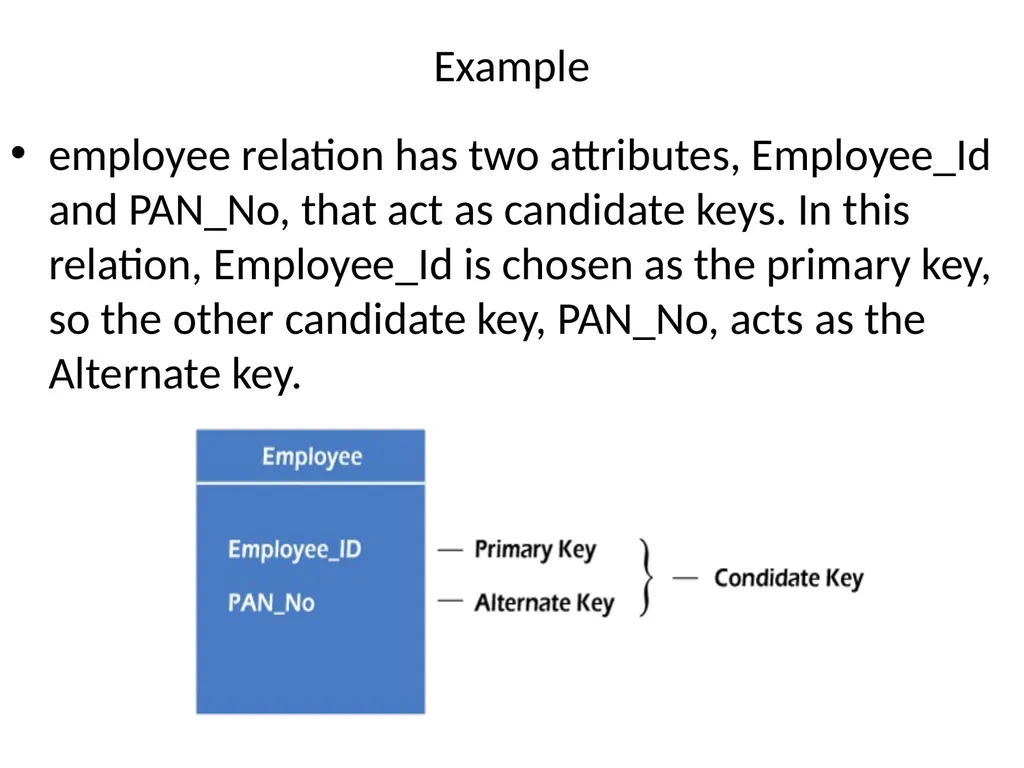
Alternate key There may be one or more attributes or a combination of attributes that uniquely identify each tuple in a relation. These attributes or combinations of the attributes are called the candidate keys. One key is chosen as the primary key from these candidate keys, and the remaining candidate key, if it exists, is termed the alternate key. In other words, the total number of the alternate keys is the total number of candidate keys minus the primary key. The alternate key may or may not exist. If there is only one candidate key in a relation, it does not have an alternate key.<br>
21
Example employee relation has two attributes, Employee_Id and PAN_No, that act as candidate keys. In this relation, Employee_Id is chosen as the primary key, so the other candidate key, PAN_No, acts as the Alternate key.<br>
22
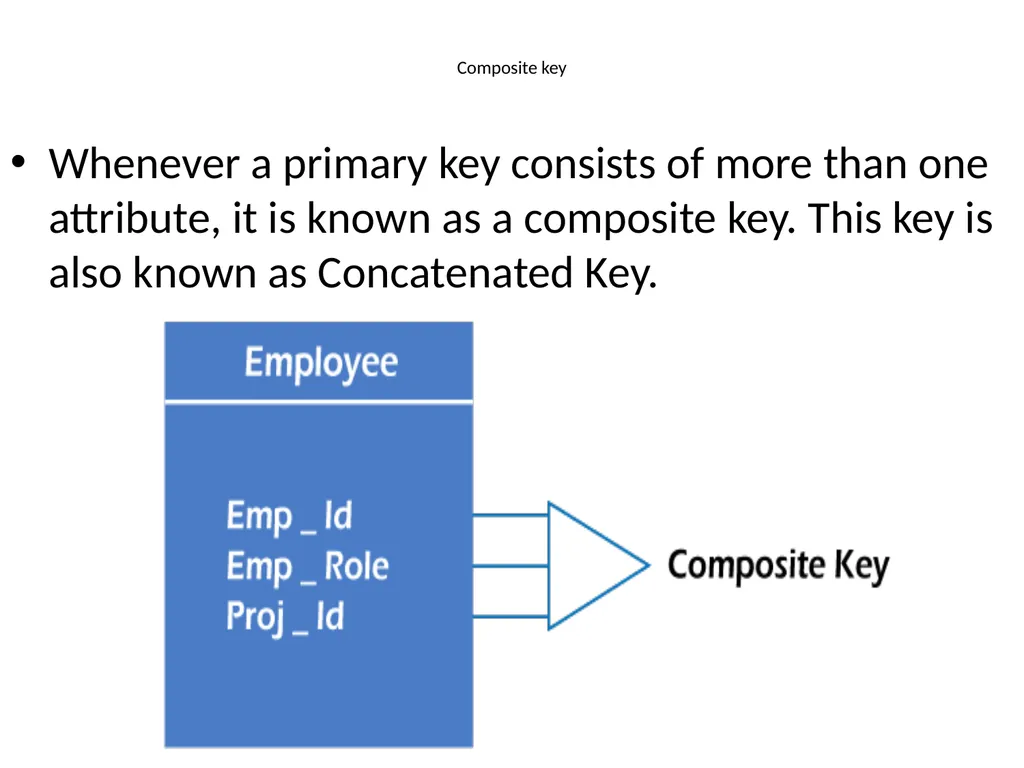
Composite key Whenever a primary key consists of more than one attribute, it is known as a composite key. This key is also known as Concatenated Key.<br>
23
Example In employee relations, we assume that an employee may be assigned multiple roles, and an employee may work on multiple projects simultaneously. So the primary key will be composed of all three attributes, namely Emp_ID, Emp_role, and Proj_ID in combination. So these attributes act as a composite key since the primary key comprises more than one attribute.<br>
24
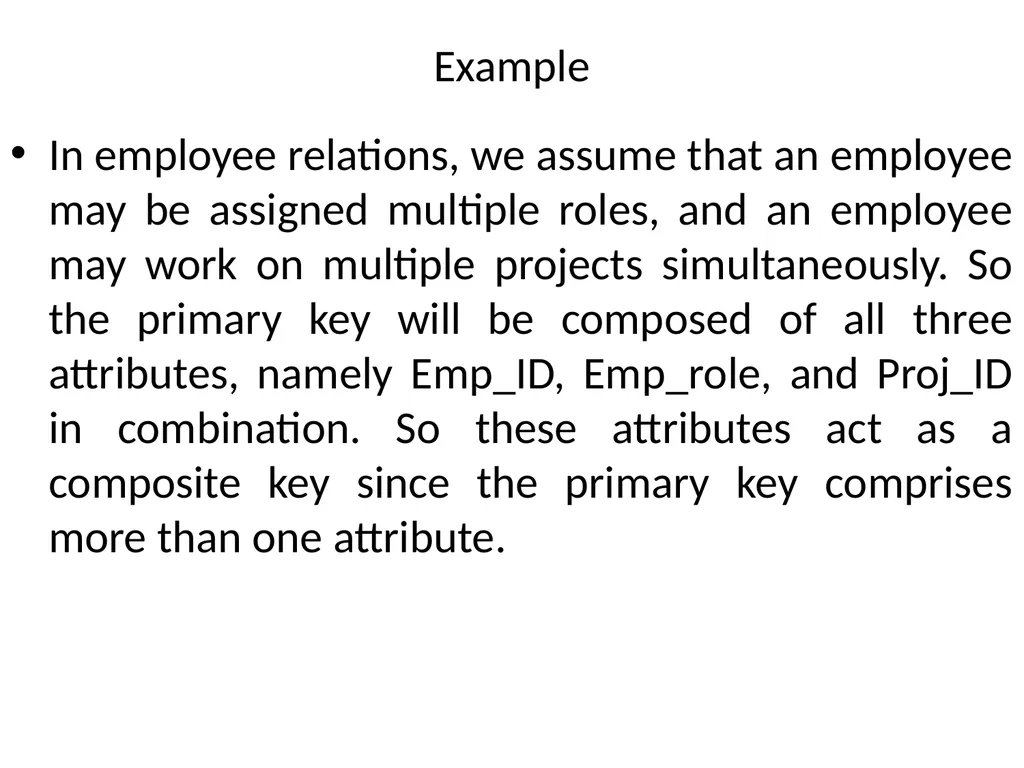
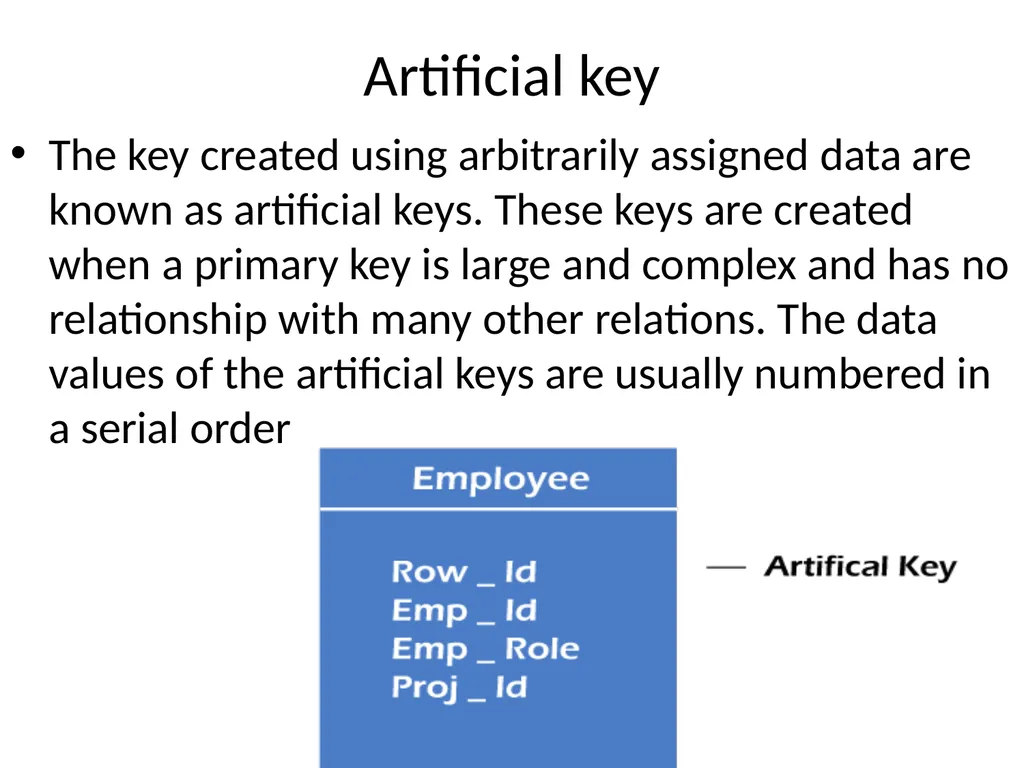
Artificial key The key created using arbitrarily assigned data are known as artificial keys. These keys are created when a primary key is large and complex and has no relationship with many other relations. The data values of the artificial keys are usually numbered in a serial order<br>
25
Example The primary key, which is composed of Emp_ID, Emp_role, and Proj_ID, is large in employee relations. So it would be better to add a new virtual attribute to identify each tuple in the relation uniquely.<br>
26
Constraints On modeling the design of the relational database we can put some restrictions like what values are allowed to be inserted in the relation, what kind of modifications and deletions are allowed in the relation. These are the restrictions we impose on the relational database.
In models like ER models, we did not have such features.<br>
In models like ER models, we did not have such features.<br>
27
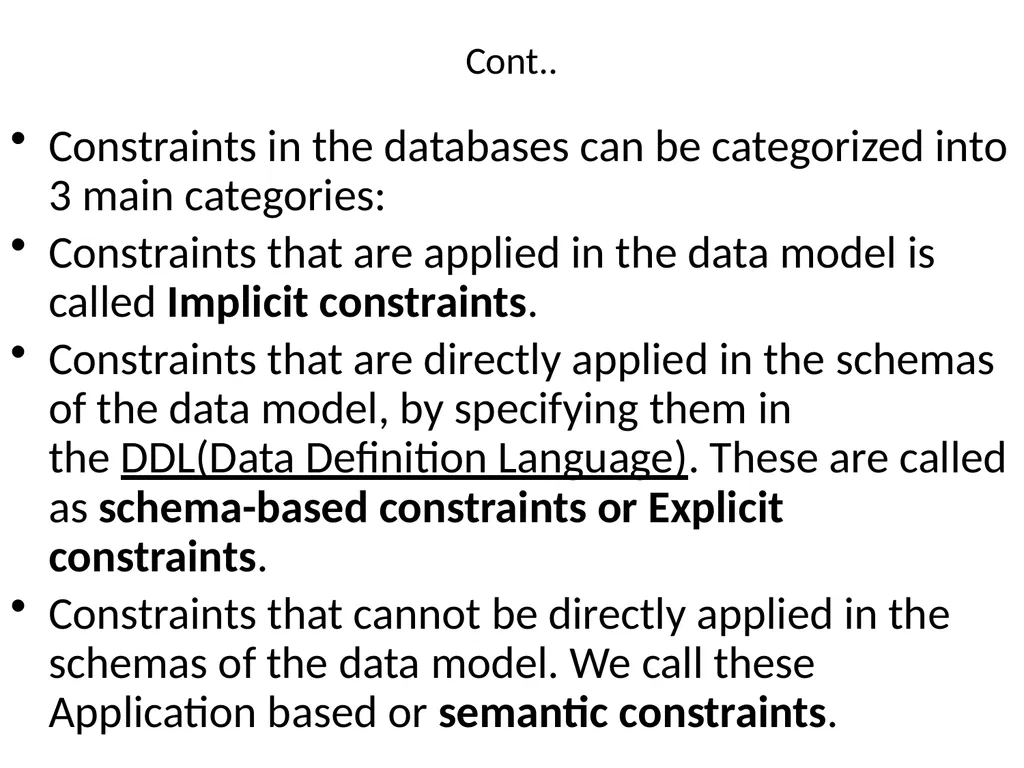
Cont.. Constraints in the databases can be categorized into 3 main categories:
Constraints that are applied in the data model is called Implicit constraints.
Constraints that are directly applied in the schemas of the data model, by specifying them in the DDL(Data Definition Language). These are called as schema-based constraints or Explicit constraints.
Constraints that cannot be directly applied in the schemas of the data model. We call these Application based or semantic constraints.<br>
Constraints that are applied in the data model is called Implicit constraints.
Constraints that are directly applied in the schemas of the data model, by specifying them in the DDL(Data Definition Language). These are called as schema-based constraints or Explicit constraints.
Constraints that cannot be directly applied in the schemas of the data model. We call these Application based or semantic constraints.<br>
28
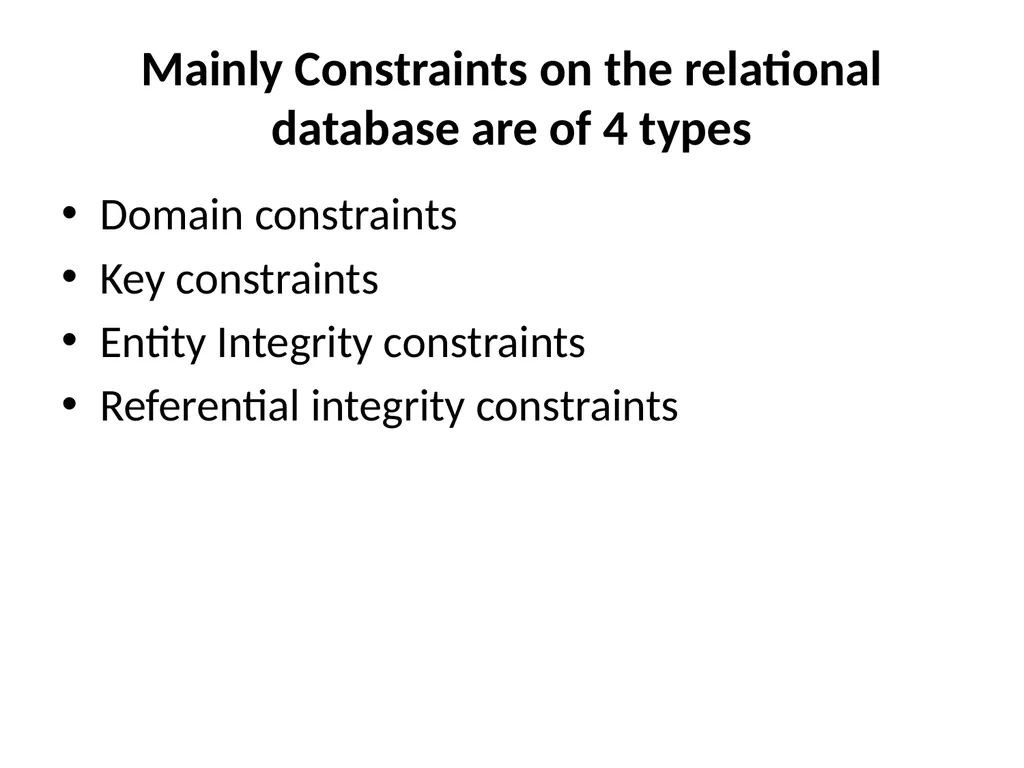
Mainly Constraints on the relational database are of 4 types Domain constraints
Key constraints
Entity Integrity constraints
Referential integrity constraints<br>
Key constraints
Entity Integrity constraints
Referential integrity constraints<br>
29
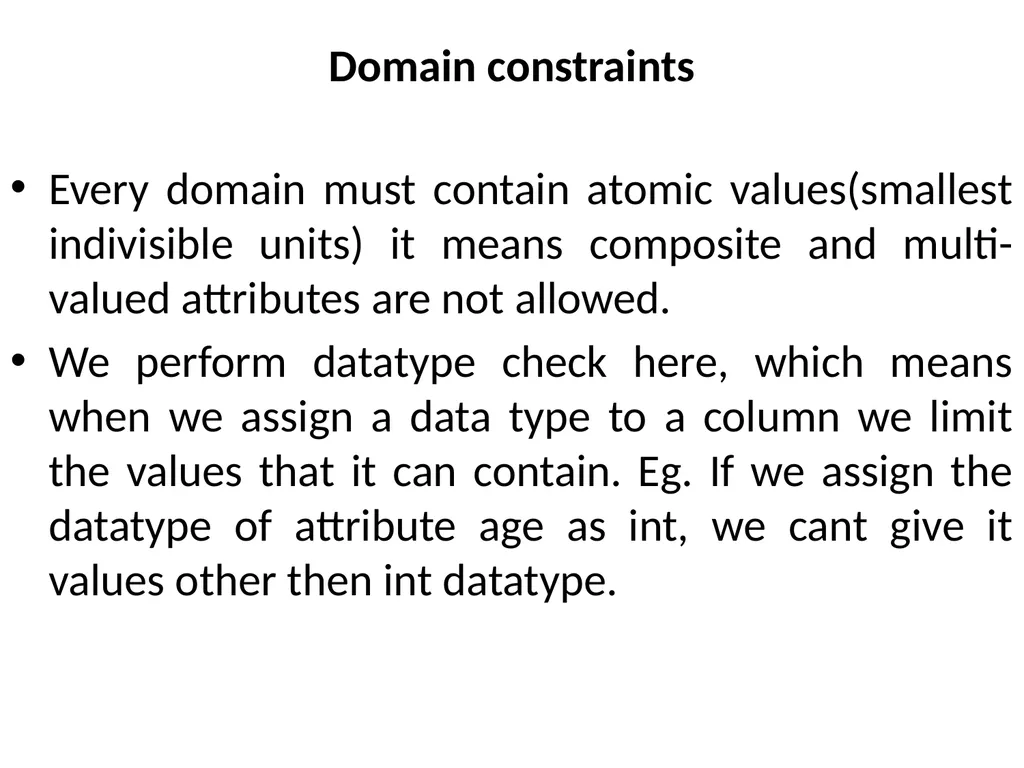
Domain constraints Every domain must contain atomic values(smallest indivisible units) it means composite and multi-valued attributes are not allowed.
We perform datatype check here, which means when we assign a data type to a column we limit the values that it can contain. Eg. If we assign the datatype of attribute age as int, we cant give it values other then int datatype.<br>
We perform datatype check here, which means when we assign a data type to a column we limit the values that it can contain. Eg. If we assign the datatype of attribute age as int, we cant give it values other then int datatype.<br>
30
Example Explanation:
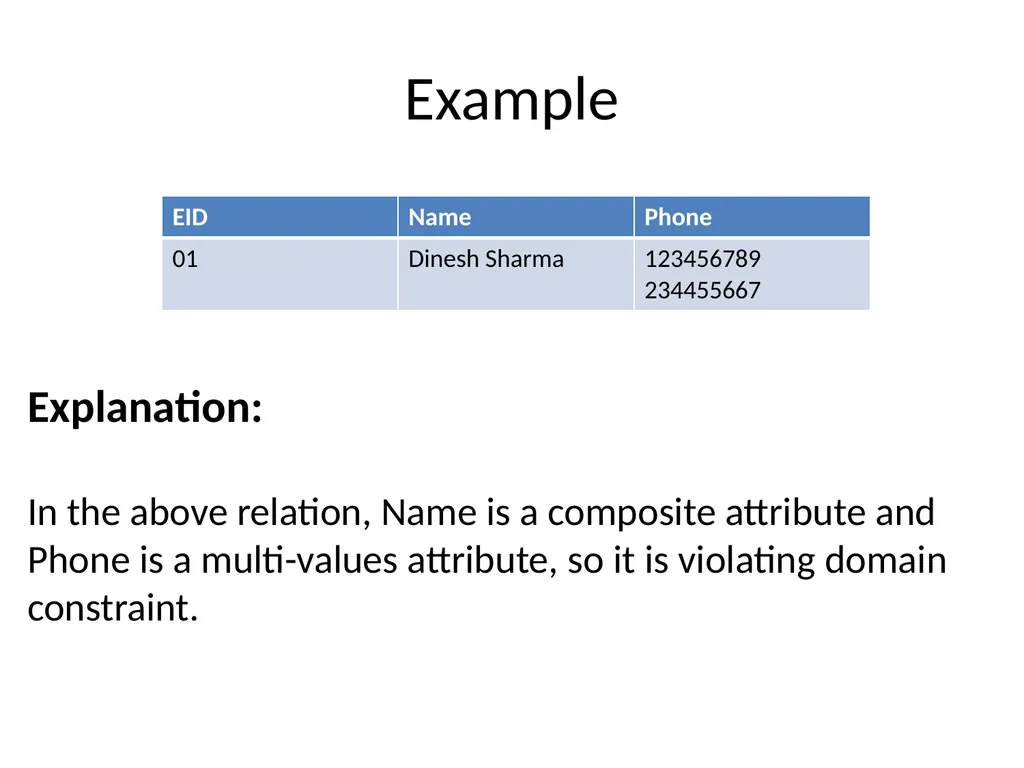
In the above relation, Name is a composite attribute and Phone is a multi-values attribute, so it is violating domain constraint.<br>
In the above relation, Name is a composite attribute and Phone is a multi-values attribute, so it is violating domain constraint.<br>
31
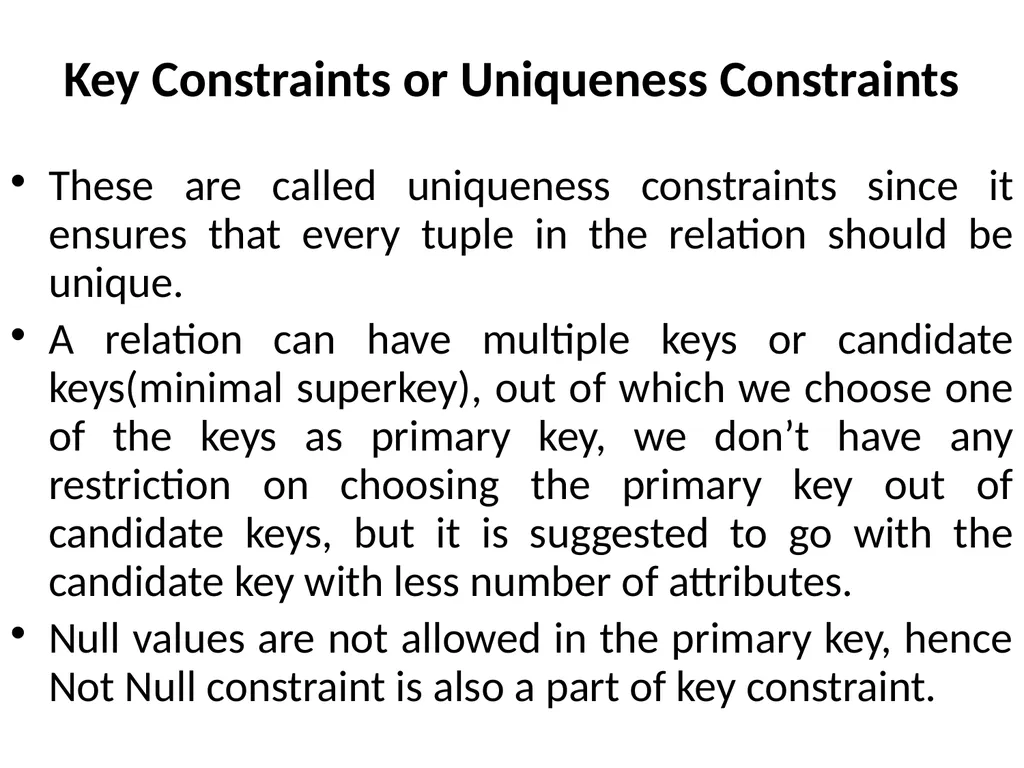
Key Constraints or Uniqueness Constraints These are called uniqueness constraints since it ensures that every tuple in the relation should be unique.
A relation can have multiple keys or candidate keys(minimal superkey), out of which we choose one of the keys as primary key, we don’t have any restriction on choosing the primary key out of candidate keys, but it is suggested to go with the candidate key with less number of attributes.
Null values are not allowed in the primary key, hence Not Null constraint is also a part of key constraint.<br>
A relation can have multiple keys or candidate keys(minimal superkey), out of which we choose one of the keys as primary key, we don’t have any restriction on choosing the primary key out of candidate keys, but it is suggested to go with the candidate key with less number of attributes.
Null values are not allowed in the primary key, hence Not Null constraint is also a part of key constraint.<br>
32
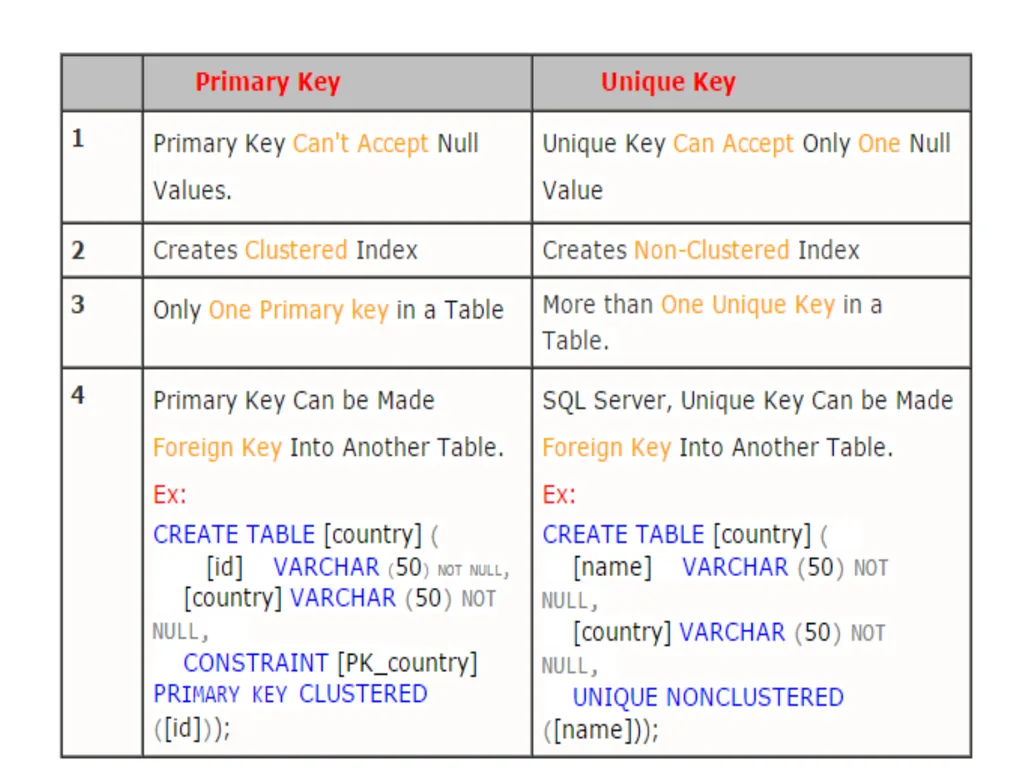
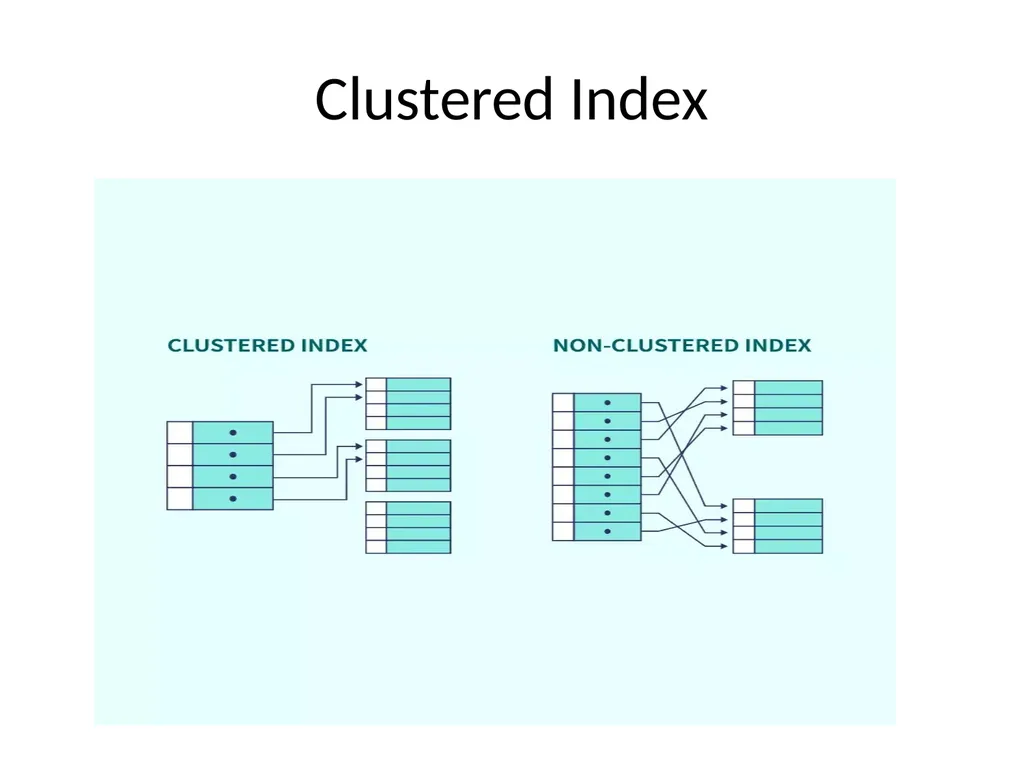
Clustered Index<br>
33
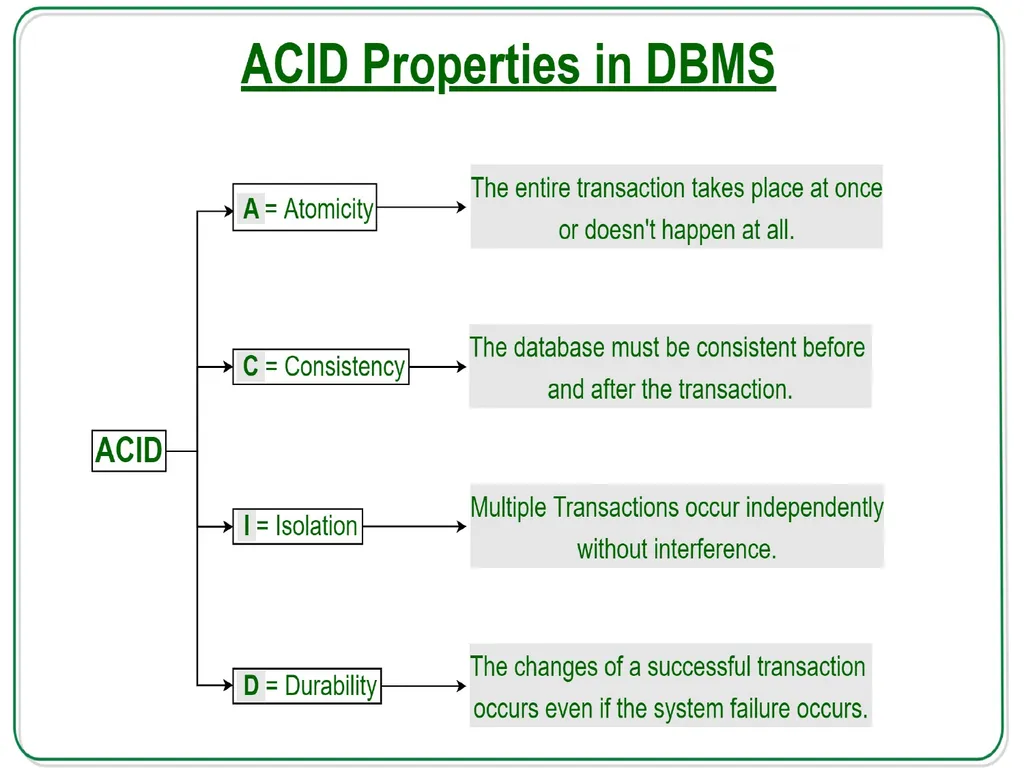
ACID Properties in DBMS A transaction is a single logical unit of work that accesses and possibly modifies the contents of a database. Transactions access data using read and write operations.
In order to maintain consistency in a database, before and after the transaction, certain properties are followed. These are called ACID properties.<br>
34
Cont.. We mean that either the entire transaction takes place at once or doesn’t happen at all. There is no midway i.e. transactions do not occur partially. Each transaction is considered as one unit and either runs to completion or is not executed at all. It involves the following two operations.
—Abort: If a transaction aborts, changes made to the database are not visible. —Commit: If a transaction commits, changes made are visible. Atomicity is also known as the ‘All or nothing rule’.<br>
—Abort: If a transaction aborts, changes made to the database are not visible. —Commit: If a transaction commits, changes made are visible. Atomicity is also known as the ‘All or nothing rule’.<br>
35
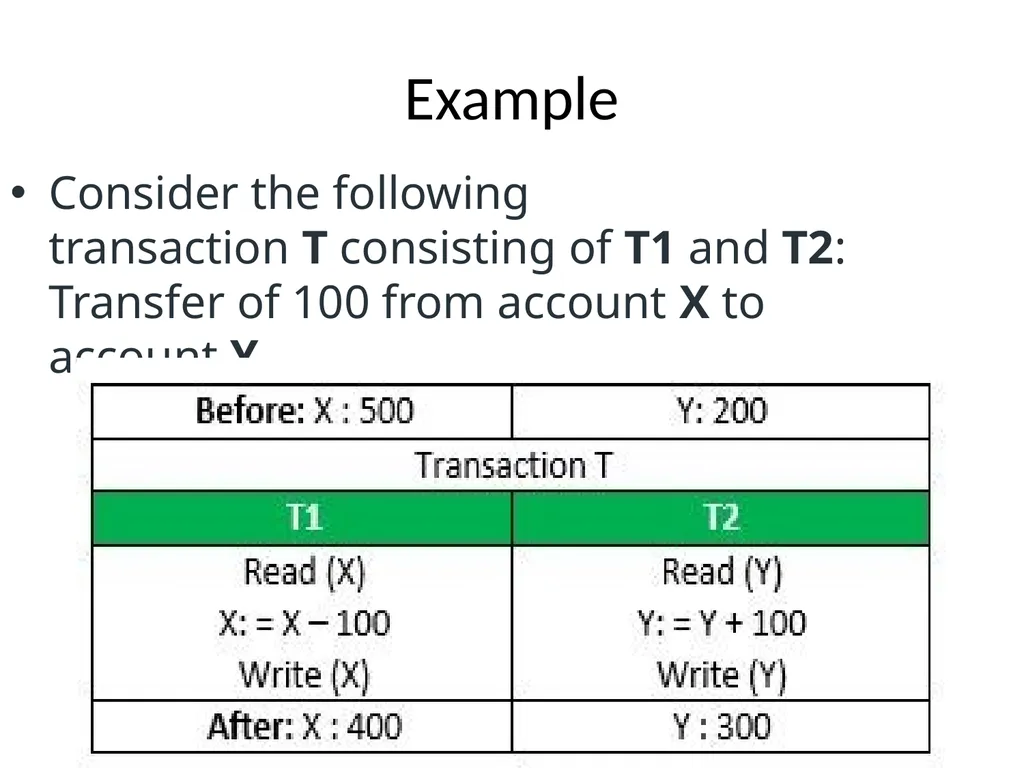
Example Consider the following transaction T consisting of T1 and T2: Transfer of 100 from account X to account Y.<br>
36
Consistency This means that integrity constraints must be maintained so that the database is consistent before and after the transaction. It refers to the correctness of a database. Referring to the example above,
The total amount before and after the transaction must be maintained.
Total before T occurs = 500 + 200 = 700.
Total after T occurs = 400 + 300 = 700.
Therefore, the database is consistent. Inconsistency occurs in case T1 completes but T2 fails. As a result, T is incomplete.<br>
37
Isolation This property ensures that multiple transactions can occur concurrently without leading to the inconsistency of the database state. Transactions occur independently without interference. Changes occurring in a particular transaction will not be visible to any other transaction until that particular change in that transaction is written to memory or has been committed. This property ensures that the execution of transactions concurrently will result in a state that is equivalent to a state achieved these were executed serially in some order.<br>
38
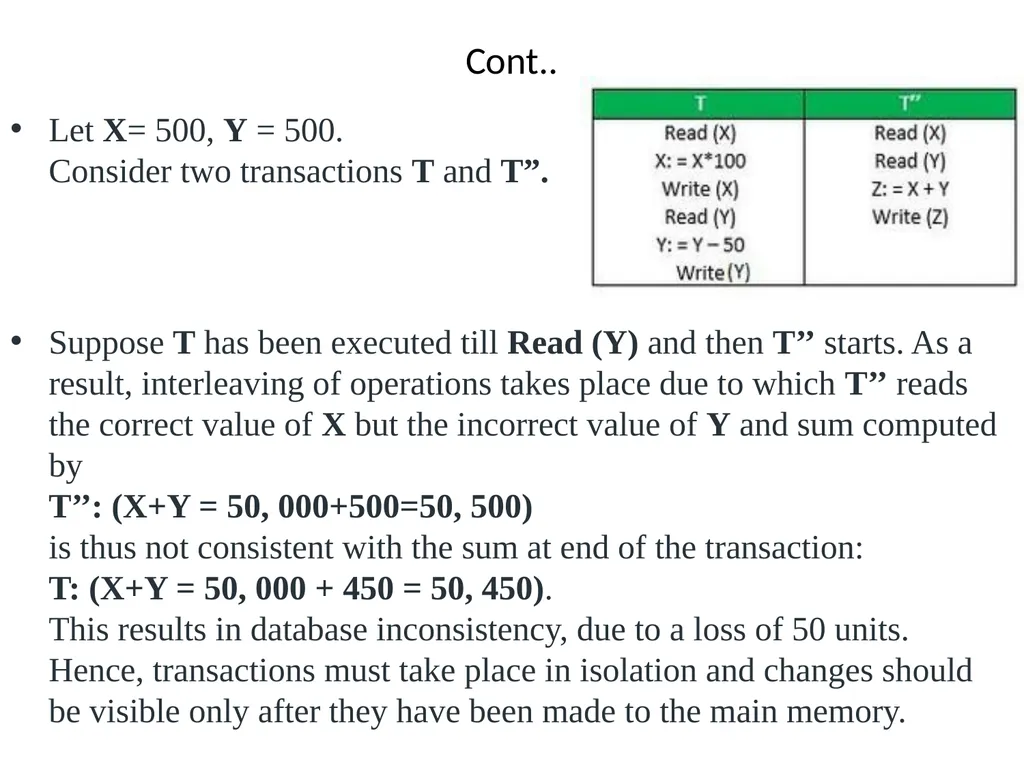
Cont.. Let X= 500, Y = 500.
Consider two transactions T and T”.
Suppose T has been executed till Read (Y) and then T’’ starts. As a result, interleaving of operations takes place due to which T’’ reads the correct value of X but the incorrect value of Y and sum computed by T’’: (X+Y = 50, 000+500=50, 500) is thus not consistent with the sum at end of the transaction: T: (X+Y = 50, 000 + 450 = 50, 450). This results in database inconsistency, due to a loss of 50 units. Hence, transactions must take place in isolation and changes should be visible only after they have been made to the main memory.<br>
Suppose T has been executed till Read (Y) and then T’’ starts. As a result, interleaving of operations takes place due to which T’’ reads the correct value of X but the incorrect value of Y and sum computed by T’’: (X+Y = 50, 000+500=50, 500) is thus not consistent with the sum at end of the transaction: T: (X+Y = 50, 000 + 450 = 50, 450). This results in database inconsistency, due to a loss of 50 units. Hence, transactions must take place in isolation and changes should be visible only after they have been made to the main memory.<br>
39
Durability This property ensures that once the transaction has completed execution, the updates and modifications to the database are stored in and written to disk and they persist even if a system failure occurs. These updates now become permanent and are stored in non-volatile memory. The effects of the transaction, thus, are never lost.<br>
40
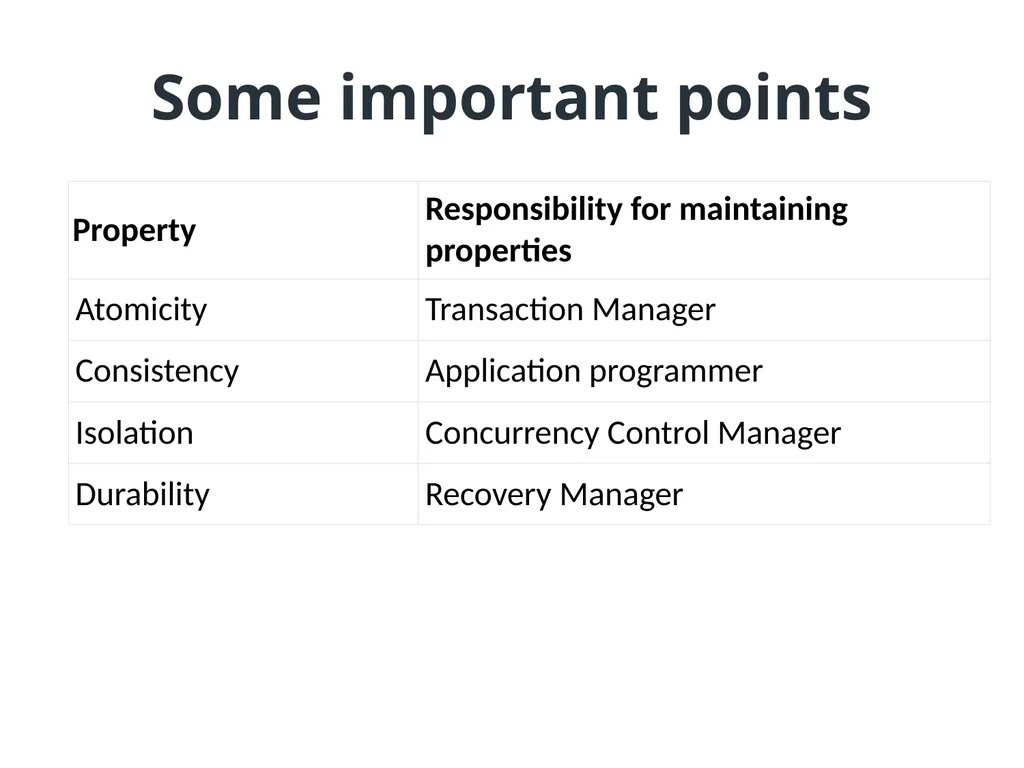
Some important points<br>
41
Advantages of ACID Properties in DBMS Data Consistency: ACID properties ensure that the data remains consistent and accurate after any transaction execution.
Data Integrity: ACID properties maintain the integrity of the data by ensuring that any changes to the database are permanent and cannot be lost.
Concurrency Control: ACID properties help to manage multiple transactions occurring concurrently by preventing interference between them.
Recovery: ACID properties ensure that in case of any failure or crash, the system can recover the data up to the point of failure or crash.<br>
Data Integrity: ACID properties maintain the integrity of the data by ensuring that any changes to the database are permanent and cannot be lost.
Concurrency Control: ACID properties help to manage multiple transactions occurring concurrently by preventing interference between them.
Recovery: ACID properties ensure that in case of any failure or crash, the system can recover the data up to the point of failure or crash.<br>
42
Disadvantages of ACID Properties in DBMS Performance: The ACID properties can cause a performance overhead in the system, as they require additional processing to ensure data consistency and integrity.
Scalability: The ACID properties may cause scalability issues in large distributed systems where multiple transactions occur concurrently.
Complexity: Implementing the ACID properties can increase the complexity of the system and require significant expertise and resources. Overall, the advantages of ACID properties in DBMS outweigh the disadvantages. They provide a reliable and consistent approach to data
Management, ensuring data integrity, accuracy, and reliability. However, in some cases, the overhead of implementing ACID properties can cause performance and scalability issues. Therefore, it’s important to balance the benefits of ACID properties against the specific needs and requirements of the system.<br>
Scalability: The ACID properties may cause scalability issues in large distributed systems where multiple transactions occur concurrently.
Complexity: Implementing the ACID properties can increase the complexity of the system and require significant expertise and resources. Overall, the advantages of ACID properties in DBMS outweigh the disadvantages. They provide a reliable and consistent approach to data
Management, ensuring data integrity, accuracy, and reliability. However, in some cases, the overhead of implementing ACID properties can cause performance and scalability issues. Therefore, it’s important to balance the benefits of ACID properties against the specific needs and requirements of the system.<br>
43
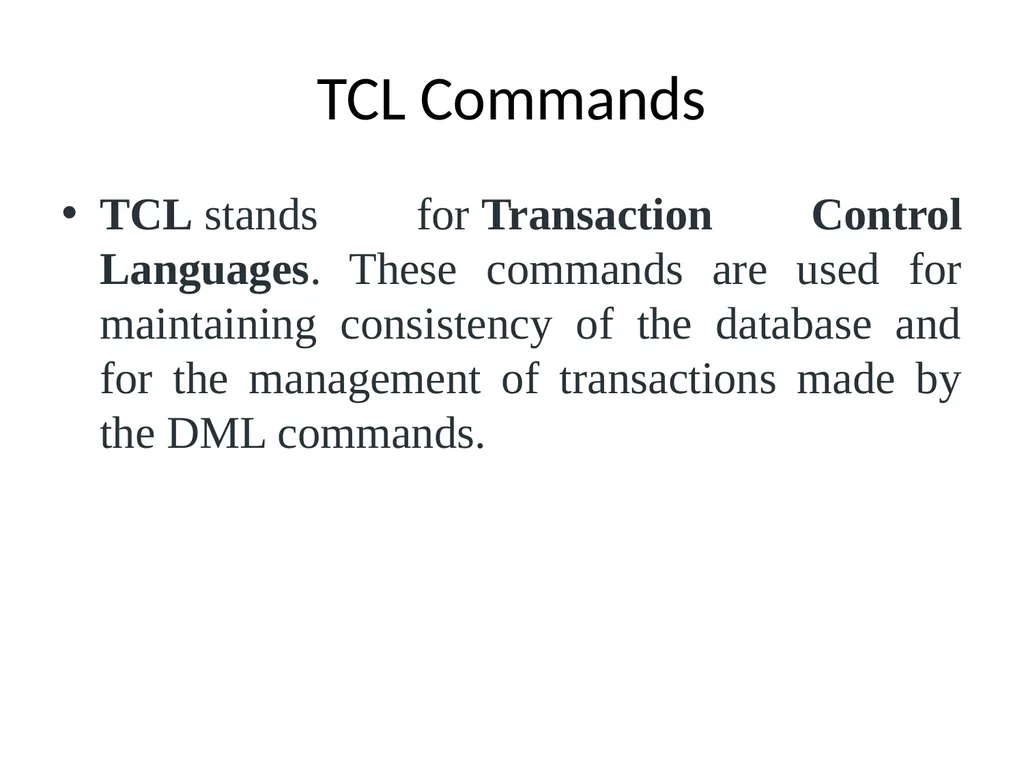
TCL Commands TCL stands for Transaction Control Languages. These commands are used for maintaining consistency of the database and for the management of transactions made by the DML commands.<br>
44
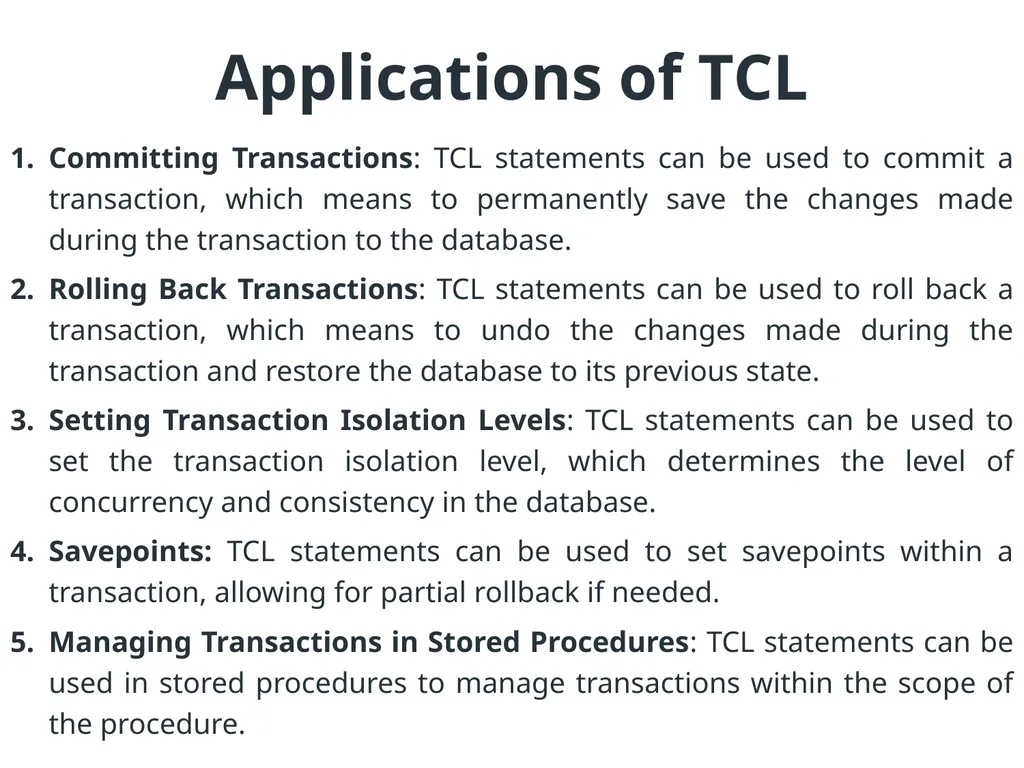
Applications of TCL Committing Transactions: TCL statements can be used to commit a transaction, which means to permanently save the changes made during the transaction to the database.
Rolling Back Transactions: TCL statements can be used to roll back a transaction, which means to undo the changes made during the transaction and restore the database to its previous state.
Setting Transaction Isolation Levels: TCL statements can be used to set the transaction isolation level, which determines the level of concurrency and consistency in the database.
Savepoints: TCL statements can be used to set savepoints within a transaction, allowing for partial rollback if needed.
Managing Transactions in Stored Procedures: TCL statements can be used in stored procedures to manage transactions within the scope of the procedure.<br>
Rolling Back Transactions: TCL statements can be used to roll back a transaction, which means to undo the changes made during the transaction and restore the database to its previous state.
Setting Transaction Isolation Levels: TCL statements can be used to set the transaction isolation level, which determines the level of concurrency and consistency in the database.
Savepoints: TCL statements can be used to set savepoints within a transaction, allowing for partial rollback if needed.
Managing Transactions in Stored Procedures: TCL statements can be used in stored procedures to manage transactions within the scope of the procedure.<br>
45
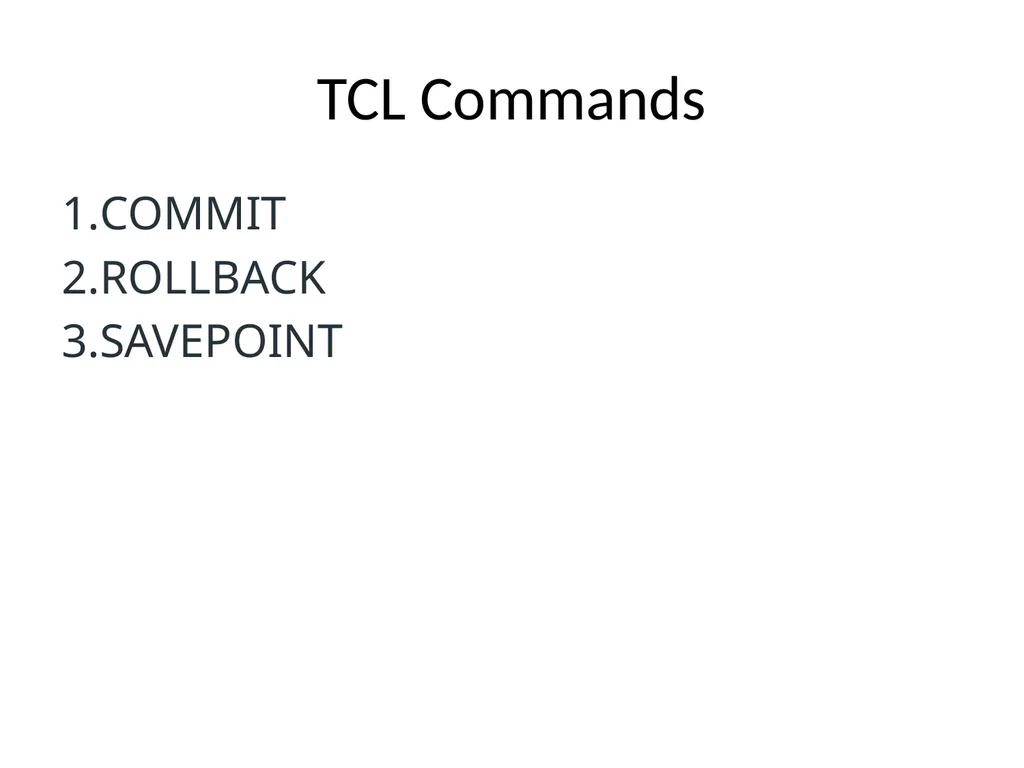
TCL Commands COMMIT
ROLLBACK
SAVEPOINT<br>
ROLLBACK
SAVEPOINT<br>
46
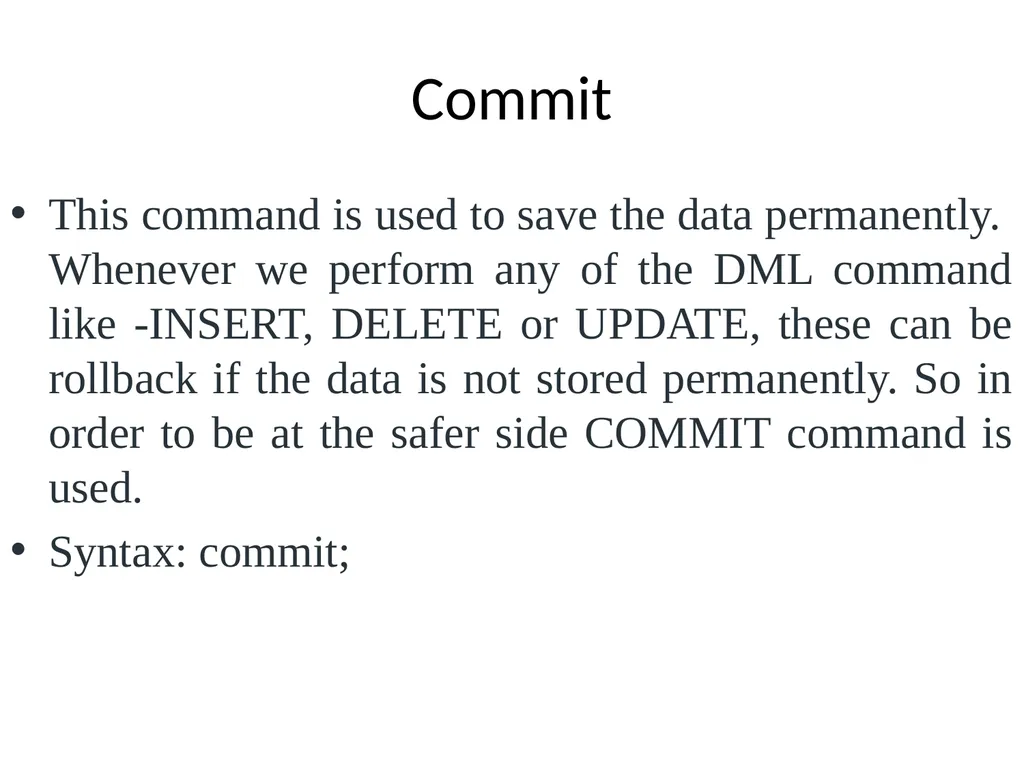
Commit This command is used to save the data permanently.
Whenever we perform any of the DML command like -INSERT, DELETE or UPDATE, these can be rollback if the data is not stored permanently. So in order to be at the safer side COMMIT command is used.
Syntax: commit;<br>
Syntax: commit;<br>
47
Rollback This command is used to get the data or restore the data to the last savepoint or last committed state. If due to some reasons the data inserted, deleted or updated is not correct, you can rollback the data to a particular savepoint or if savepoint is not done, then to the last committed state.
Syntax: rollback;<br>
Syntax: rollback;<br>
48
SAVEPOINT This command is used to save the data at a particular point temporarily, so that whenever needed can be rollback to that particular point.
Syntax : Savepoint A;<br>
Syntax : Savepoint A;<br>
49
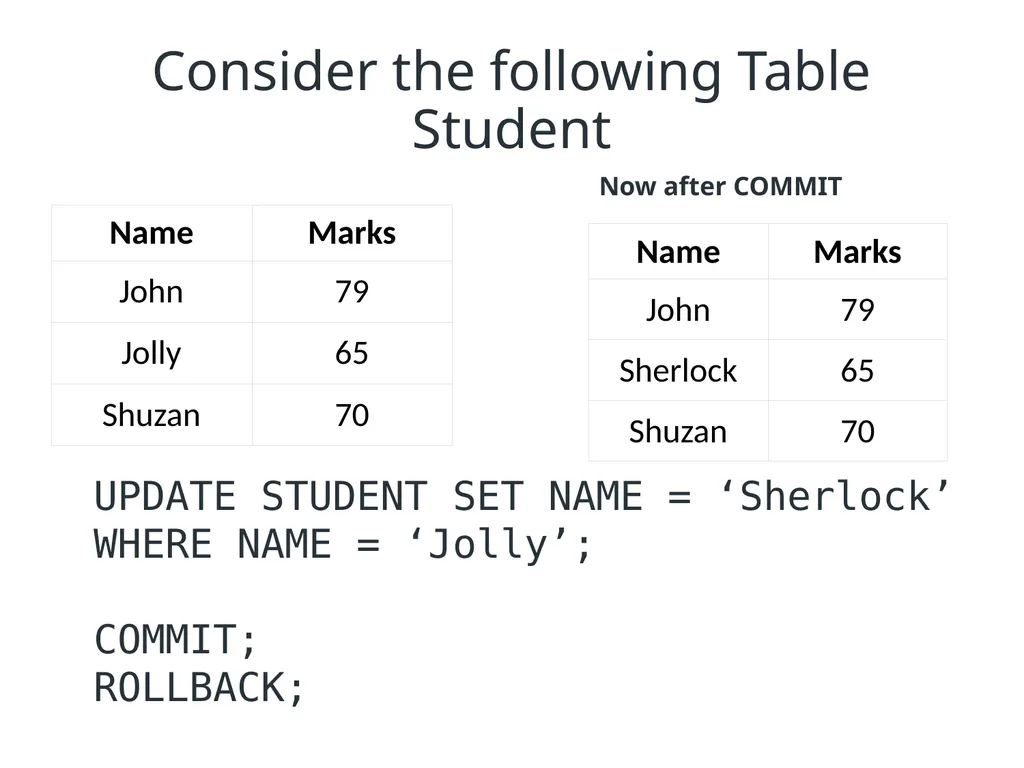
Consider the following Table Student UPDATE STUDENT SET NAME = ‘Sherlock’ WHERE NAME = ‘Jolly’;
COMMIT;
ROLLBACK; Now after COMMIT<br>
COMMIT;
ROLLBACK; Now after COMMIT<br>
50
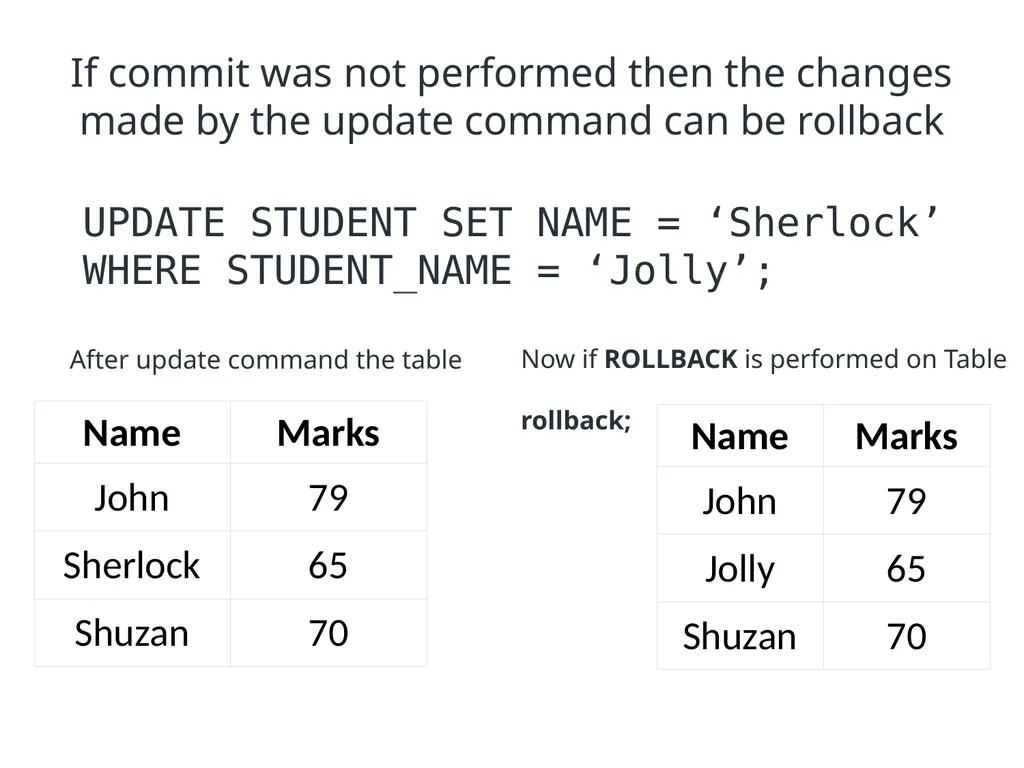
If commit was not performed then the changes made by the update command can be rollback UPDATE STUDENT SET NAME = ‘Sherlock’ WHERE STUDENT_NAME = ‘Jolly’; After update command the table Now if ROLLBACK is performed on Table
rollback;<br>
rollback;<br>
51
If on the above table savepoint is performed INSERT into STUDENT VALUES ('Jack', 95);
Commit;
UPDATE NAME SET NAME= ‘Rossie’ WHERE marks= 70;
SAVEPOINT A;
INSERT INTO STUDENT VALUES (‘Zack’, 76);
Savepoint B;
INSERT INTO STUDENT VALUES (‘Bruno’, 85);
Savepoint C;
SELECT * FROM STUDENT;<br>
Commit;
UPDATE NAME SET NAME= ‘Rossie’ WHERE marks= 70;
SAVEPOINT A;
INSERT INTO STUDENT VALUES (‘Zack’, 76);
Savepoint B;
INSERT INTO STUDENT VALUES (‘Bruno’, 85);
Savepoint C;
SELECT * FROM STUDENT;<br>
52
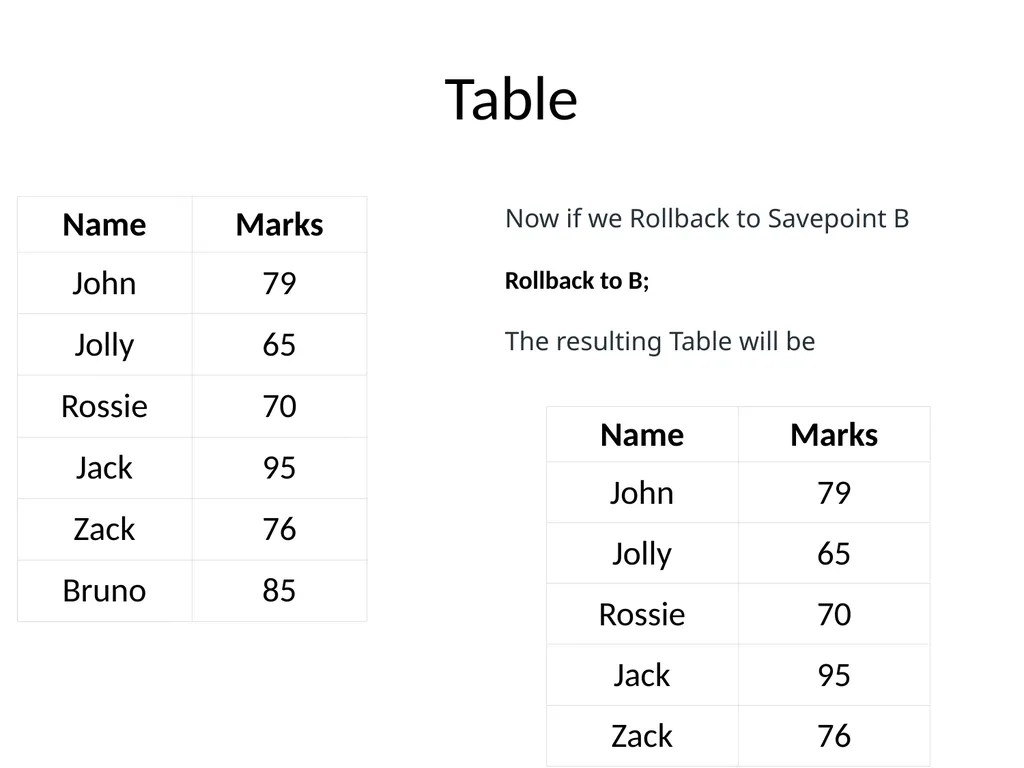
Table Now if we Rollback to Savepoint B
Rollback to B;
The resulting Table will be<br>
Rollback to B;
The resulting Table will be<br>
53
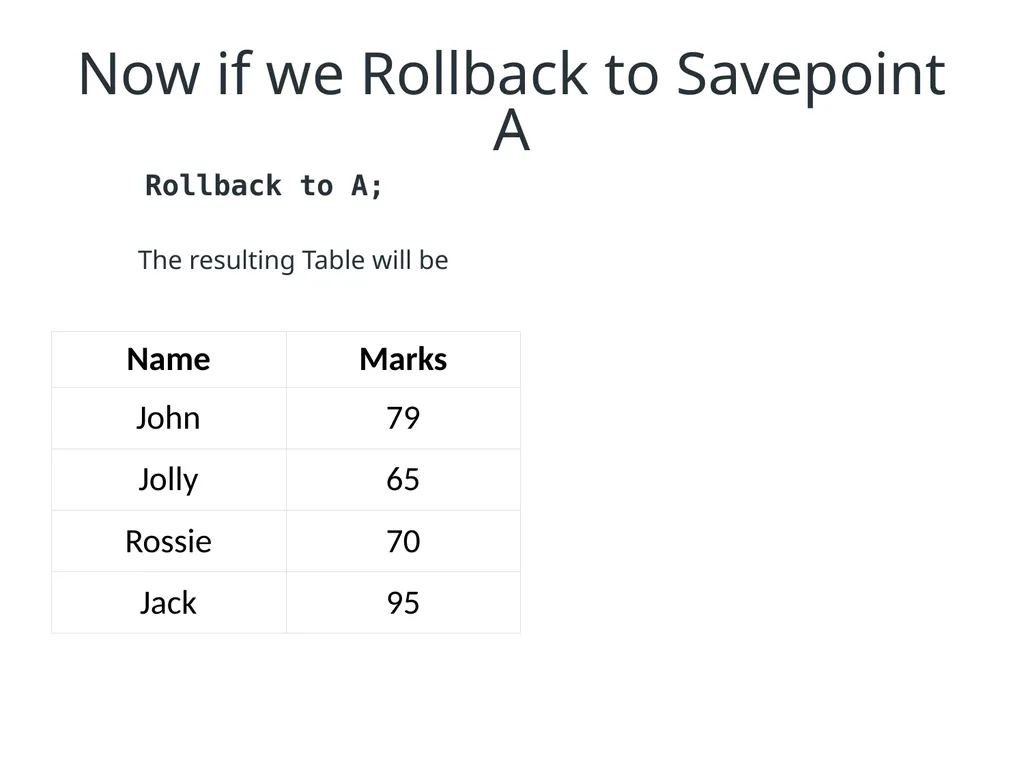
Now if we Rollback to Savepoint A The resulting Table will be Rollback to A;<br>