
Travel Advance Process (PS 0309) Disbursements &
TF
Published · 63 slides · 0 views

1 / 1
Description
Travel Advance Process (PS 0309) Disbursements Travel Services disbursements.travelutsa.edu (210) 458-4213 Main Line - (210) 458-4236 Fax Line Office of Financial Affairs (http:www.utsa.edufinancialaffairs) 1 November 2019 Agenda 2
Related Topics
Share
Embed code
Download this presentation From Below
"Travel Advance Process (PS 0309) Disbursements &" is the property of its rightful owner. Permission is granted to download and print the materials on this website for personal, non-commercial use only, and to display it on your personal computer provided you do not modify the materials and that you retain all copyright notices contained in the materials. By downloading content from our website, you accept the terms of this agreement.
Presentation Transcript
01
Travel Advance Process
(PS 0309)
Disbursements & Travel Services
disbursements.travel@utsa.edu
(210) 458-4213 Main Line - (210) 458-4236 Fax Line Office of Financial Affairs (http://www.utsa.edu/financialaffairs/) 1 November 2019<br>
02
Agenda 2 Introduction Objectives Create and Modify an Advance in PeopleSoft Office of Financial Affairs Disbursements & Travel Services Office<br>
03
Agenda 3 Resources References Office of Financial Affairs Disbursements & Travel Services Office<br>
04
Objective 4 This course is designed to review the Travel Advances section of the Financial Management Operational Guidelines (FMOG) and demonstrate how to manage the travel advance processes within the Travel and Expenses module. Office of Financial Affairs Disbursements & Travel Services Office<br>
05
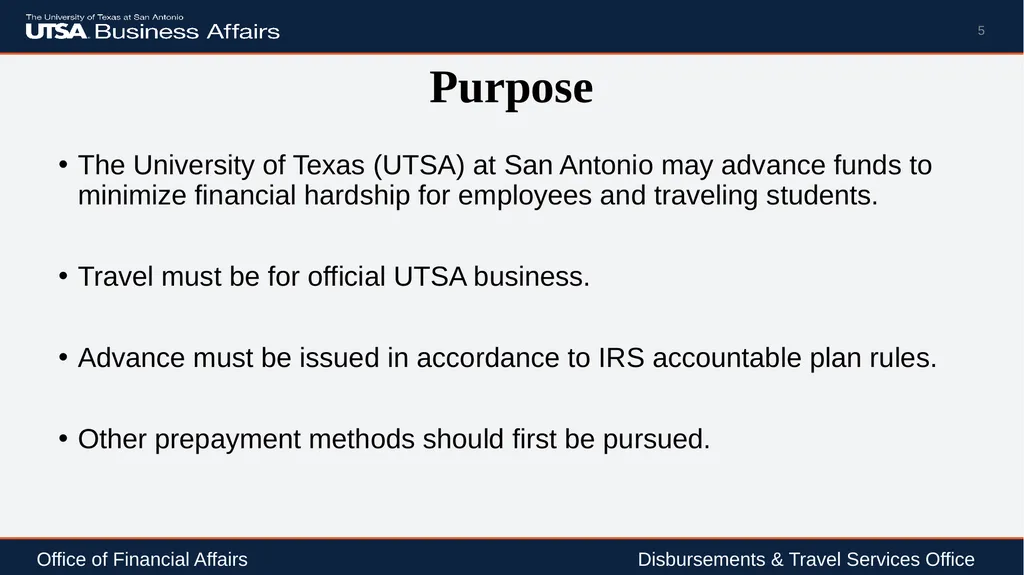
Purpose The University of Texas (UTSA) at San Antonio may advance funds to minimize financial hardship for employees and traveling students.
Travel must be for official UTSA business.
Advance must be issued in accordance to IRS accountable plan rules.
Other prepayment methods should first be pursued. 5 Office of Financial Affairs Disbursements & Travel Services Office<br>
Travel must be for official UTSA business.
Advance must be issued in accordance to IRS accountable plan rules.
Other prepayment methods should first be pursued. 5 Office of Financial Affairs Disbursements & Travel Services Office<br>
06
Authority Board of Regents’ Rules and Regulation (Rule 20801)
Internal Revenue Service (IRC Rule 162 and various rules) 6 Office of Financial Affairs Disbursements & Travel Services Office<br>
Internal Revenue Service (IRC Rule 162 and various rules) 6 Office of Financial Affairs Disbursements & Travel Services Office<br>
07
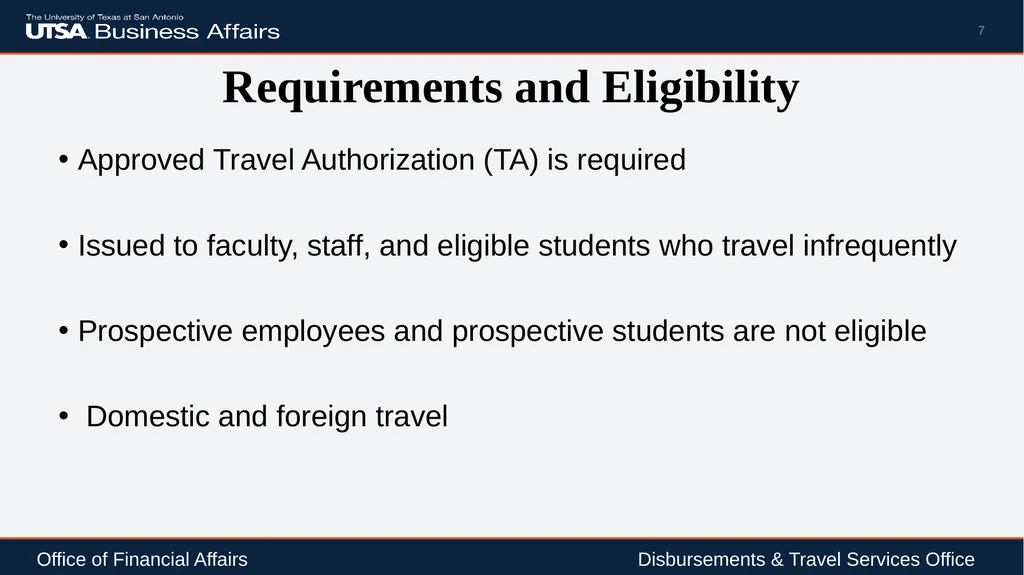
Requirements and Eligibility Approved Travel Authorization (TA) is required
Issued to faculty, staff, and eligible students who travel infrequently
Prospective employees and prospective students are not eligible
Domestic and foreign travel 7 Office of Financial Affairs Disbursements & Travel Services Office<br>
Issued to faculty, staff, and eligible students who travel infrequently
Prospective employees and prospective students are not eligible
Domestic and foreign travel 7 Office of Financial Affairs Disbursements & Travel Services Office<br>
08
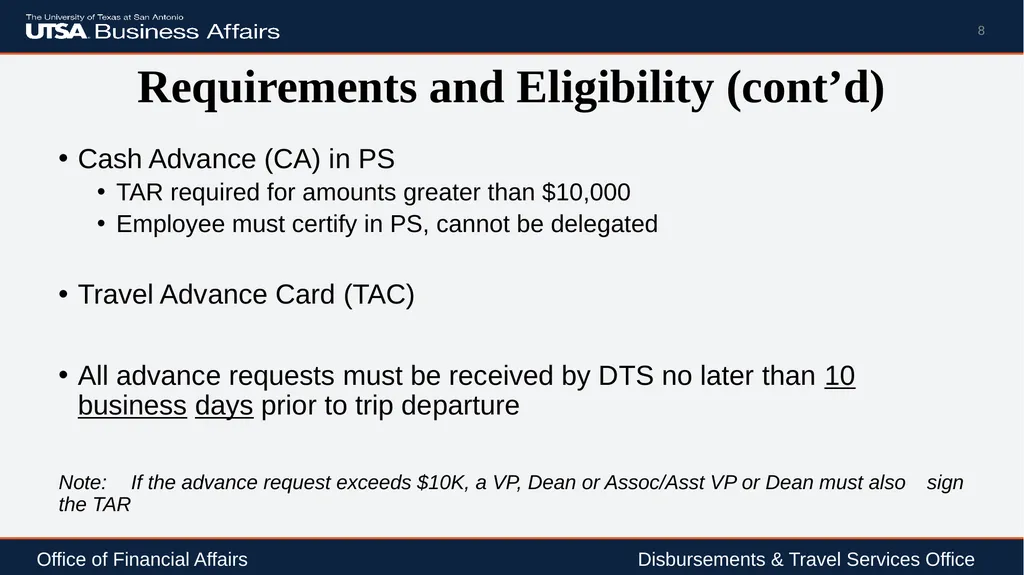
Requirements and Eligibility (cont’d) Cash Advance (CA) in PS
TAR required for amounts greater than $10,000
Employee must certify in PS, cannot be delegated
Travel Advance Card (TAC)
All advance requests must be received by DTS no later than 10 business days prior to trip departure
Note: If the advance request exceeds $10K, a VP, Dean or Assoc/Asst VP or Dean must also sign the TAR 8 Office of Financial Affairs Disbursements & Travel Services Office<br>
TAR required for amounts greater than $10,000
Employee must certify in PS, cannot be delegated
Travel Advance Card (TAC)
All advance requests must be received by DTS no later than 10 business days prior to trip departure
Note: If the advance request exceeds $10K, a VP, Dean or Assoc/Asst VP or Dean must also sign the TAR 8 Office of Financial Affairs Disbursements & Travel Services Office<br>
09
Requirements and Eligibility (cont’d) Advances on Behalf of Students Traveling on Official UTSA Business
Referred to as Student Advance Responsible Party
CA/TAR/TAC is authorized by the supervisor who will identify the employee with custodial responsibility of the funds while students are in travel status 9 Office of Financial Affairs Disbursements & Travel Services Office<br>
Referred to as Student Advance Responsible Party
CA/TAR/TAC is authorized by the supervisor who will identify the employee with custodial responsibility of the funds while students are in travel status 9 Office of Financial Affairs Disbursements & Travel Services Office<br>
10
Requirements and Eligibility (cont’d) Student Advance Responsible Party
Typically accompany the student travelers on trip, but not required
Requires a TA, if traveling with student(s)
Does not affect employees request for travel advance, if applicable
Responsible for the usage and reconciliation of monies disbursed
Explains requirements to students and assure funds are used for allowable travel cost
Complete the electronic CA in PS or TAR (attach to Non-PO voucher if group travel) or TAC
Preferred method of payment is Travel Advance Card (TAC) 10 Office of Financial Affairs Disbursements & Travel Services Office<br>
Typically accompany the student travelers on trip, but not required
Requires a TA, if traveling with student(s)
Does not affect employees request for travel advance, if applicable
Responsible for the usage and reconciliation of monies disbursed
Explains requirements to students and assure funds are used for allowable travel cost
Complete the electronic CA in PS or TAR (attach to Non-PO voucher if group travel) or TAC
Preferred method of payment is Travel Advance Card (TAC) 10 Office of Financial Affairs Disbursements & Travel Services Office<br>
11
Requirements and Eligibility (cont’d) Settle the travel advance within 30 days after trip return date
If travel is in progress and payment to Citibank is due
Create a Non- PO Voucher in PS
Attach a copy of the TAC statement
Submit for approval by the UTSA established due date
20th of each month (regardless if travel is complete)
TACs not settled by the due date will pay from the default Cost Center and are considered non-compliant 11 Office of Financial Affairs Disbursements & Travel Services Office<br>
If travel is in progress and payment to Citibank is due
Create a Non- PO Voucher in PS
Attach a copy of the TAC statement
Submit for approval by the UTSA established due date
20th of each month (regardless if travel is complete)
TACs not settled by the due date will pay from the default Cost Center and are considered non-compliant 11 Office of Financial Affairs Disbursements & Travel Services Office<br>
12
Requirements and Eligibility (cont’d) Most common types of group travel:
Study Abroad
Athletics
Research (e.g. Anthropology, etc.)
Student Activities (e.g. Civil Rights Tour, attend group conferences, etc.)
Group travel 12 Office of Financial Affairs Disbursements & Travel Services Office<br>
Study Abroad
Athletics
Research (e.g. Anthropology, etc.)
Student Activities (e.g. Civil Rights Tour, attend group conferences, etc.)
Group travel 12 Office of Financial Affairs Disbursements & Travel Services Office<br>
13
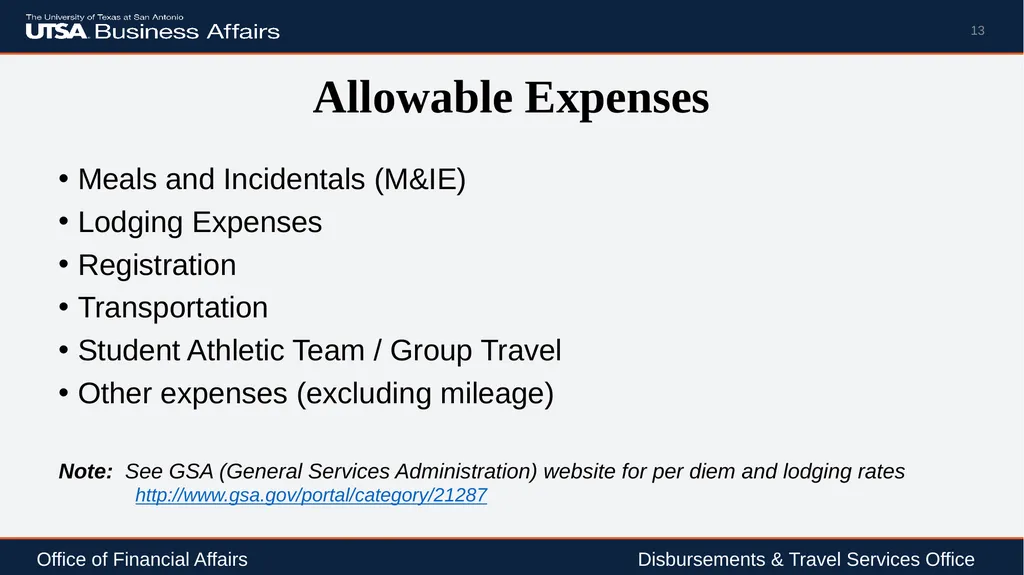
Allowable Expenses Meals and Incidentals (M&IE)
Lodging Expenses
Registration
Transportation
Student Athletic Team / Group Travel
Other expenses (excluding mileage)
Note: See GSA (General Services Administration) website for per diem and lodging rates http://www.gsa.gov/portal/category/21287 13 Office of Financial Affairs Disbursements & Travel Services Office<br>
Lodging Expenses
Registration
Transportation
Student Athletic Team / Group Travel
Other expenses (excluding mileage)
Note: See GSA (General Services Administration) website for per diem and lodging rates http://www.gsa.gov/portal/category/21287 13 Office of Financial Affairs Disbursements & Travel Services Office<br>
14
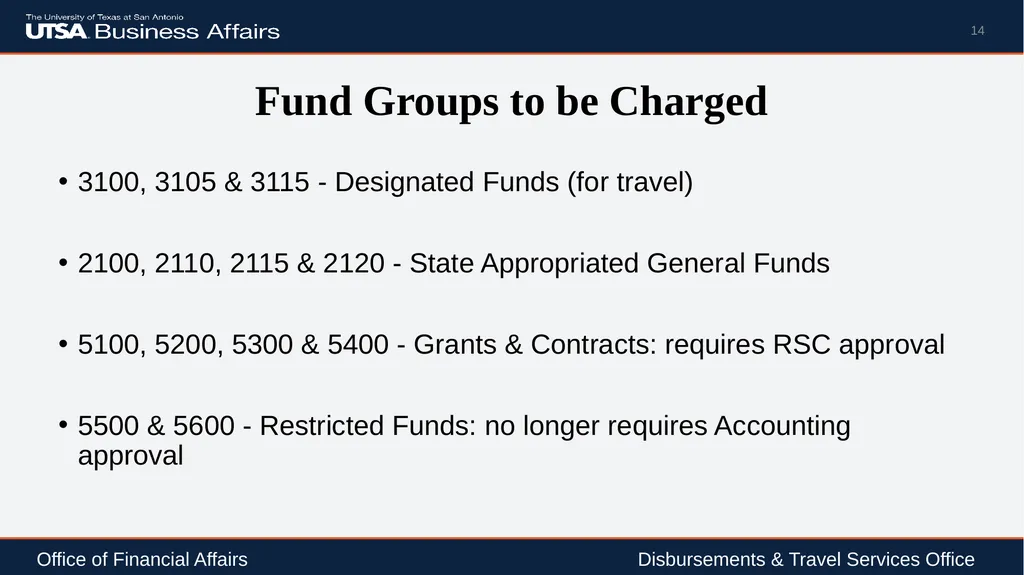
Fund Groups to be Charged 3100, 3105 & 3115 - Designated Funds (for travel)
2100, 2110, 2115 & 2120 - State Appropriated General Funds
5100, 5200, 5300 & 5400 - Grants & Contracts: requires RSC approval
5500 & 5600 - Restricted Funds: no longer requires Accounting approval 14 Office of Financial Affairs Disbursements & Travel Services Office<br>
2100, 2110, 2115 & 2120 - State Appropriated General Funds
5100, 5200, 5300 & 5400 - Grants & Contracts: requires RSC approval
5500 & 5600 - Restricted Funds: no longer requires Accounting approval 14 Office of Financial Affairs Disbursements & Travel Services Office<br>
15
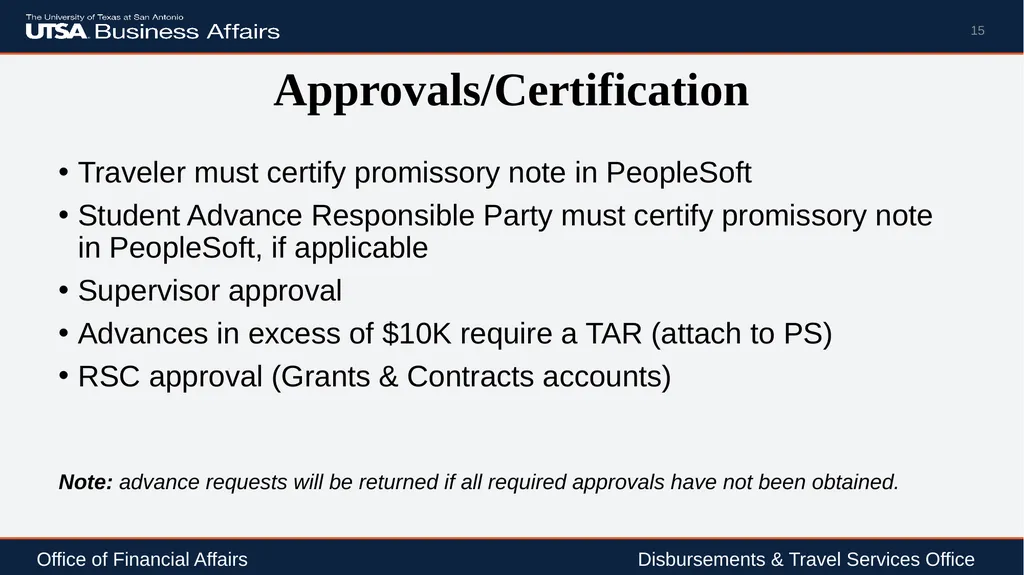
Approvals/Certification Traveler must certify promissory note in PeopleSoft
Student Advance Responsible Party must certify promissory note in PeopleSoft, if applicable
Supervisor approval
Advances in excess of $10K require a TAR (attach to PS)
RSC approval (Grants & Contracts accounts)
Note: advance requests will be returned if all required approvals have not been obtained. 15 Office of Financial Affairs Disbursements & Travel Services Office<br>
Student Advance Responsible Party must certify promissory note in PeopleSoft, if applicable
Supervisor approval
Advances in excess of $10K require a TAR (attach to PS)
RSC approval (Grants & Contracts accounts)
Note: advance requests will be returned if all required approvals have not been obtained. 15 Office of Financial Affairs Disbursements & Travel Services Office<br>
16
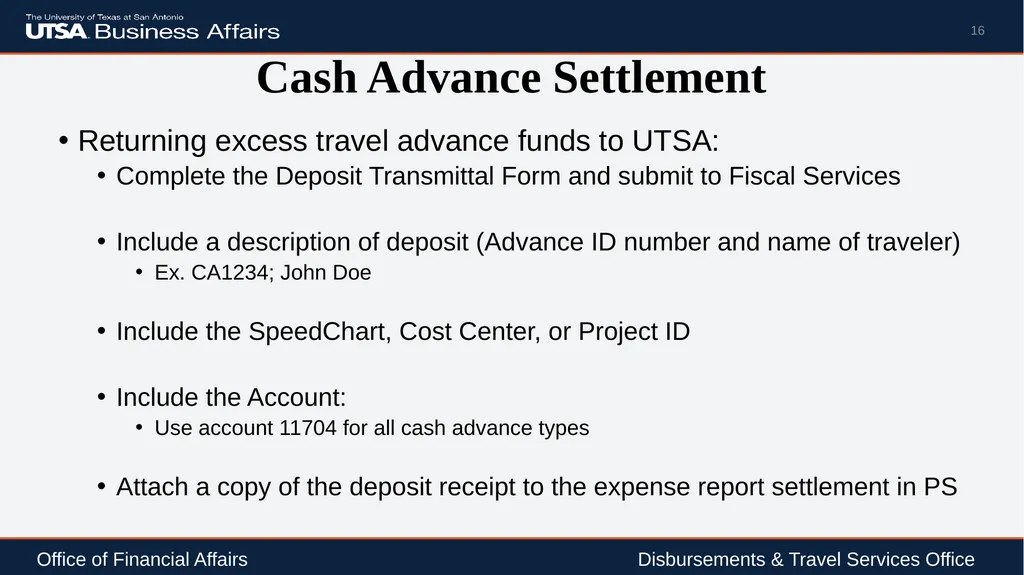
Cash Advance Settlement Returning excess travel advance funds to UTSA:
Complete the Deposit Transmittal Form and submit to Fiscal Services
Include a description of deposit (Advance ID number and name of traveler)
Ex. CA1234; John Doe
Include the SpeedChart, Cost Center, or Project ID
Include the Account:
Use account 11704 for all cash advance types
Attach a copy of the deposit receipt to the expense report settlement in PS 16 Office of Financial Affairs Disbursements & Travel Services Office<br>
Complete the Deposit Transmittal Form and submit to Fiscal Services
Include a description of deposit (Advance ID number and name of traveler)
Ex. CA1234; John Doe
Include the SpeedChart, Cost Center, or Project ID
Include the Account:
Use account 11704 for all cash advance types
Attach a copy of the deposit receipt to the expense report settlement in PS 16 Office of Financial Affairs Disbursements & Travel Services Office<br>
17
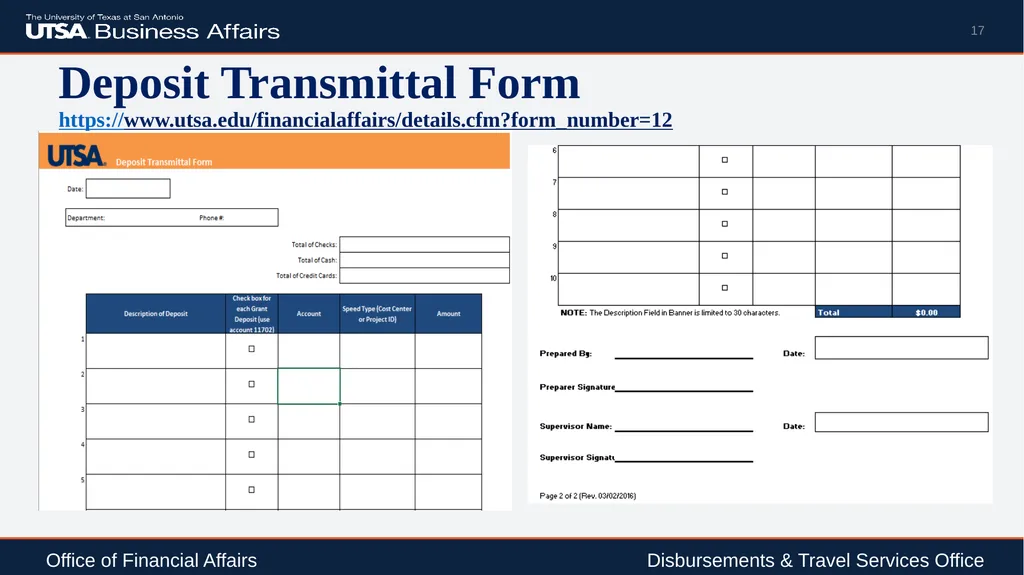
Deposit Transmittal Form
https://www.utsa.edu/financialaffairs/details.cfm?form_number=12 17 Office of Financial Affairs Disbursements & Travel Services Office<br>
18
Settlement/Reimbursement Traveler/Student Responsible Party has 30 days upon return from trip to settle all expenses associated with trip by submitting an Expense Report to include all reimbursable and non-reimbursable expense items in PS
DTS will approve the reimbursement within 10 business days from receiving a correct and complete Expense Report to include required attachments with supporting documentation
Note: Settlements for advances issued by Non PO Voucher will require a departmental reconciliation spreadsheet or TRS for reconciliation 18 Office of Financial Affairs Disbursements & Travel Services Office<br>
DTS will approve the reimbursement within 10 business days from receiving a correct and complete Expense Report to include required attachments with supporting documentation
Note: Settlements for advances issued by Non PO Voucher will require a departmental reconciliation spreadsheet or TRS for reconciliation 18 Office of Financial Affairs Disbursements & Travel Services Office<br>
19
Settlement/Reimbursement DTS will contact departments if travel reimbursements or Expense Reports are past due 60 days upon last day of travel
Total cost of trip will become taxable to individuals if travel is past due ≥ 120 days; reimbursements marked taxable will not be reversed 19 Office of Financial Affairs Disbursements & Travel Services Office<br>
Total cost of trip will become taxable to individuals if travel is past due ≥ 120 days; reimbursements marked taxable will not be reversed 19 Office of Financial Affairs Disbursements & Travel Services Office<br>
20
Settlement/Reimbursement Travelers have the option to electronically certify Expense Reports in PeopleSoft or submit a signed TRS (Travel Reimbursement Settlement)
If an employee decides to delegate certification of approval, they must complete and submit the delegation of authority form to BIS for processing
A delegated certification of approval requires a TRS form be completed, signed and attached to PS (if applicable) 20 Office of Financial Affairs Disbursements & Travel Services Office<br>
If an employee decides to delegate certification of approval, they must complete and submit the delegation of authority form to BIS for processing
A delegated certification of approval requires a TRS form be completed, signed and attached to PS (if applicable) 20 Office of Financial Affairs Disbursements & Travel Services Office<br>
21
Types of Travel Advances 21<br>
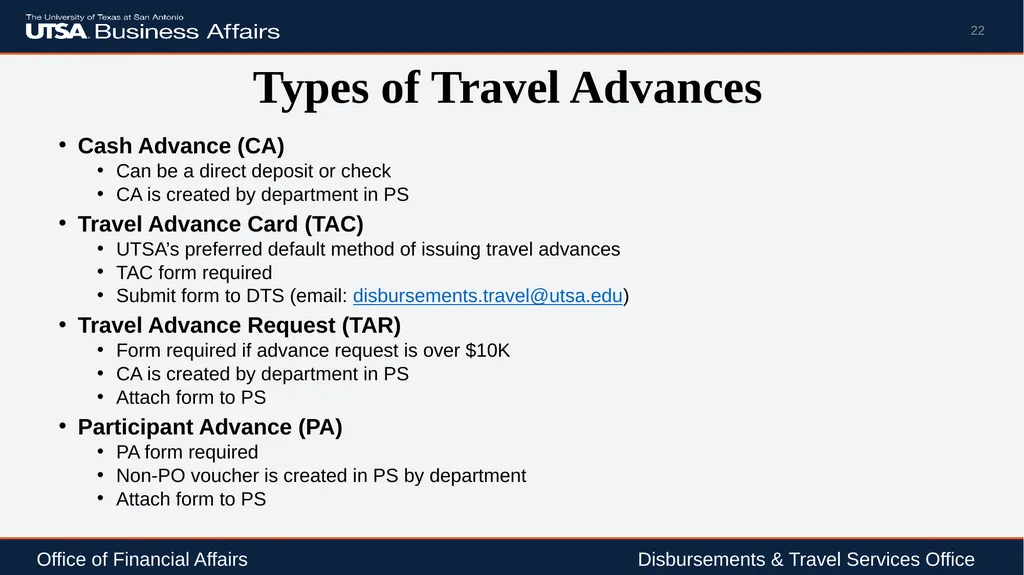
22
Types of Travel Advances Cash Advance (CA)
Can be a direct deposit or check
CA is created by department in PS
Travel Advance Card (TAC)
UTSA’s preferred default method of issuing travel advances
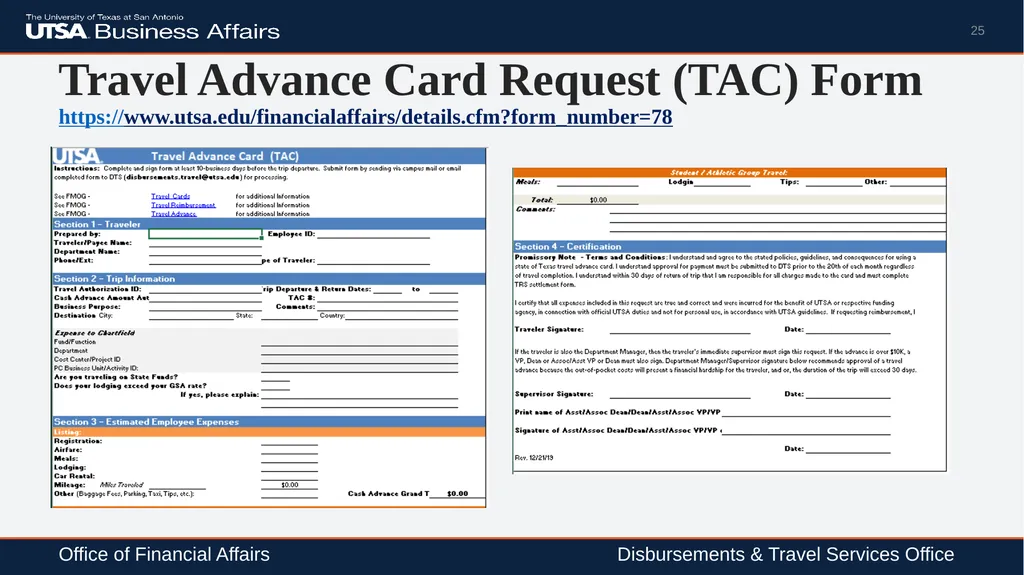
TAC form required
Submit form to DTS (email: disbursements.travel@utsa.edu)
Travel Advance Request (TAR)
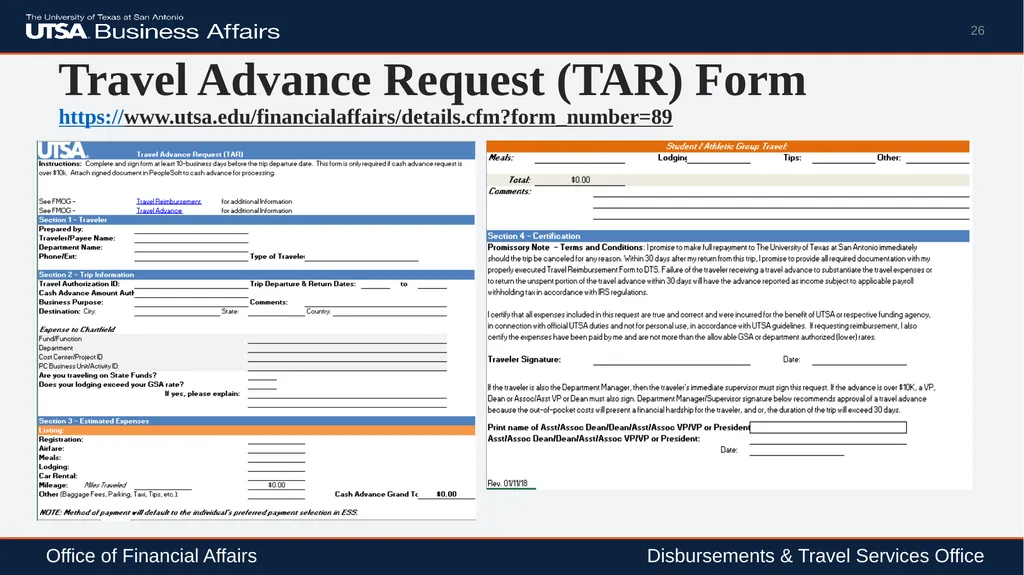
Form required if advance request is over $10K
CA is created by department in PS
Attach form to PS
Participant Advance (PA)
PA form required
Non-PO voucher is created in PS by department
Attach form to PS 22 Office of Financial Affairs Disbursements & Travel Services Office<br>
Can be a direct deposit or check
CA is created by department in PS
Travel Advance Card (TAC)
UTSA’s preferred default method of issuing travel advances
TAC form required
Submit form to DTS (email: disbursements.travel@utsa.edu)
Travel Advance Request (TAR)
Form required if advance request is over $10K
CA is created by department in PS
Attach form to PS
Participant Advance (PA)
PA form required
Non-PO voucher is created in PS by department
Attach form to PS 22 Office of Financial Affairs Disbursements & Travel Services Office<br>
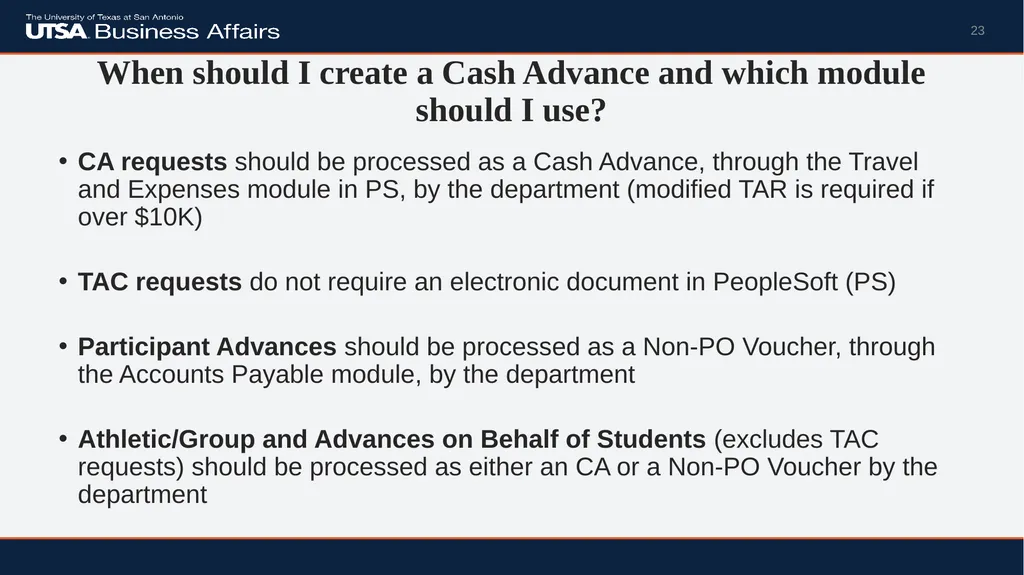
23
When should I create a Cash Advance and which module should I use? CA requests should be processed as a Cash Advance, through the Travel and Expenses module in PS, by the department (modified TAR is required if over $10K)
TAC requests do not require an electronic document in PeopleSoft (PS)
Participant Advances should be processed as a Non-PO Voucher, through the Accounts Payable module, by the department
Athletic/Group and Advances on Behalf of Students (excludes TAC requests) should be processed as either an CA or a Non-PO Voucher by the department 23<br>
TAC requests do not require an electronic document in PeopleSoft (PS)
Participant Advances should be processed as a Non-PO Voucher, through the Accounts Payable module, by the department
Athletic/Group and Advances on Behalf of Students (excludes TAC requests) should be processed as either an CA or a Non-PO Voucher by the department 23<br>
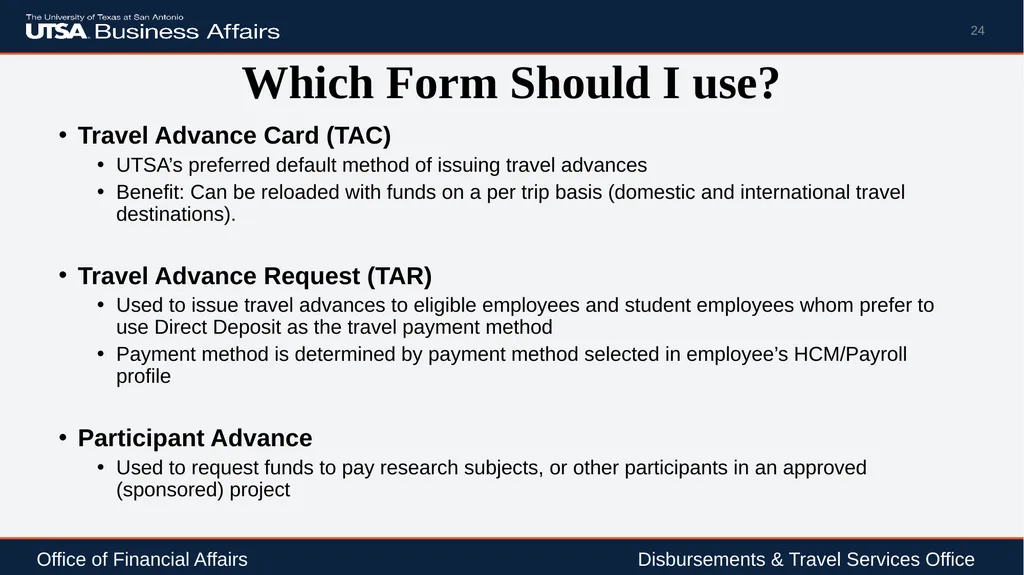
24
Which Form Should I use? Travel Advance Card (TAC)
UTSA’s preferred default method of issuing travel advances
Benefit: Can be reloaded with funds on a per trip basis (domestic and international travel destinations).
Travel Advance Request (TAR)
Used to issue travel advances to eligible employees and student employees whom prefer to use Direct Deposit as the travel payment method
Payment method is determined by payment method selected in employee’s HCM/Payroll profile
Participant Advance
Used to request funds to pay research subjects, or other participants in an approved (sponsored) project 24 Office of Financial Affairs Disbursements & Travel Services Office<br>
UTSA’s preferred default method of issuing travel advances
Benefit: Can be reloaded with funds on a per trip basis (domestic and international travel destinations).
Travel Advance Request (TAR)
Used to issue travel advances to eligible employees and student employees whom prefer to use Direct Deposit as the travel payment method
Payment method is determined by payment method selected in employee’s HCM/Payroll profile
Participant Advance
Used to request funds to pay research subjects, or other participants in an approved (sponsored) project 24 Office of Financial Affairs Disbursements & Travel Services Office<br>
25
Travel Advance Card Request (TAC) Form
https://www.utsa.edu/financialaffairs/details.cfm?form_number=78 25 Office of Financial Affairs Disbursements & Travel Services Office<br>
26
Travel Advance Request (TAR) Form
https://www.utsa.edu/financialaffairs/details.cfm?form_number=89 26 Office of Financial Affairs Disbursements & Travel Services Office<br>
27
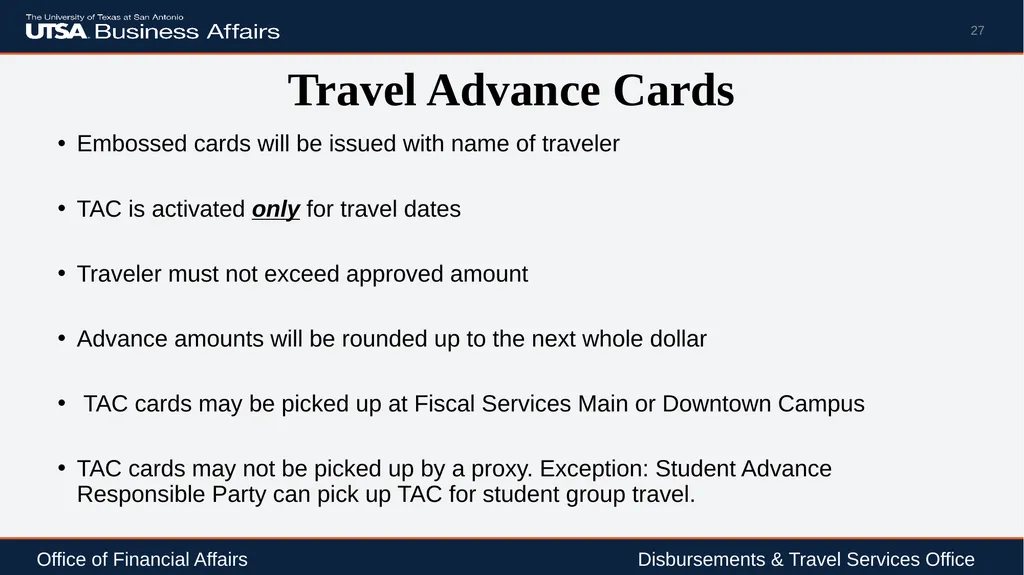
Travel Advance Cards Embossed cards will be issued with name of traveler
TAC is activated only for travel dates
Traveler must not exceed approved amount
Advance amounts will be rounded up to the next whole dollar
TAC cards may be picked up at Fiscal Services Main or Downtown Campus
TAC cards may not be picked up by a proxy. Exception: Student Advance Responsible Party can pick up TAC for student group travel. 27 Office of Financial Affairs Disbursements & Travel Services Office<br>
TAC is activated only for travel dates
Traveler must not exceed approved amount
Advance amounts will be rounded up to the next whole dollar
TAC cards may be picked up at Fiscal Services Main or Downtown Campus
TAC cards may not be picked up by a proxy. Exception: Student Advance Responsible Party can pick up TAC for student group travel. 27 Office of Financial Affairs Disbursements & Travel Services Office<br>
28
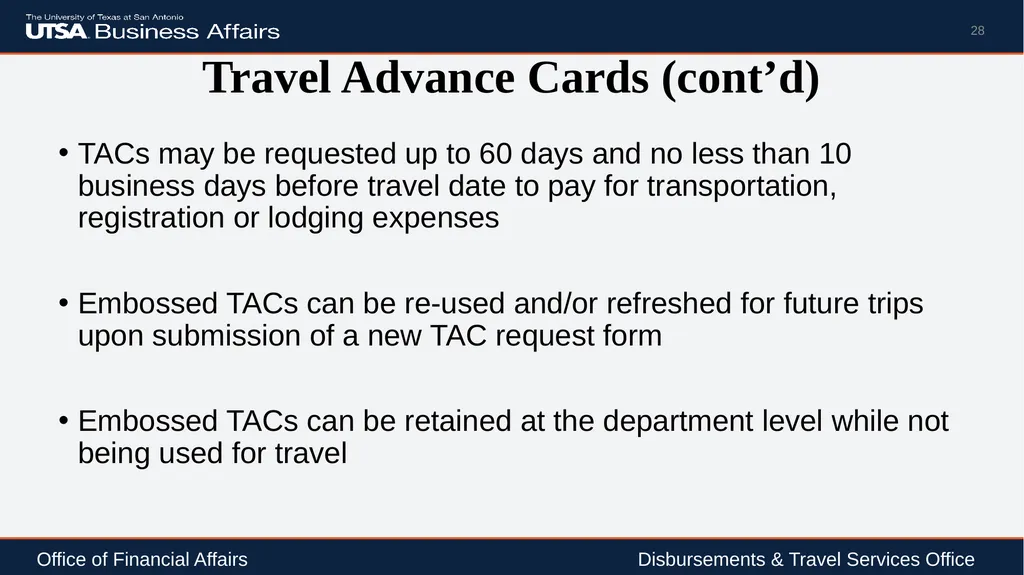
Travel Advance Cards (cont’d) TACs may be requested up to 60 days and no less than 10 business days before travel date to pay for transportation, registration or lodging expenses
Embossed TACs can be re-used and/or refreshed for future trips upon submission of a new TAC request form
Embossed TACs can be retained at the department level while not being used for travel 28 Office of Financial Affairs Disbursements & Travel Services Office<br>
Embossed TACs can be re-used and/or refreshed for future trips upon submission of a new TAC request form
Embossed TACs can be retained at the department level while not being used for travel 28 Office of Financial Affairs Disbursements & Travel Services Office<br>
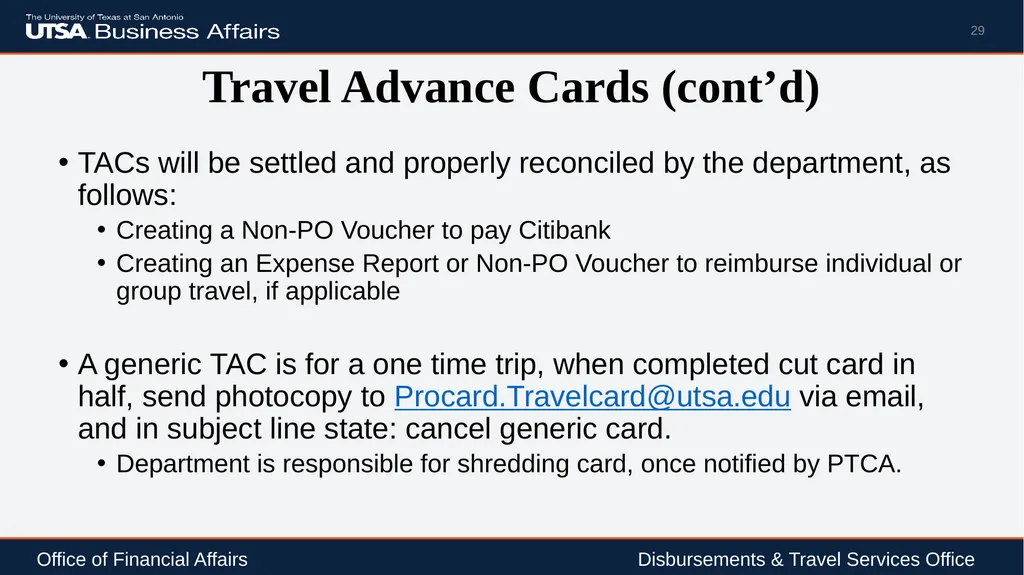
29
Travel Advance Cards (cont’d) TACs will be settled and properly reconciled by the department, as follows:
Creating a Non-PO Voucher to pay Citibank
Creating an Expense Report or Non-PO Voucher to reimburse individual or group travel, if applicable
A generic TAC is for a one time trip, when completed cut card in half, send photocopy to Procard.Travelcard@utsa.edu via email, and in subject line state: cancel generic card.
Department is responsible for shredding card, once notified by PTCA. 29 Office of Financial Affairs Disbursements & Travel Services Office<br>
Creating a Non-PO Voucher to pay Citibank
Creating an Expense Report or Non-PO Voucher to reimburse individual or group travel, if applicable
A generic TAC is for a one time trip, when completed cut card in half, send photocopy to Procard.Travelcard@utsa.edu via email, and in subject line state: cancel generic card.
Department is responsible for shredding card, once notified by PTCA. 29 Office of Financial Affairs Disbursements & Travel Services Office<br>
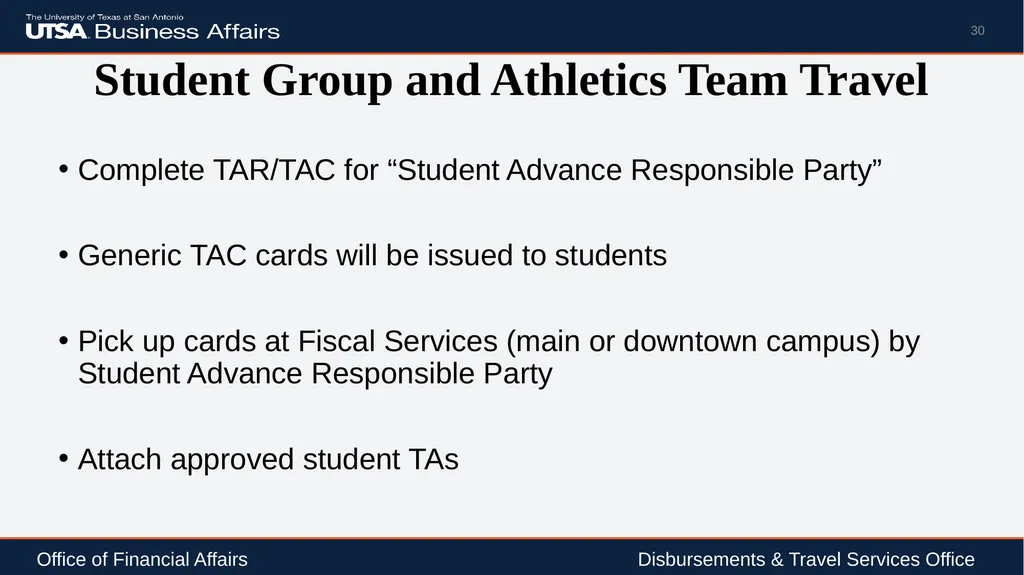
30
Student Group and Athletics Team Travel Complete TAR/TAC for “Student Advance Responsible Party”
Generic TAC cards will be issued to students
Pick up cards at Fiscal Services (main or downtown campus) by Student Advance Responsible Party
Attach approved student TAs 30 Office of Financial Affairs Disbursements & Travel Services Office<br>
Generic TAC cards will be issued to students
Pick up cards at Fiscal Services (main or downtown campus) by Student Advance Responsible Party
Attach approved student TAs 30 Office of Financial Affairs Disbursements & Travel Services Office<br>
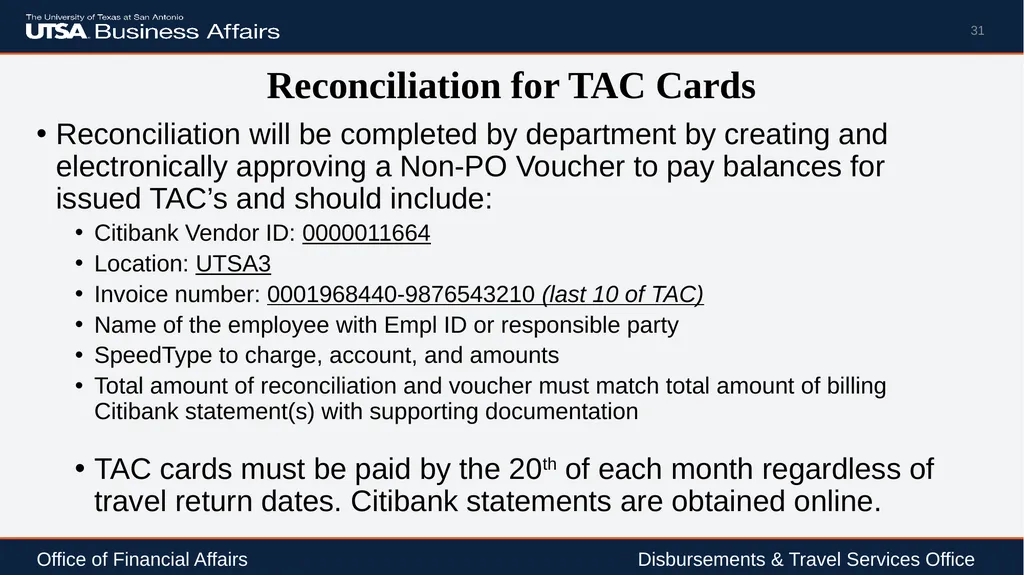
31
Reconciliation for TAC Cards Reconciliation will be completed by department by creating and electronically approving a Non-PO Voucher to pay balances for issued TAC’s and should include:
Citibank Vendor ID: 0000011664
Location: UTSA3
Invoice number: 0001968440-9876543210 (last 10 of TAC)
Name of the employee with Empl ID or responsible party
SpeedType to charge, account, and amounts
Total amount of reconciliation and voucher must match total amount of billing Citibank statement(s) with supporting documentation
TAC cards must be paid by the 20th of each month regardless of travel return dates. Citibank statements are obtained online. 31 Office of Financial Affairs Disbursements & Travel Services Office<br>
Citibank Vendor ID: 0000011664
Location: UTSA3
Invoice number: 0001968440-9876543210 (last 10 of TAC)
Name of the employee with Empl ID or responsible party
SpeedType to charge, account, and amounts
Total amount of reconciliation and voucher must match total amount of billing Citibank statement(s) with supporting documentation
TAC cards must be paid by the 20th of each month regardless of travel return dates. Citibank statements are obtained online. 31 Office of Financial Affairs Disbursements & Travel Services Office<br>
32
How to Complete a Cash Advance in the Travel and Expense (T&E) Module 32<br>
33
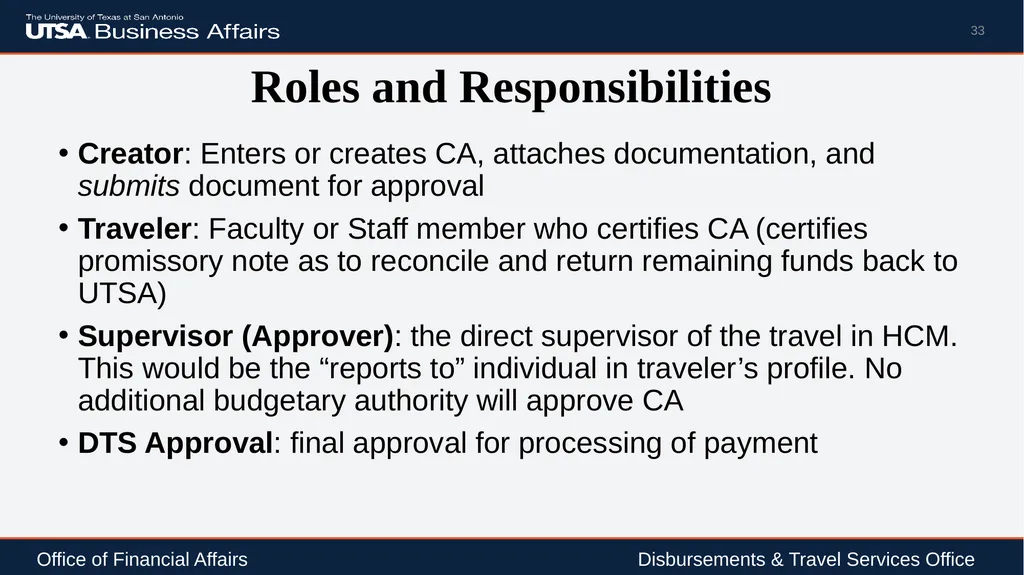
Roles and Responsibilities Creator: Enters or creates CA, attaches documentation, and submits document for approval
Traveler: Faculty or Staff member who certifies CA (certifies promissory note as to reconcile and return remaining funds back to UTSA)
Supervisor (Approver): the direct supervisor of the travel in HCM. This would be the “reports to” individual in traveler’s profile. No additional budgetary authority will approve CA
DTS Approval: final approval for processing of payment 33 Office of Financial Affairs Disbursements & Travel Services Office<br>
Traveler: Faculty or Staff member who certifies CA (certifies promissory note as to reconcile and return remaining funds back to UTSA)
Supervisor (Approver): the direct supervisor of the travel in HCM. This would be the “reports to” individual in traveler’s profile. No additional budgetary authority will approve CA
DTS Approval: final approval for processing of payment 33 Office of Financial Affairs Disbursements & Travel Services Office<br>
34
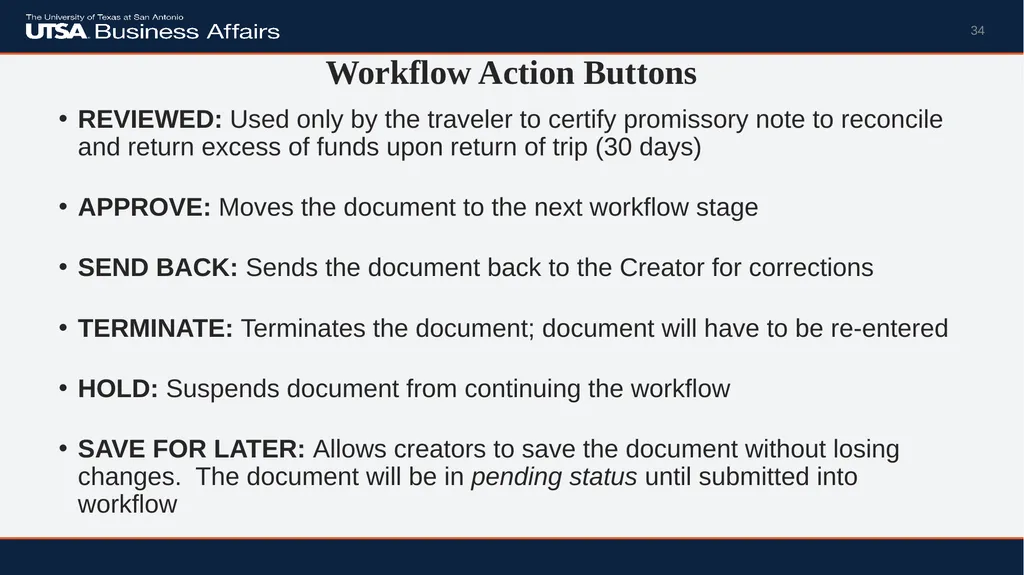
Workflow Action Buttons REVIEWED: Used only by the traveler to certify promissory note to reconcile and return excess of funds upon return of trip (30 days)
APPROVE: Moves the document to the next workflow stage
SEND BACK: Sends the document back to the Creator for corrections
TERMINATE: Terminates the document; document will have to be re-entered
HOLD: Suspends document from continuing the workflow
SAVE FOR LATER: Allows creators to save the document without losing changes. The document will be in pending status until submitted into workflow 34<br>
APPROVE: Moves the document to the next workflow stage
SEND BACK: Sends the document back to the Creator for corrections
TERMINATE: Terminates the document; document will have to be re-entered
HOLD: Suspends document from continuing the workflow
SAVE FOR LATER: Allows creators to save the document without losing changes. The document will be in pending status until submitted into workflow 34<br>
35
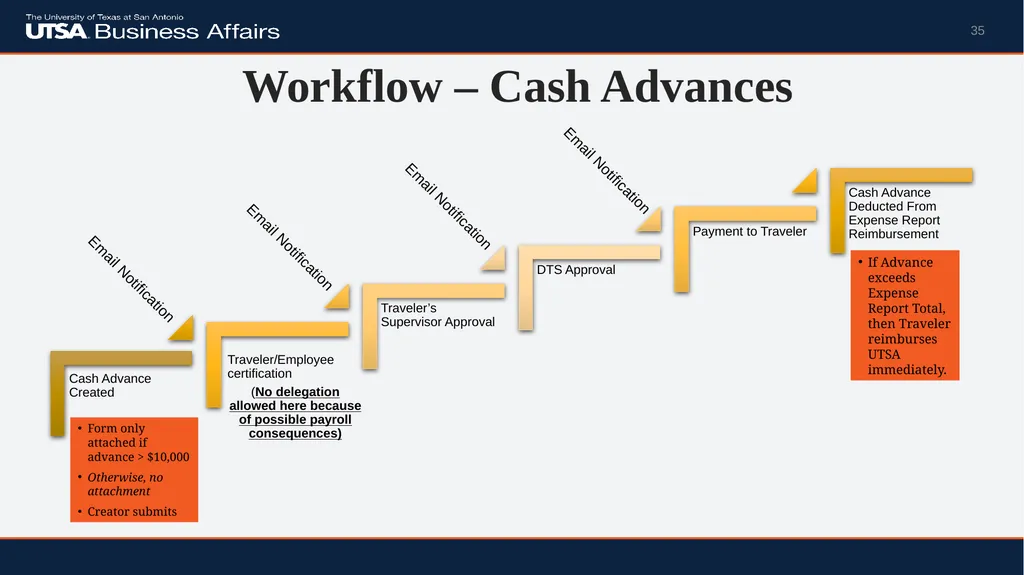
Workflow – Cash Advances 35 Email Notification Email Notification Email Notification Email Notification Form only attached if advance > $10,000
Otherwise, no attachment
Creator submits If Advance exceeds Expense Report Total, then Traveler reimburses UTSA immediately.<br>
Otherwise, no attachment
Creator submits If Advance exceeds Expense Report Total, then Traveler reimburses UTSA immediately.<br>
36
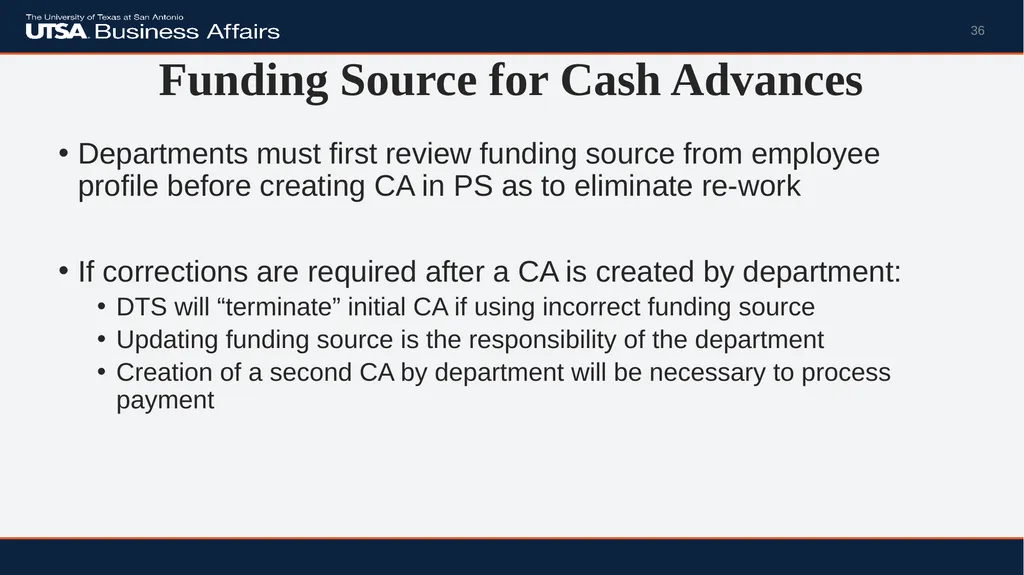
Funding Source for Cash Advances Departments must first review funding source from employee profile before creating CA in PS as to eliminate re-work
If corrections are required after a CA is created by department:
DTS will “terminate” initial CA if using incorrect funding source
Updating funding source is the responsibility of the department
Creation of a second CA by department will be necessary to process payment 36<br>
If corrections are required after a CA is created by department:
DTS will “terminate” initial CA if using incorrect funding source
Updating funding source is the responsibility of the department
Creation of a second CA by department will be necessary to process payment 36<br>
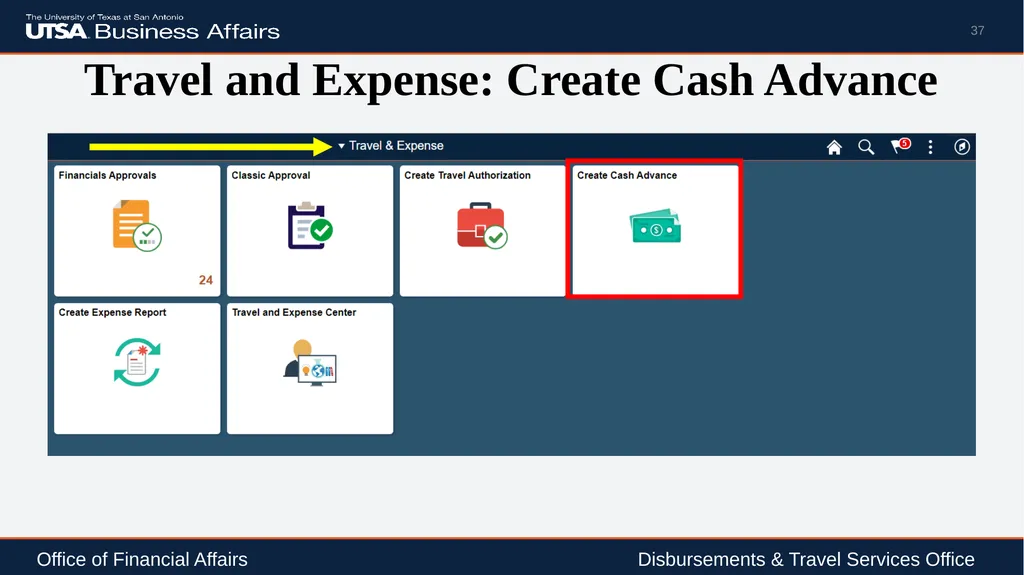
37
Travel and Expense: Create Cash Advance 37 Office of Financial Affairs Disbursements & Travel Services Office<br>
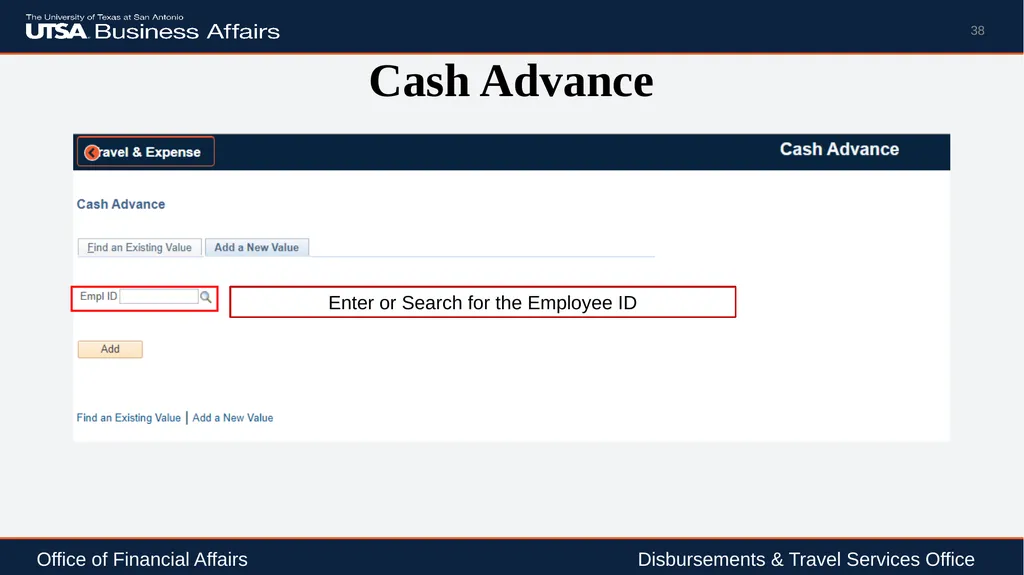
38
Cash Advance 38 Enter or Search for the Employee ID Office of Financial Affairs Disbursements & Travel Services Office<br>
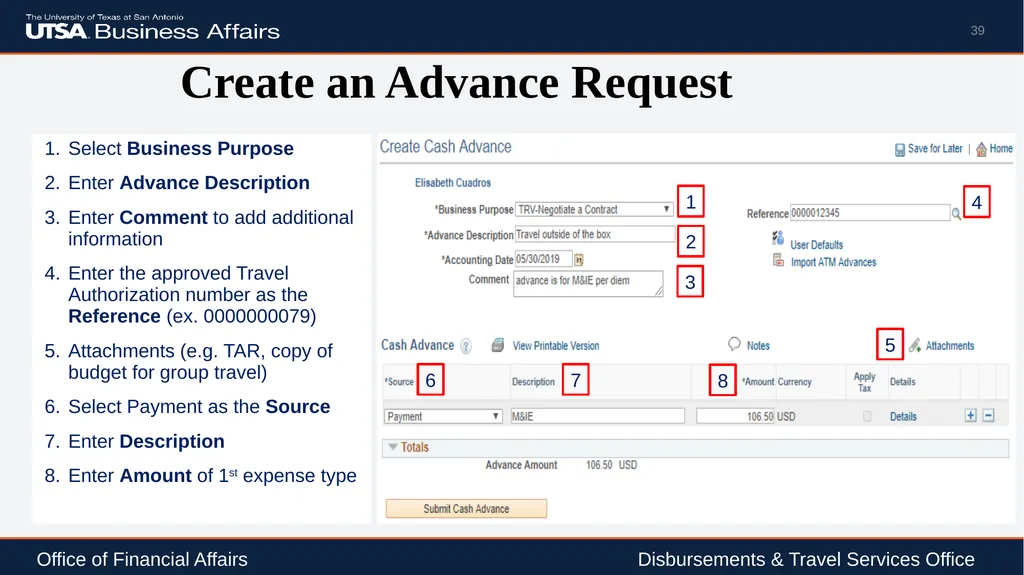
39
Create an Advance Request 39 2 1 6 7 4 3 8 5 Office of Financial Affairs Disbursements & Travel Services Office<br>
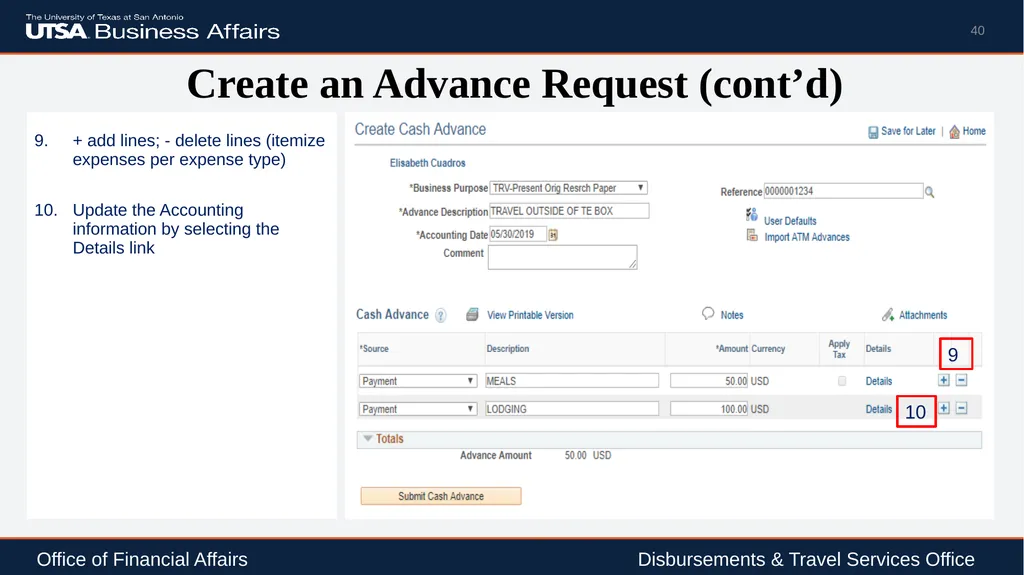
40
Create an Advance Request (cont’d) 40 10 9 Office of Financial Affairs Disbursements & Travel Services Office<br>
41
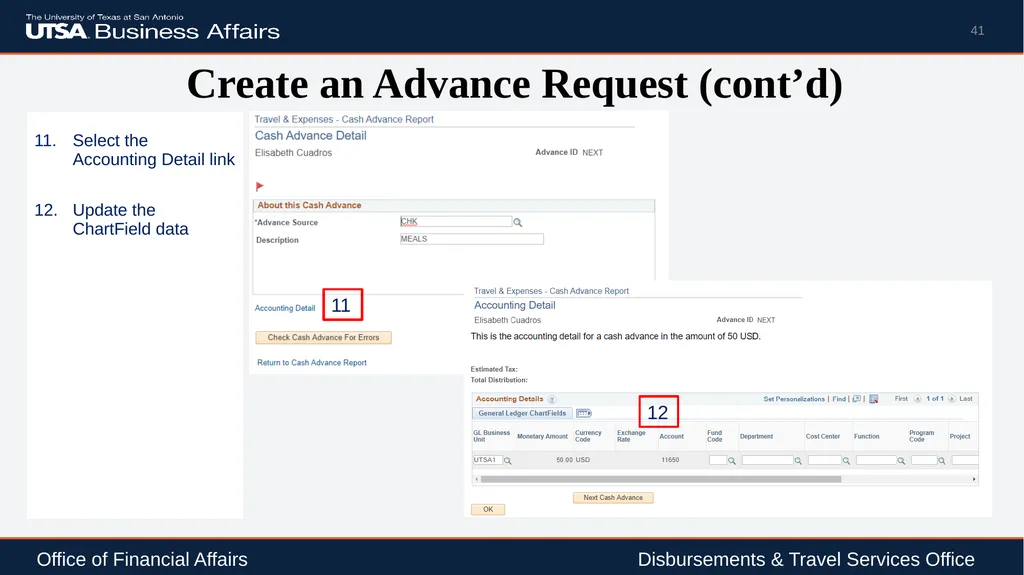
Create an Advance Request (cont’d) 41 11 Office of Financial Affairs Disbursements & Travel Services Office 12<br>
42
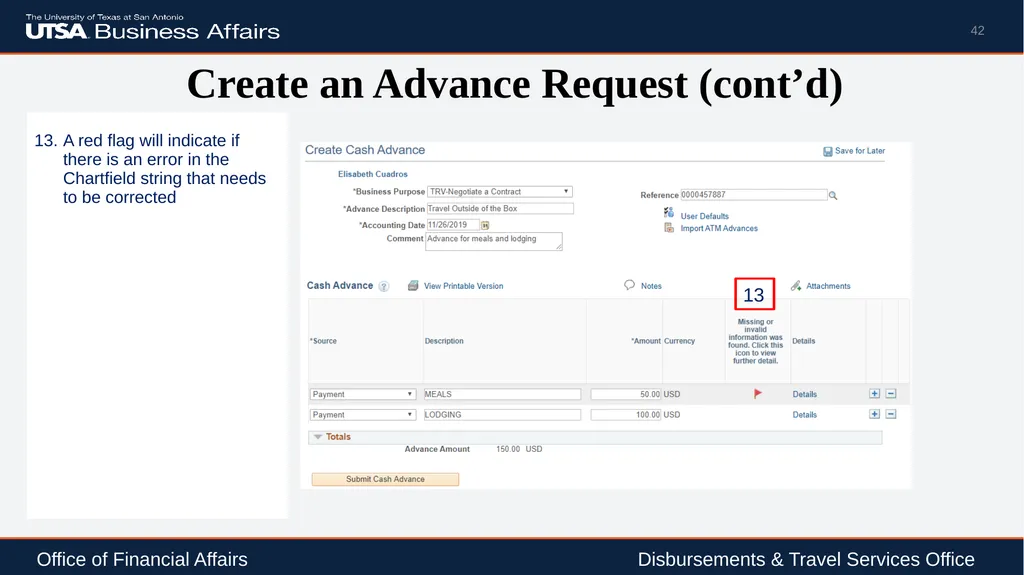
Create an Advance Request (cont’d) 42 13 Office of Financial Affairs Disbursements & Travel Services Office<br>
43
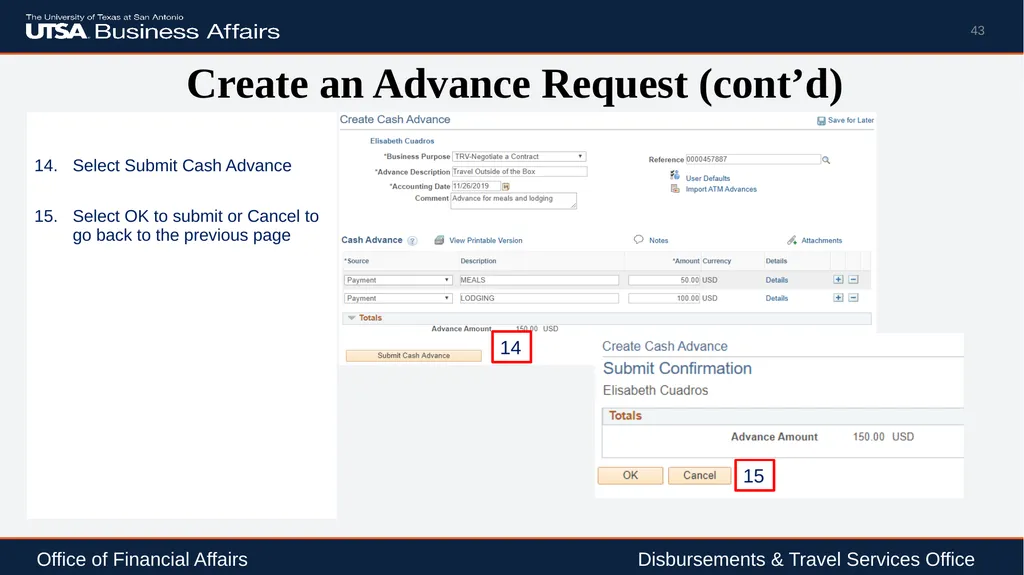
Create an Advance Request (cont’d) 43 Office of Financial Affairs Disbursements & Travel Services Office 14 15<br>
44
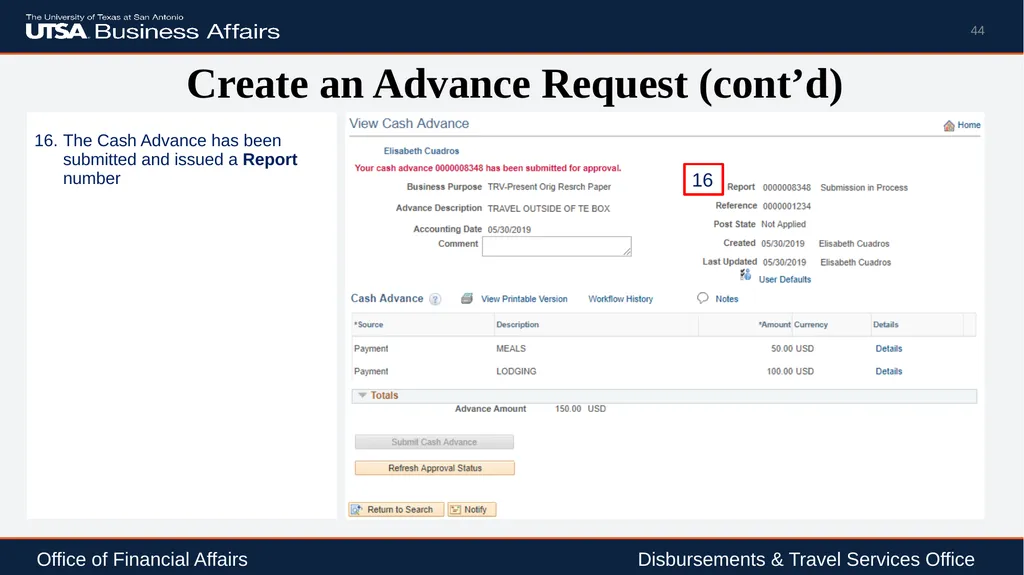
Create an Advance Request (cont’d) 44 Office of Financial Affairs Disbursements & Travel Services Office 16<br>
45
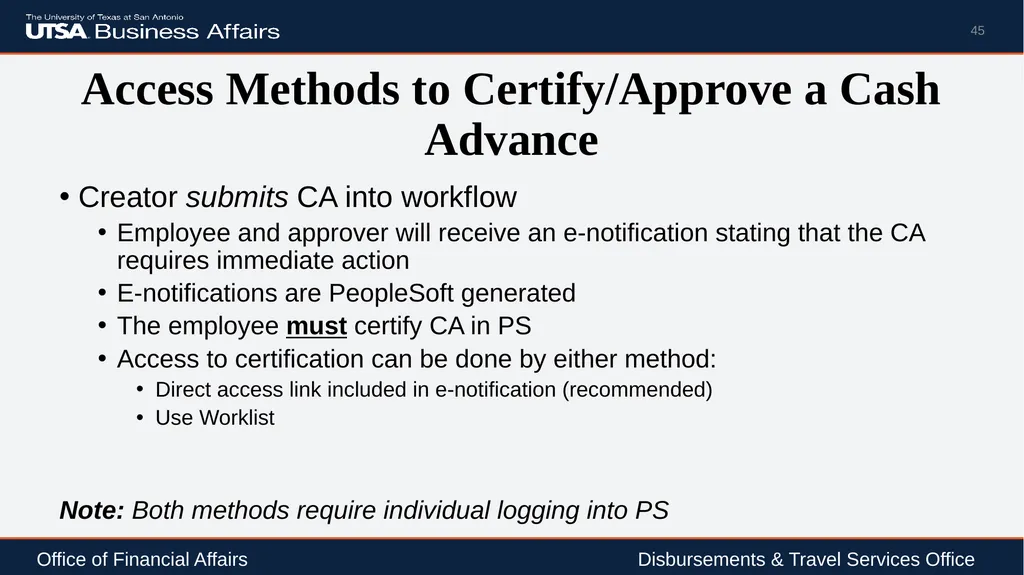
Access Methods to Certify/Approve a Cash Advance Creator submits CA into workflow
Employee and approver will receive an e-notification stating that the CA requires immediate action
E-notifications are PeopleSoft generated
The employee must certify CA in PS
Access to certification can be done by either method:
Direct access link included in e-notification (recommended)
Use Worklist
Note: Both methods require individual logging into PS 45 Office of Financial Affairs Disbursements & Travel Services Office<br>
Employee and approver will receive an e-notification stating that the CA requires immediate action
E-notifications are PeopleSoft generated
The employee must certify CA in PS
Access to certification can be done by either method:
Direct access link included in e-notification (recommended)
Use Worklist
Note: Both methods require individual logging into PS 45 Office of Financial Affairs Disbursements & Travel Services Office<br>
46
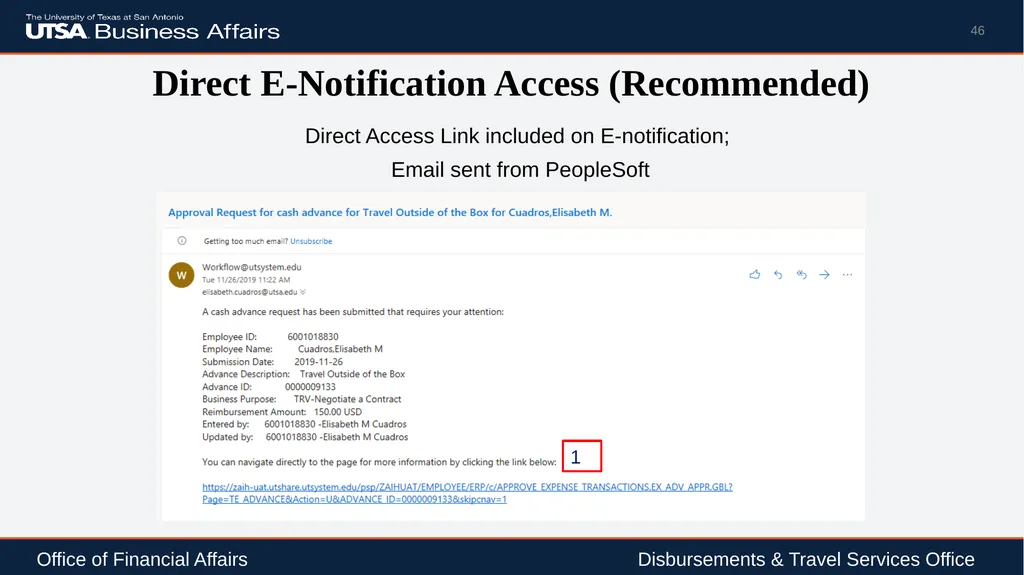
Direct E-Notification Access (Recommended) Direct Access Link included on E-notification;
Email sent from PeopleSoft 46 Office of Financial Affairs Disbursements & Travel Services Office 1<br>
Email sent from PeopleSoft 46 Office of Financial Affairs Disbursements & Travel Services Office 1<br>
47
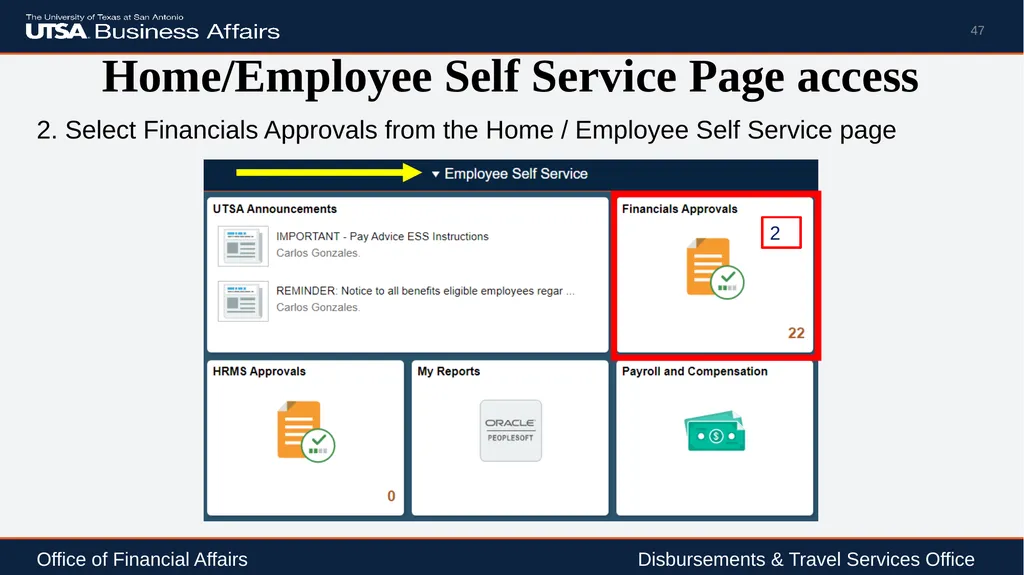
Home/Employee Self Service Page access 2. Select Financials Approvals from the Home / Employee Self Service page 47 Office of Financial Affairs Disbursements & Travel Services Office 2<br>
48
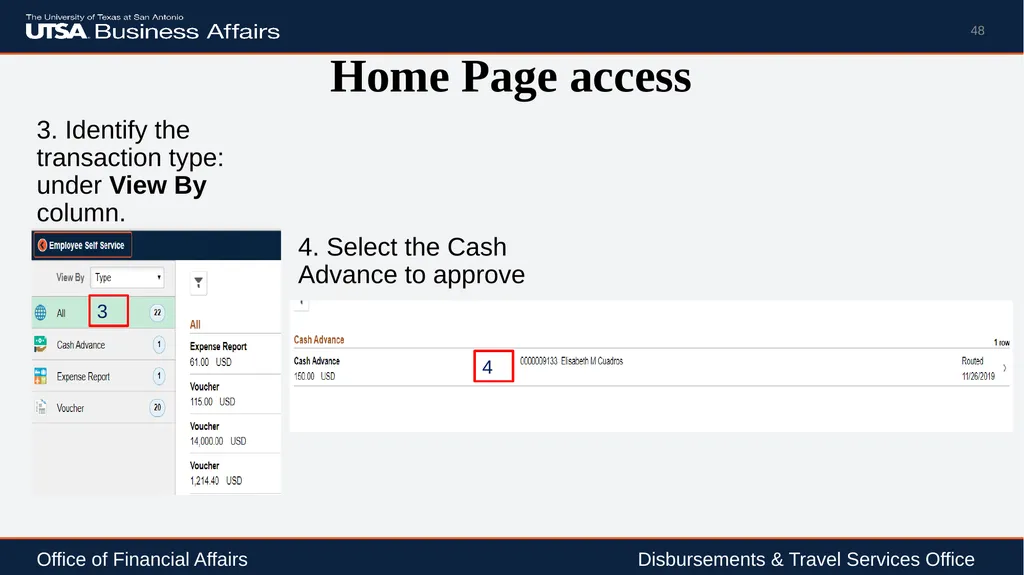
Home Page access 3. Identify the transaction type: under View By column. 48 Office of Financial Affairs Disbursements & Travel Services Office 4. Select the Cash Advance to approve 3 4<br>
49
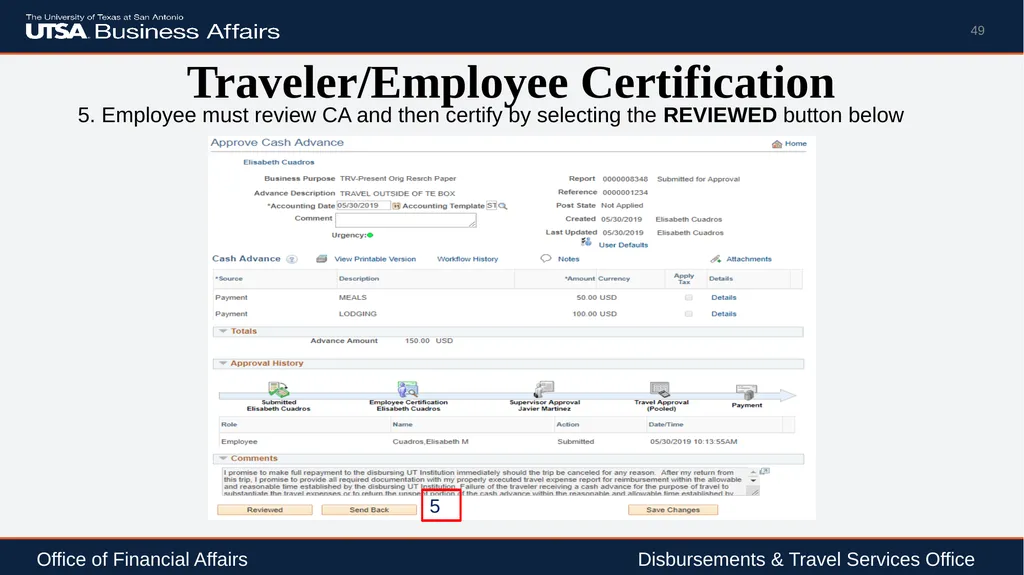
Traveler/Employee Certification 5. Employee must review CA and then certify by selecting the REVIEWED button below 49 Office of Financial Affairs Disbursements & Travel Services Office 5<br>
50
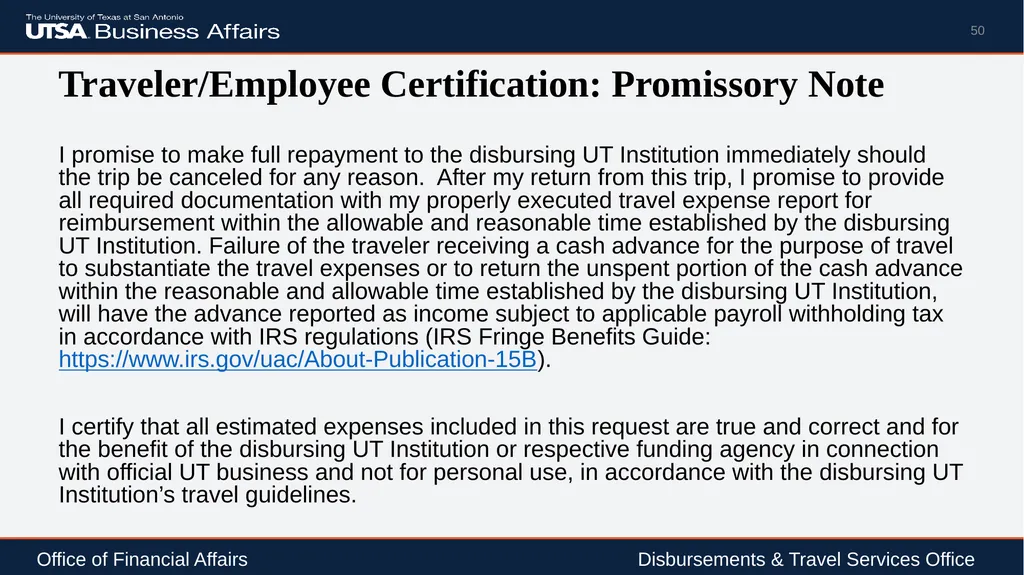
Traveler/Employee Certification: Promissory Note I promise to make full repayment to the disbursing UT Institution immediately should the trip be canceled for any reason. After my return from this trip, I promise to provide all required documentation with my properly executed travel expense report for reimbursement within the allowable and reasonable time established by the disbursing UT Institution. Failure of the traveler receiving a cash advance for the purpose of travel to substantiate the travel expenses or to return the unspent portion of the cash advance within the reasonable and allowable time established by the disbursing UT Institution, will have the advance reported as income subject to applicable payroll withholding tax in accordance with IRS regulations (IRS Fringe Benefits Guide: https://www.irs.gov/uac/About-Publication-15B).
I certify that all estimated expenses included in this request are true and correct and for the benefit of the disbursing UT Institution or respective funding agency in connection with official UT business and not for personal use, in accordance with the disbursing UT Institution’s travel guidelines. 50 Office of Financial Affairs Disbursements & Travel Services Office<br>
I certify that all estimated expenses included in this request are true and correct and for the benefit of the disbursing UT Institution or respective funding agency in connection with official UT business and not for personal use, in accordance with the disbursing UT Institution’s travel guidelines. 50 Office of Financial Affairs Disbursements & Travel Services Office<br>
51
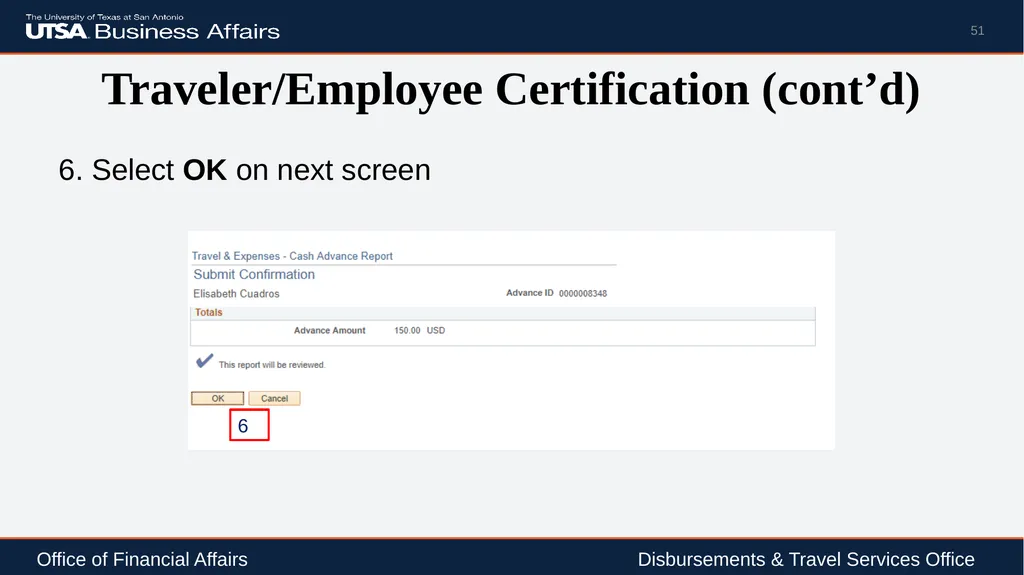
Traveler/Employee Certification (cont’d) 6. Select OK on next screen 51 Office of Financial Affairs Disbursements & Travel Services Office 6<br>
52
Supervisor Approval Supervisor Access to approve can be done by either:
Direct access link included in e-notification (recommended)
Use Worklist
Note: Both methods require individual logging into PS. 52 Office of Financial Affairs Disbursements & Travel Services Office<br>
Direct access link included in e-notification (recommended)
Use Worklist
Note: Both methods require individual logging into PS. 52 Office of Financial Affairs Disbursements & Travel Services Office<br>
53
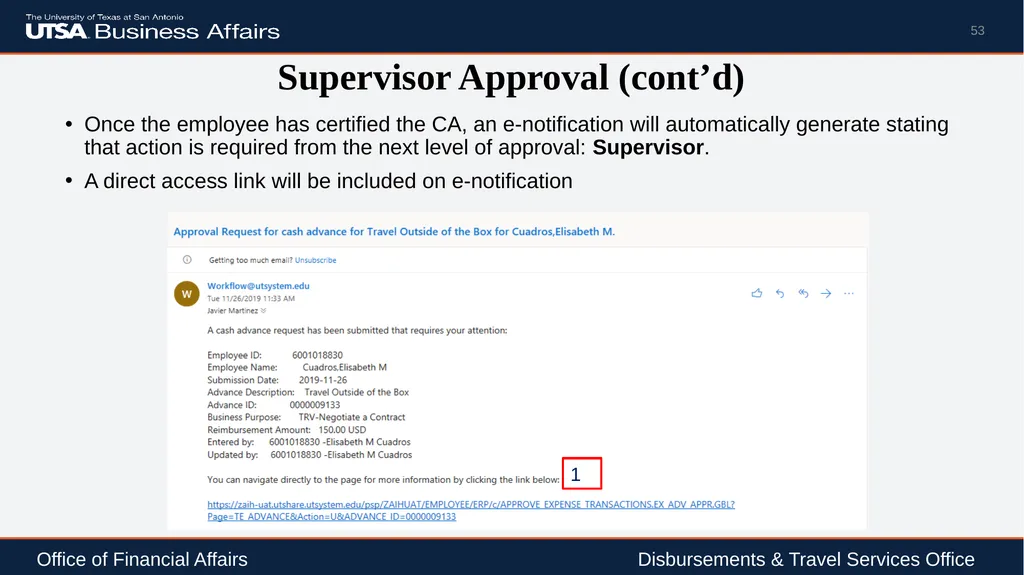
Supervisor Approval (cont’d) Once the employee has certified the CA, an e-notification will automatically generate stating that action is required from the next level of approval: Supervisor.
A direct access link will be included on e-notification 53 Office of Financial Affairs Disbursements & Travel Services Office 1<br>
A direct access link will be included on e-notification 53 Office of Financial Affairs Disbursements & Travel Services Office 1<br>
54
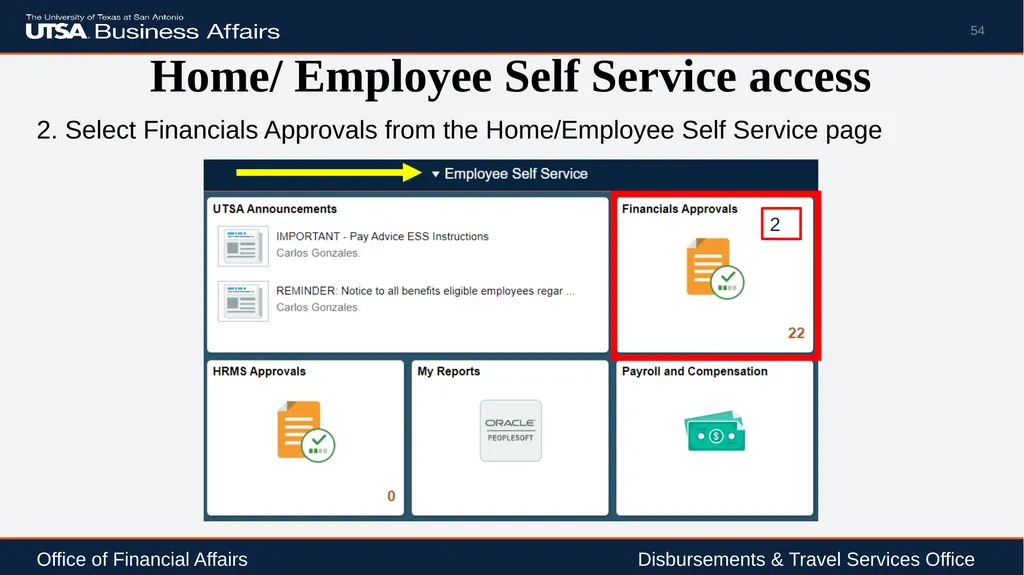
Home/ Employee Self Service access 2. Select Financials Approvals from the Home/Employee Self Service page 54 Office of Financial Affairs Disbursements & Travel Services Office 2<br>
55
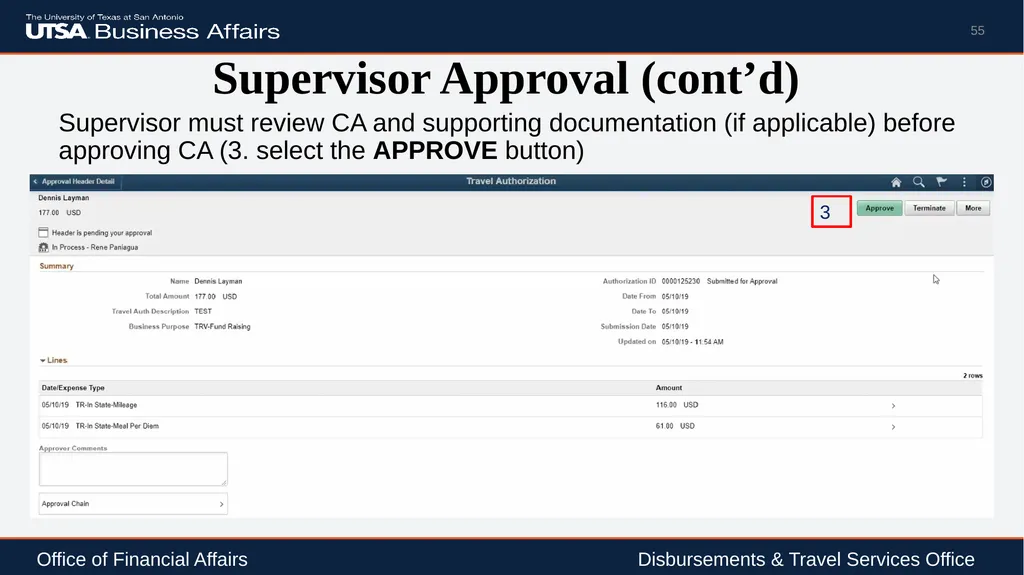
Supervisor Approval (cont’d) Supervisor must review CA and supporting documentation (if applicable) before approving CA (3. select the APPROVE button) 55 Office of Financial Affairs Disbursements & Travel Services Office 3<br>
56
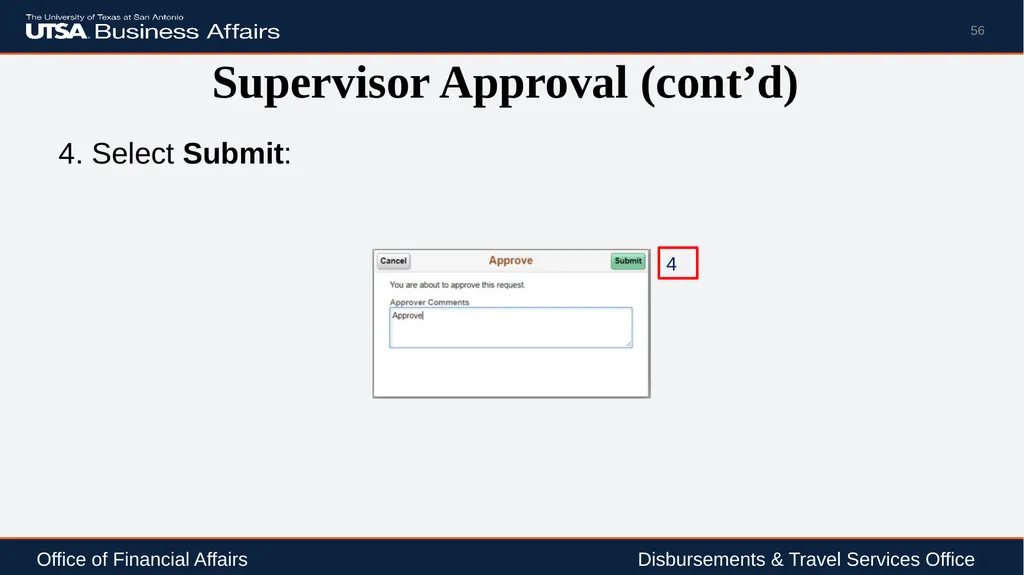
Supervisor Approval (cont’d) 4. Select Submit: 56 Office of Financial Affairs Disbursements & Travel Services Office 4<br>
57
DTS Approval Once the Supervisor has approved CA, an e-notification will be sent to DTS for final approval
DTS will review and approve CA no more than three business days before first day of travel
The traveler and the submitter will receive an e-notification from PeopleSoft, that the Cash Advance has been approved for payment 57 Office of Financial Affairs Disbursements & Travel Services Office<br>
DTS will review and approve CA no more than three business days before first day of travel
The traveler and the submitter will receive an e-notification from PeopleSoft, that the Cash Advance has been approved for payment 57 Office of Financial Affairs Disbursements & Travel Services Office<br>
58
Creator Checklist Complete a TAC or TAR (if over $10k) and obtain all required signatures
Check funding source in employee’s profile
Create a Cash Advance in PeopleSoft
Submit electronic CA or TAC request to DTS 10 business days prior to trip departure for processing
Travel advances will generally be issued to the traveler at least three days before travel departure 58 Office of Financial Affairs Disbursements & Travel Services Office<br>
Check funding source in employee’s profile
Create a Cash Advance in PeopleSoft
Submit electronic CA or TAC request to DTS 10 business days prior to trip departure for processing
Travel advances will generally be issued to the traveler at least three days before travel departure 58 Office of Financial Affairs Disbursements & Travel Services Office<br>
59
Additional Resources Disbursements and Travel Services (DTS) website: http://utsa.edu/financialaffairs/dts/
DTS Training
https://www.utsa.edu/financialaffairs/training/training.cfm?area=DTS
Related Courses offered by DTS:
Business-Related Hospitality & Entertainment (AM553)
Travel Advance Process (PS209)
Travel Reimbursement Process (PS0310)
Processing of Non P.O. Voucher (PS 203.04) 59 Office of Financial Affairs Disbursements & Travel Services Office<br>
DTS Training
https://www.utsa.edu/financialaffairs/training/training.cfm?area=DTS
Related Courses offered by DTS:
Business-Related Hospitality & Entertainment (AM553)
Travel Advance Process (PS209)
Travel Reimbursement Process (PS0310)
Processing of Non P.O. Voucher (PS 203.04) 59 Office of Financial Affairs Disbursements & Travel Services Office<br>
60
References Financial Management Operational Guidelines (FMOG)
General Appropriations Act
IRS Taxable Fringe Benefit Guide for Federal, State and Local Governments
Internal Revenue Service, IRC sections 62(a)(2) and 62(c)
Texas Administrative Code Title 34 – Public Finance, Part 1 Chapter 5, Subchapter C, Rule §5.22 State of Texas Travel Guidance
Texas Government Code Section 660.003 Travel Expenses 60 Office of Financial Affairs Disbursements & Travel Services Office<br>
General Appropriations Act
IRS Taxable Fringe Benefit Guide for Federal, State and Local Governments
Internal Revenue Service, IRC sections 62(a)(2) and 62(c)
Texas Administrative Code Title 34 – Public Finance, Part 1 Chapter 5, Subchapter C, Rule §5.22 State of Texas Travel Guidance
Texas Government Code Section 660.003 Travel Expenses 60 Office of Financial Affairs Disbursements & Travel Services Office<br>
61
References (cont’d) UT System Board of Regents’ Rules and Regulations Rule 20801 - Travel
UTSA Handbook of Operating Procedures (HOP) – 5.18 Travel or Events that Involve Students and Other Non-Employee Participants
Travel Advance Guideline
U.S. General Services Administration (GSA) Per Diem Rates
UTSA Handbook of Operating Procedures (HOP) – 5.18 Travel or Events that Involve Students and Other Non-Employee Participants 61 Office of Financial Affairs Disbursements & Travel Services Office<br>
UTSA Handbook of Operating Procedures (HOP) – 5.18 Travel or Events that Involve Students and Other Non-Employee Participants
Travel Advance Guideline
U.S. General Services Administration (GSA) Per Diem Rates
UTSA Handbook of Operating Procedures (HOP) – 5.18 Travel or Events that Involve Students and Other Non-Employee Participants 61 Office of Financial Affairs Disbursements & Travel Services Office<br>
62
Questions 62 Office of Financial Affairs Disbursements & Travel Services Office<br>
63
Thank You! Office of Financial Affairs 63<br>