
TSDS Unique ID System Training David Butler –
FD
Published · 59 slides · 0 views
1 / 1
Description
TSDS Unique ID System Training David Butler Texas Education Agency Agenda TSDS Unique ID Training for ESCs February 2013 2 Objective Unique ID in the TSDS Big Picture TSDS Unique ID Overview Rollout Plan Training Class Format Support
Related Topics
Share
Embed code
Download this presentation From Below
"TSDS Unique ID System Training David Butler –" is the property of its rightful owner. Permission is granted to download and print the materials on this website for personal, non-commercial use only, and to display it on your personal computer provided you do not modify the materials and that you retain all copyright notices contained in the materials. By downloading content from our website, you accept the terms of this agreement.
Presentation Transcript
01
TSDS Unique ID System
Training David Butler
– Texas Education Agency<br>
– Texas Education Agency<br>
02
Agenda TSDS Unique ID Training for ESCs / February 2013 2 Objective
Unique ID in the TSDS Big Picture
TSDS Unique ID Overview
Rollout Plan
Training Class Format
Support Model
Project Share
Request Access to Unique ID via TEAL
Unique ID Training
Certification Assessment<br>
Unique ID in the TSDS Big Picture
TSDS Unique ID Overview
Rollout Plan
Training Class Format
Support Model
Project Share
Request Access to Unique ID via TEAL
Unique ID Training
Certification Assessment<br>
03
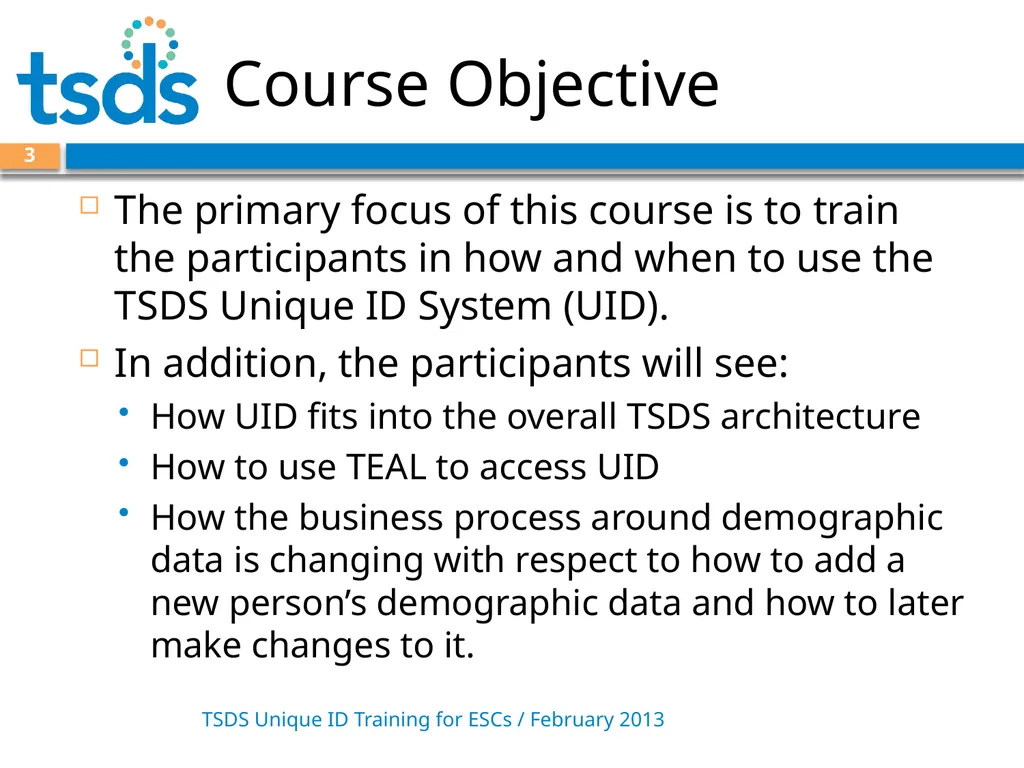
Course Objective TSDS Unique ID Training for ESCs / February 2013 3 The primary focus of this course is to train the participants in how and when to use the TSDS Unique ID System (UID).
In addition, the participants will see:
How UID fits into the overall TSDS architecture
How to use TEAL to access UID
How the business process around demographic data is changing with respect to how to add a new person’s demographic data and how to later make changes to it.<br>
In addition, the participants will see:
How UID fits into the overall TSDS architecture
How to use TEAL to access UID
How the business process around demographic data is changing with respect to how to add a new person’s demographic data and how to later make changes to it.<br>
04
Goals Day 1 TSDS Unique ID Training for ESCs / February 2013 4 Items we will cover today:
Unique ID in the TSDS Big Picture
TSDS Unique ID Overview
Rollout Plan
Training Class Format
Support Model
Project Share
Begin Unique ID System training<br>
Unique ID in the TSDS Big Picture
TSDS Unique ID Overview
Rollout Plan
Training Class Format
Support Model
Project Share
Begin Unique ID System training<br>
05
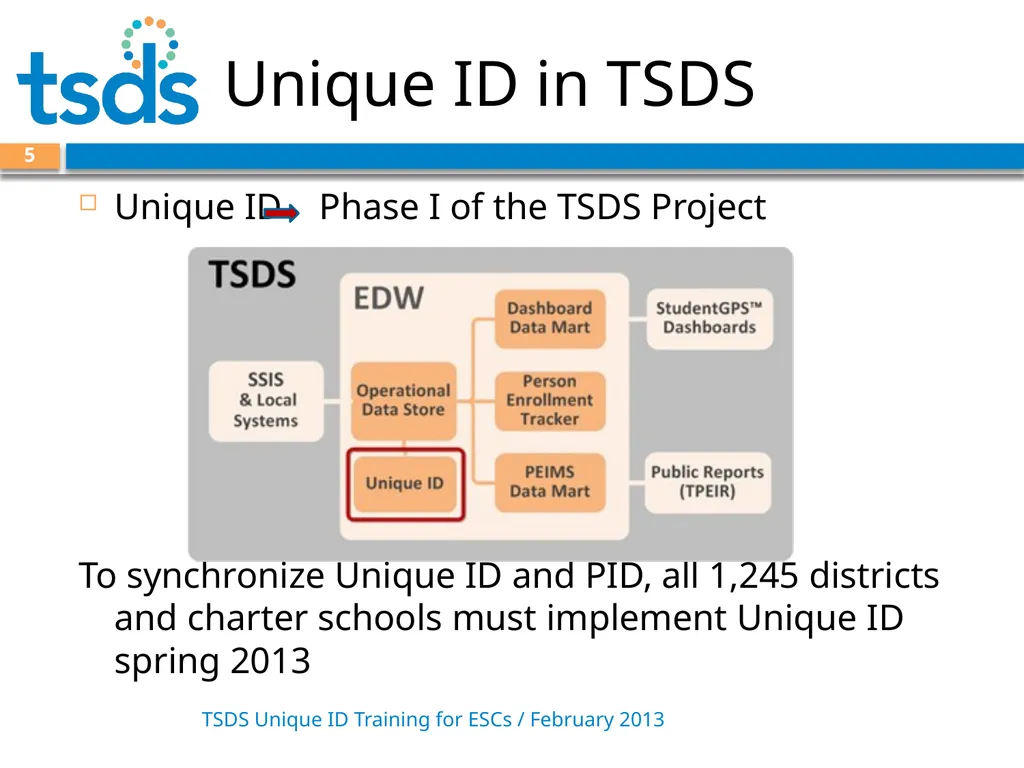
Unique ID in TSDS TSDS Unique ID Training for ESCs / February 2013 5 Unique ID Phase I of the TSDS Project
To synchronize Unique ID and PID, all 1,245 districts and charter schools must implement Unique ID spring 2013<br>
To synchronize Unique ID and PID, all 1,245 districts and charter schools must implement Unique ID spring 2013<br>
06
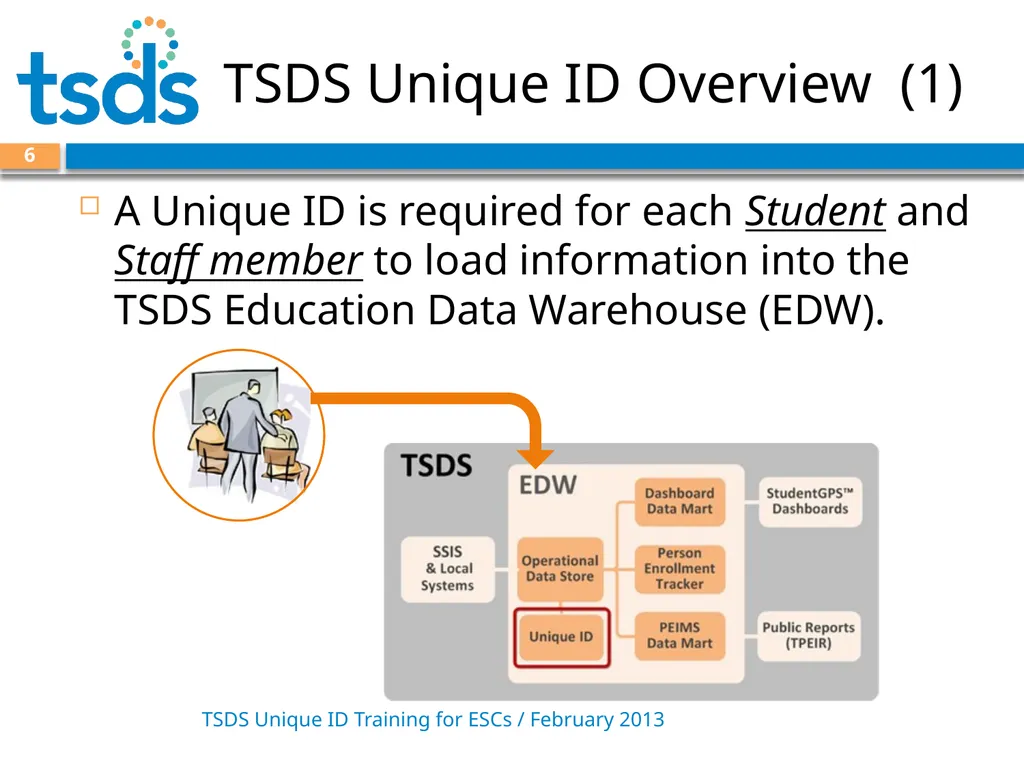
TSDS Unique ID Overview (1) TSDS Unique ID Training for ESCs / February 2013 6 A Unique ID is required for each Student and Staff member to load information into the TSDS Education Data Warehouse (EDW).<br>
07
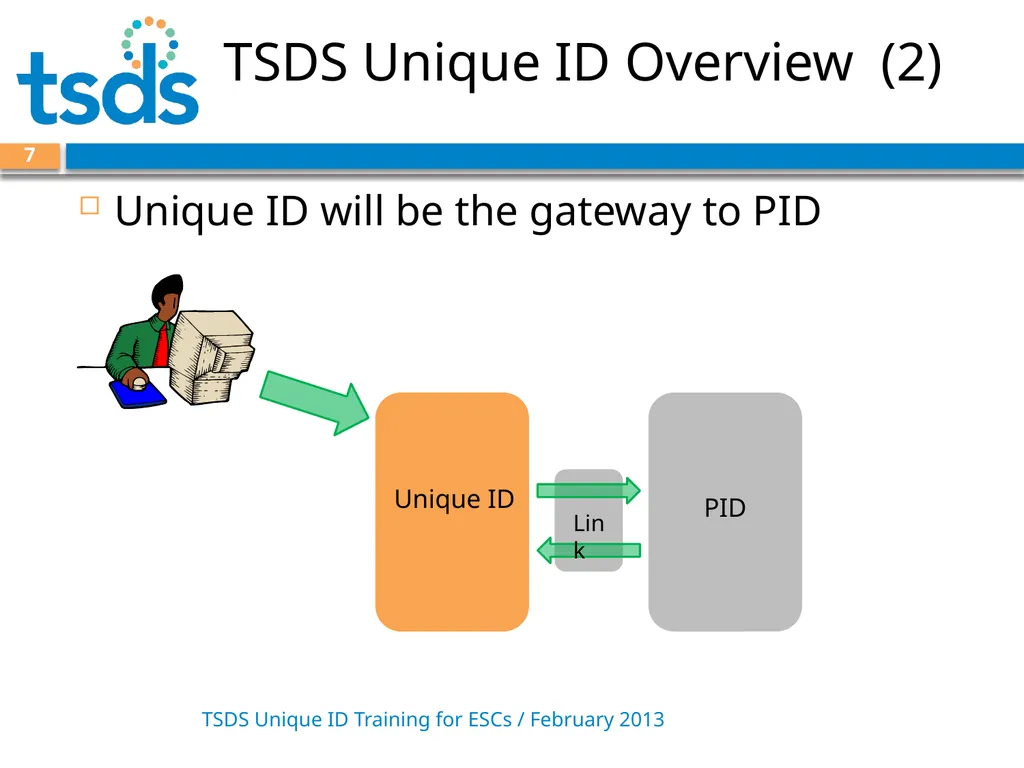
TSDS Unique ID Overview (2) TSDS Unique ID Training for ESCs / February 2013 7 Unique ID will be the gateway to PID Link<br>
08
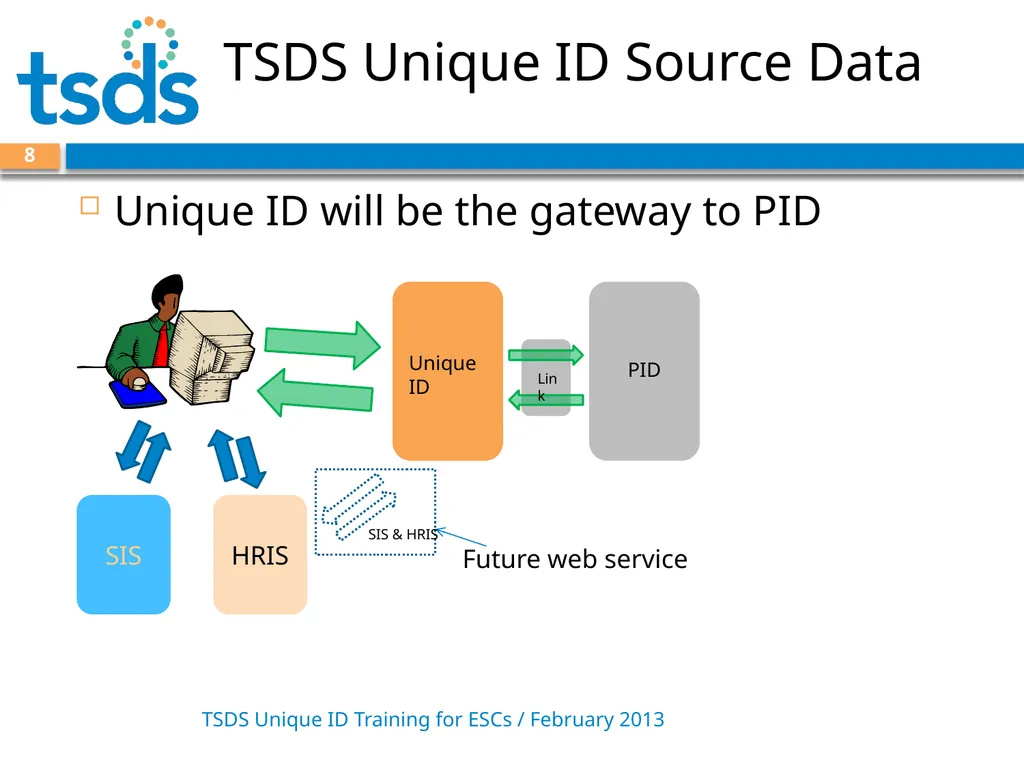
TSDS Unique ID Source Data TSDS Unique ID Training for ESCs / February 2013 8 Unique ID will be the gateway to PID SIS HRIS Future web service SIS & HRIS<br>
09
Benefits of Unique ID Enhanced matching logic ensures a unique ID is assigned to each person, and one person does not have two unique IDs.
Unique ID interface allows users at all levels side-by-side view of closely matching records.
TEA Administrator has new capability to find duplicate records and retire IDs that are erroneously assigned. 9 TSDS Unique ID Training for ESCs / February 2013<br>
Unique ID interface allows users at all levels side-by-side view of closely matching records.
TEA Administrator has new capability to find duplicate records and retire IDs that are erroneously assigned. 9 TSDS Unique ID Training for ESCs / February 2013<br>
10
Initial Assignment of IDs TSDS Unique ID Training for ESCs / February 2013 10 For the initial assignment of Unique IDs:
LEAs export files from their source systems – one from the SIS for students, one from the HR system for staff.
CSV format
All students/staff active in the 2012-2013 school year
LEAs log into the Unique ID system and upload files.
The TSDS Unique ID system processes the files and assigns Unique IDs.
LEAs download files with Unique IDs assigned and upload these into their source systems.<br>
LEAs export files from their source systems – one from the SIS for students, one from the HR system for staff.
CSV format
All students/staff active in the 2012-2013 school year
LEAs log into the Unique ID system and upload files.
The TSDS Unique ID system processes the files and assigns Unique IDs.
LEAs download files with Unique IDs assigned and upload these into their source systems.<br>
11
Ongoing Assignment of IDs TSDS Unique ID Training for ESCs / February 2013 11 After the initial assignment, LEAs must assign Unique IDs to all new students and staff.
LEAs –
log in to the TSDS Unique ID System and upload files in CSV format, or
log in to the TSDS Unique ID System and search for new student/staff.
The Unique ID system returns information for each new student/staff member.<br>
LEAs –
log in to the TSDS Unique ID System and upload files in CSV format, or
log in to the TSDS Unique ID System and search for new student/staff.
The Unique ID system returns information for each new student/staff member.<br>
12
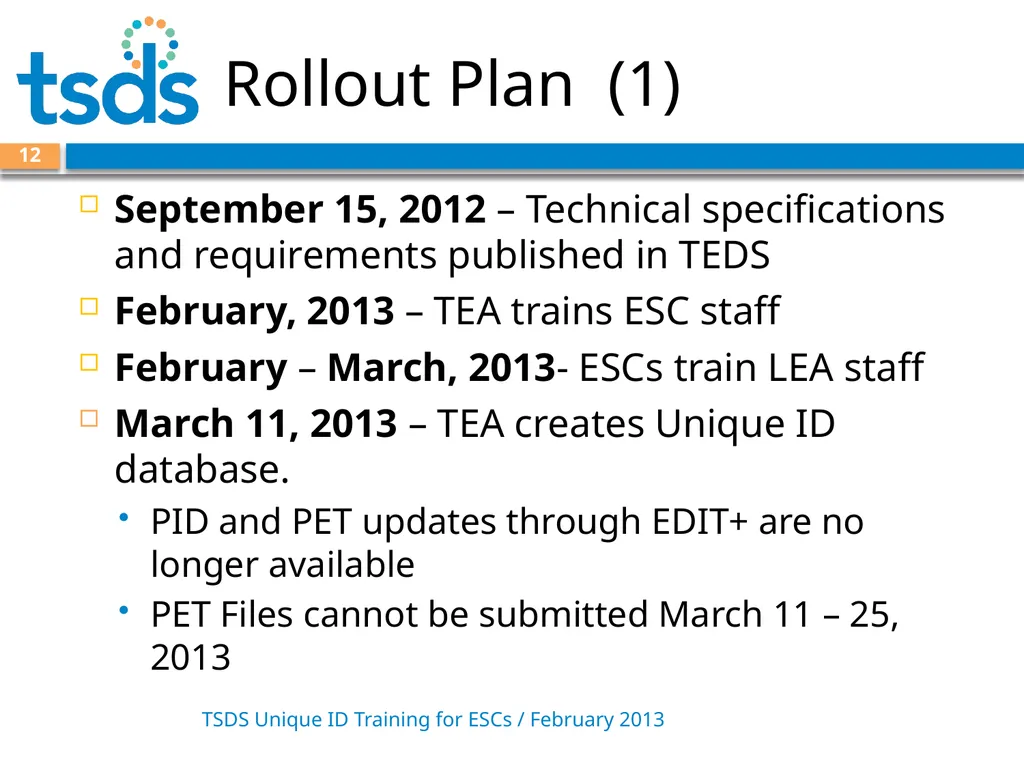
Rollout Plan (1) TSDS Unique ID Training for ESCs / February 2013 12 September 15, 2012 – Technical specifications and requirements published in TEDS
February, 2013 – TEA trains ESC staff
February – March, 2013- ESCs train LEA staff
March 11, 2013 – TEA creates Unique ID database.
PID and PET updates through EDIT+ are no longer available
PET Files cannot be submitted March 11 – 25, 2013<br>
February, 2013 – TEA trains ESC staff
February – March, 2013- ESCs train LEA staff
March 11, 2013 – TEA creates Unique ID database.
PID and PET updates through EDIT+ are no longer available
PET Files cannot be submitted March 11 – 25, 2013<br>
13
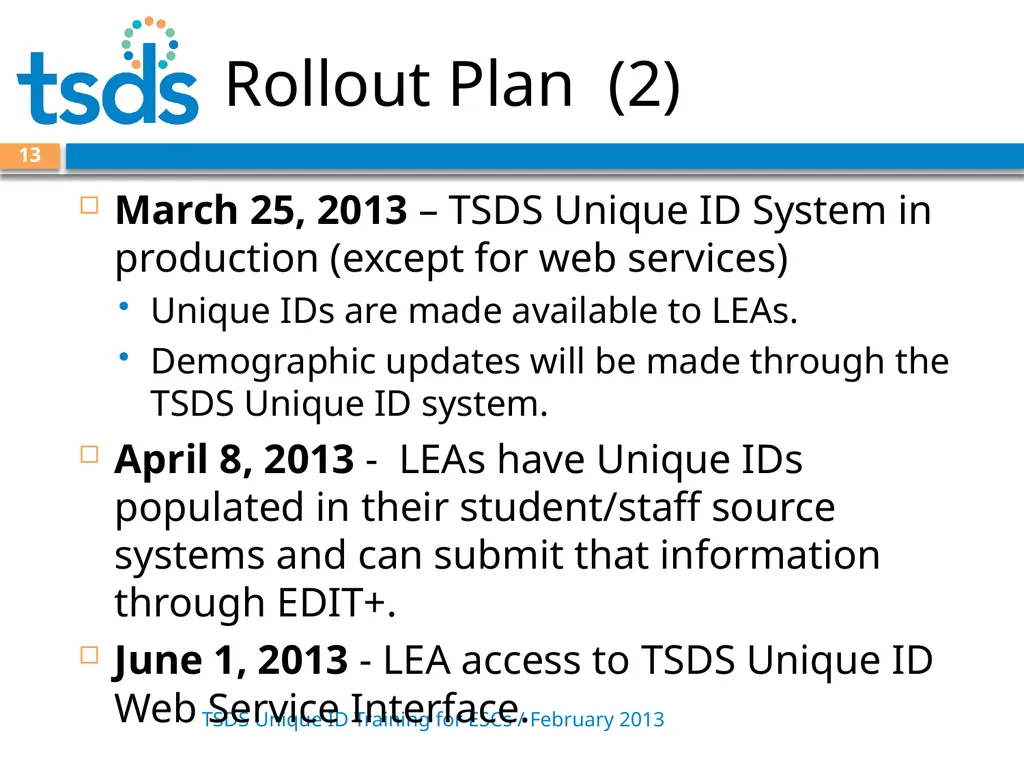
Rollout Plan (2) TSDS Unique ID Training for ESCs / February 2013 13 March 25, 2013 – TSDS Unique ID System in production (except for web services)
Unique IDs are made available to LEAs.
Demographic updates will be made through the TSDS Unique ID system.
April 8, 2013 - LEAs have Unique IDs populated in their student/staff source systems and can submit that information through EDIT+.
June 1, 2013 - LEA access to TSDS Unique ID Web Service Interface.<br>
Unique IDs are made available to LEAs.
Demographic updates will be made through the TSDS Unique ID system.
April 8, 2013 - LEAs have Unique IDs populated in their student/staff source systems and can submit that information through EDIT+.
June 1, 2013 - LEA access to TSDS Unique ID Web Service Interface.<br>
14
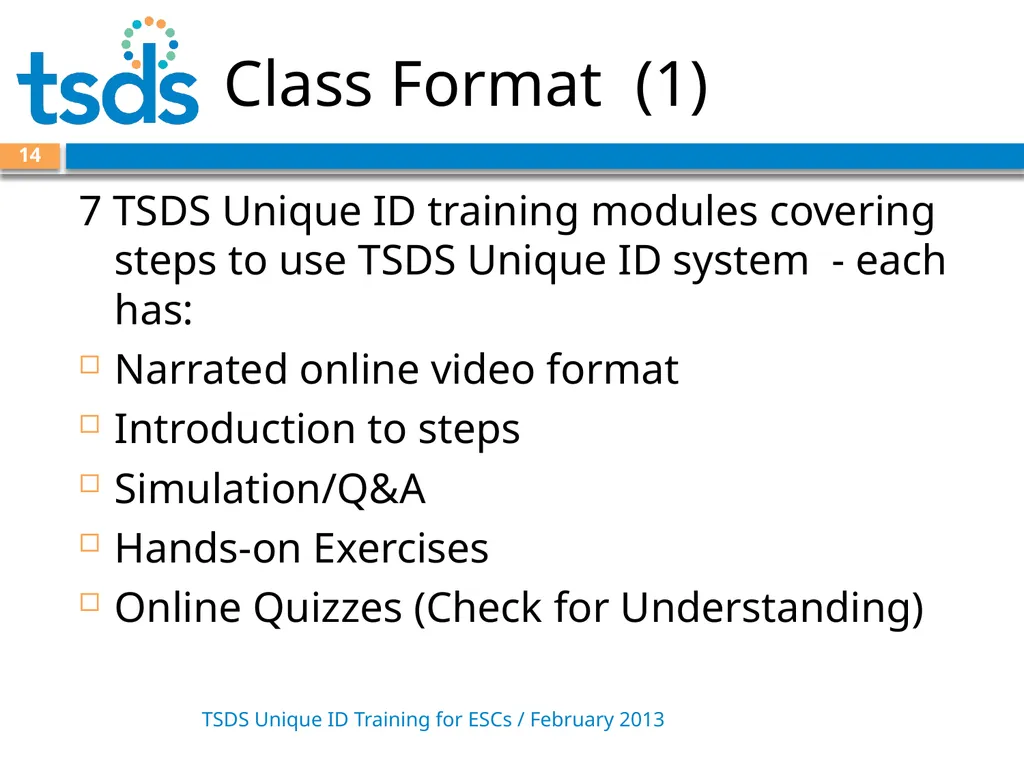
Class Format (1) TSDS Unique ID Training for ESCs / February 2013 14 7 TSDS Unique ID training modules covering steps to use TSDS Unique ID system - each has:
Narrated online video format
Introduction to steps
Simulation/Q&A
Hands-on Exercises
Online Quizzes (Check for Understanding)<br>
Narrated online video format
Introduction to steps
Simulation/Q&A
Hands-on Exercises
Online Quizzes (Check for Understanding)<br>
15
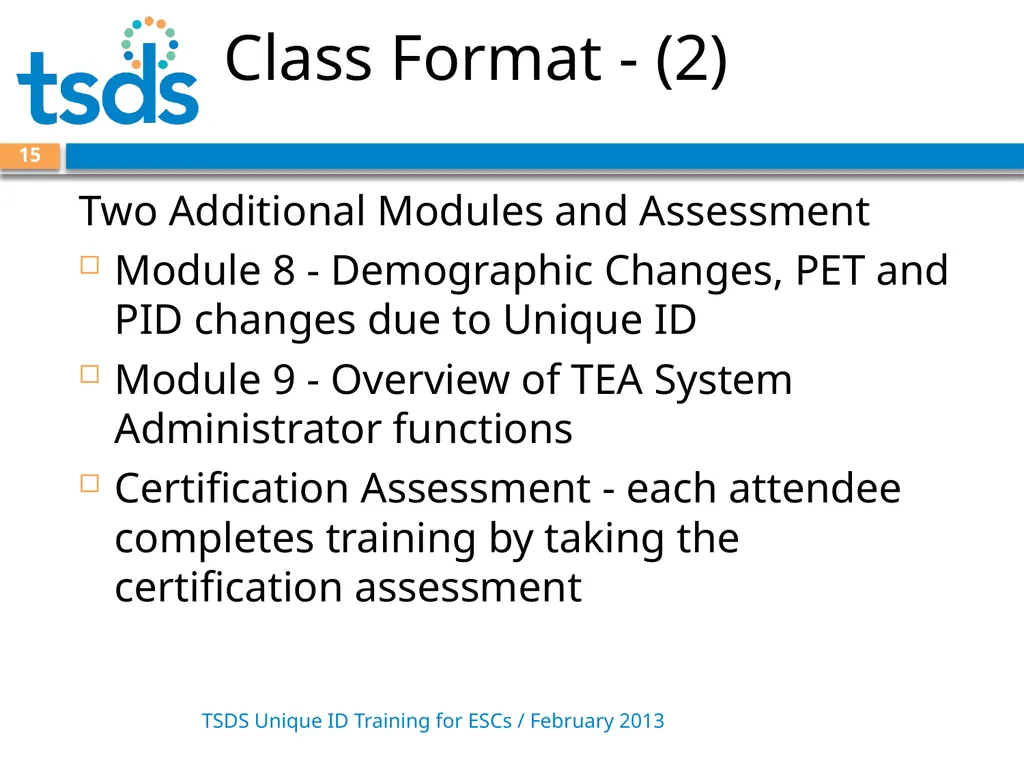
Class Format - (2) TSDS Unique ID Training for ESCs / February 2013 15 Two Additional Modules and Assessment
Module 8 - Demographic Changes, PET and PID changes due to Unique ID
Module 9 - Overview of TEA System Administrator functions
Certification Assessment - each attendee completes training by taking the certification assessment<br>
Module 8 - Demographic Changes, PET and PID changes due to Unique ID
Module 9 - Overview of TEA System Administrator functions
Certification Assessment - each attendee completes training by taking the certification assessment<br>
16
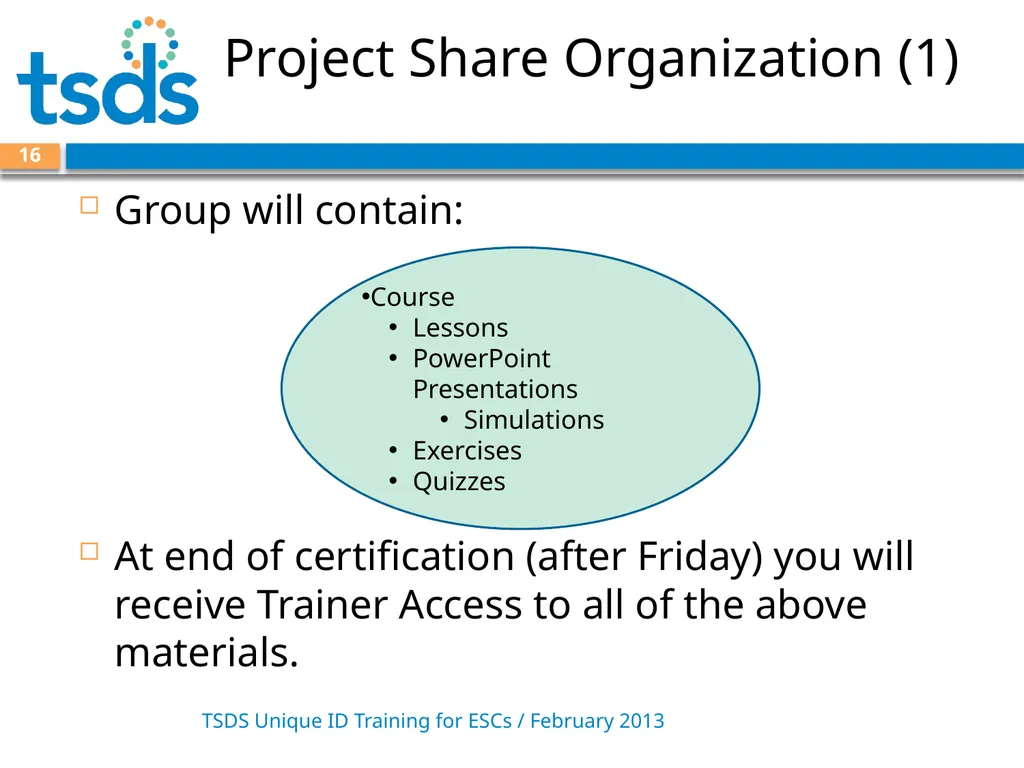
Project Share Organization (1) TSDS Unique ID Training for ESCs / February 2013 16 Group will contain:
At end of certification (after Friday) you will receive Trainer Access to all of the above materials. Course
Lessons
PowerPoint Presentations
Simulations
Exercises
Quizzes<br>
At end of certification (after Friday) you will receive Trainer Access to all of the above materials. Course
Lessons
PowerPoint Presentations
Simulations
Exercises
Quizzes<br>
17
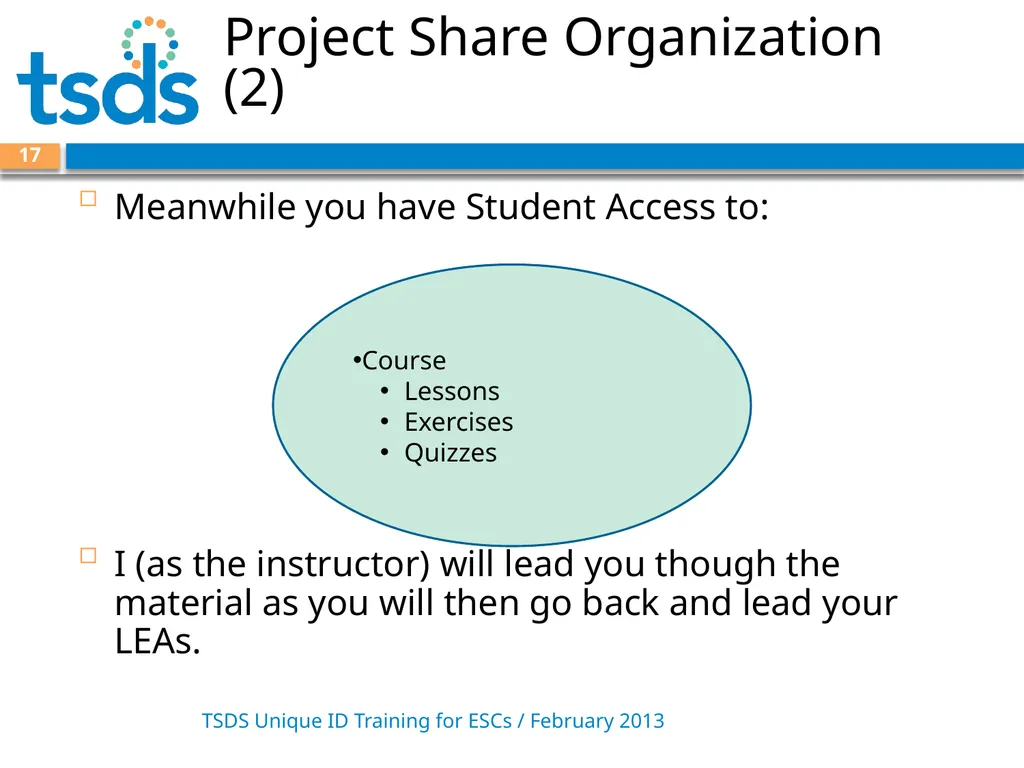
Project Share Organization (2) TSDS Unique ID Training for ESCs / February 2013 17 Meanwhile you have Student Access to:
I (as the instructor) will lead you though the material as you will then go back and lead your LEAs. Course
Lessons
Exercises
Quizzes<br>
I (as the instructor) will lead you though the material as you will then go back and lead your LEAs. Course
Lessons
Exercises
Quizzes<br>
18
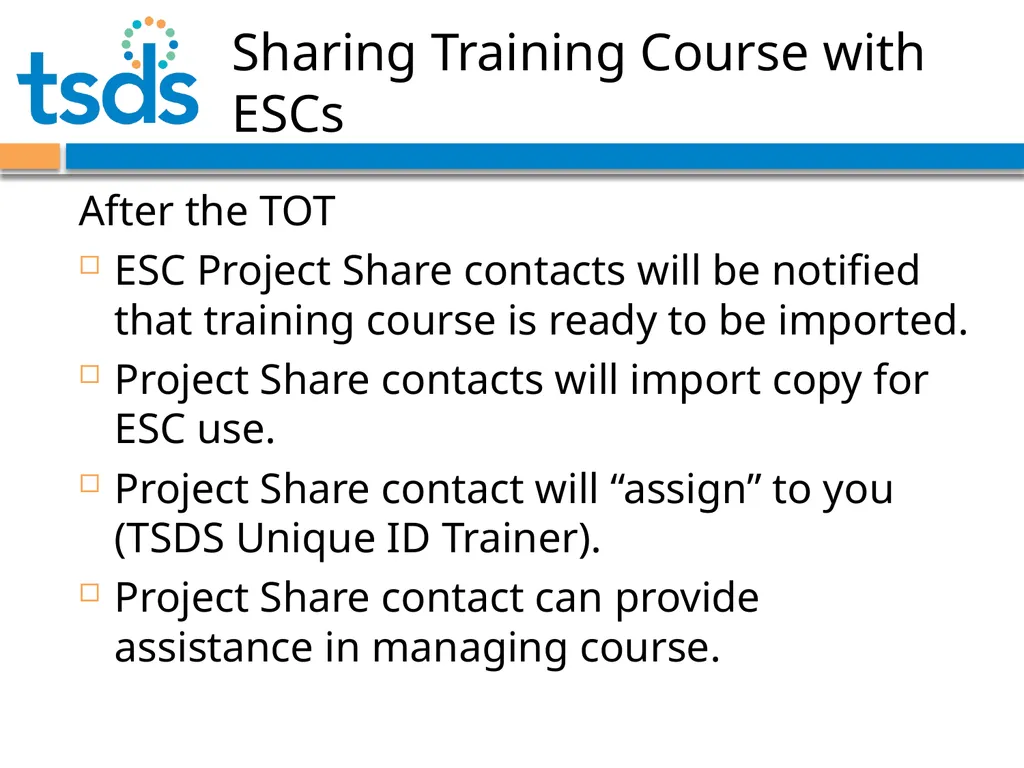
Sharing Training Course with ESCs After the TOT
ESC Project Share contacts will be notified that training course is ready to be imported.
Project Share contacts will import copy for ESC use.
Project Share contact will “assign” to you (TSDS Unique ID Trainer).
Project Share contact can provide assistance in managing course.<br>
ESC Project Share contacts will be notified that training course is ready to be imported.
Project Share contacts will import copy for ESC use.
Project Share contact will “assign” to you (TSDS Unique ID Trainer).
Project Share contact can provide assistance in managing course.<br>
19
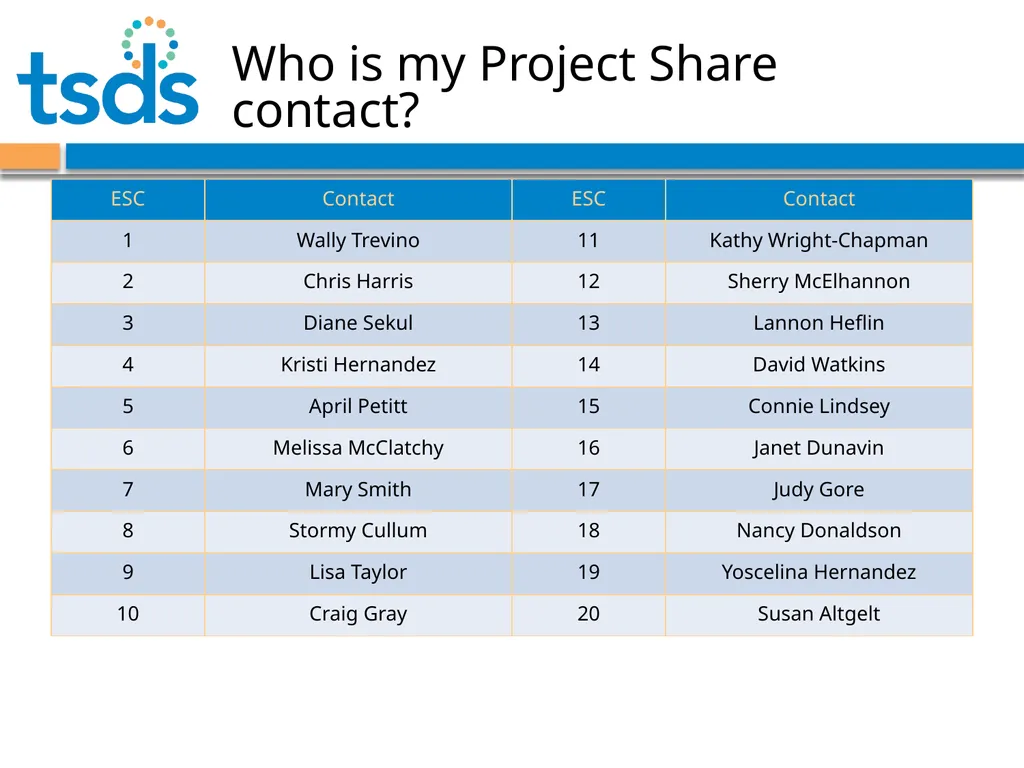
Who is my Project Share contact?<br>
20
TSDS Support Model (1) 20 Initially, requests for assistance entered and routed in EDIT+ CSR system (to be replaced by new JIRA helpdesk system in the future)
Problem reports must be made through the system. (To track and work problems effectively, TEA cannot provide email/telephone support.)
Requests will be managed with three levels of escalation TSDS Unique ID Training for ESCs / February 2013<br>
Problem reports must be made through the system. (To track and work problems effectively, TEA cannot provide email/telephone support.)
Requests will be managed with three levels of escalation TSDS Unique ID Training for ESCs / February 2013<br>
21
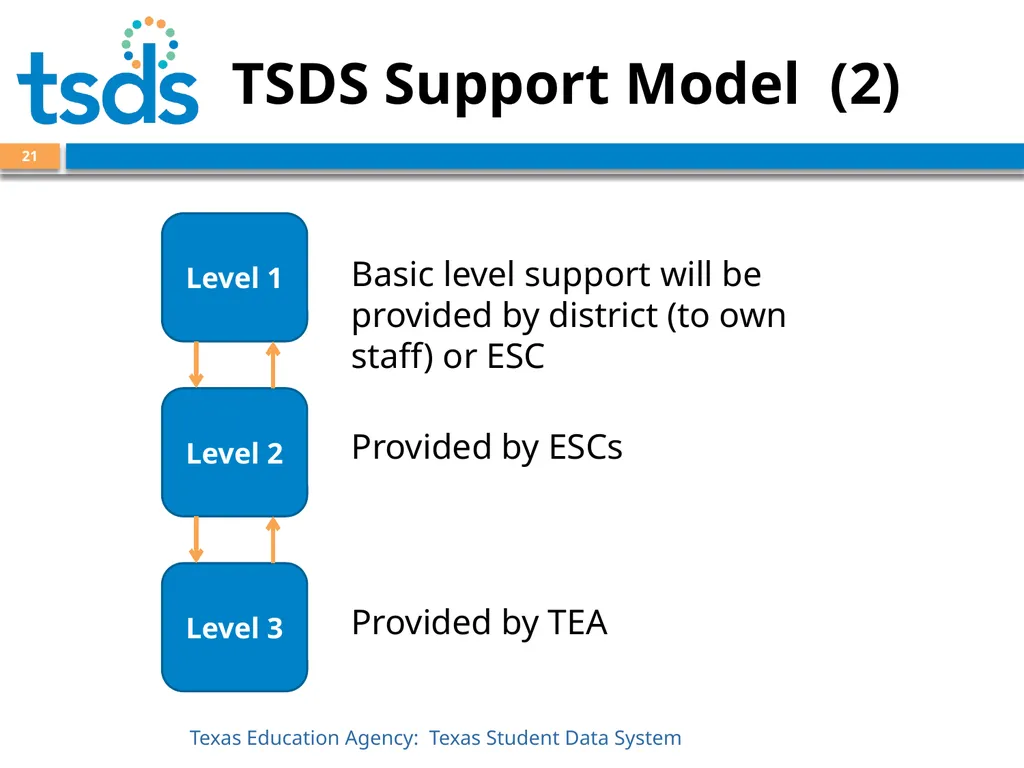
TSDS Support Model (2) Basic level support will be provided by district (to own staff) or ESC 21 Provided by ESCs Provided by TEA<br>
22
TSDS Unique ID Roles TSDS Unique ID Training for ESCs / February 2013 22 TEA Administrator -State or System Administrator
Uniq-ID LEA - can search and update
Uniq-ID Campus - can search and update campus
Uniq-ID LEA Search - can search and view only
Uniq-ID Campus Search - can search and view only<br>
Uniq-ID LEA - can search and update
Uniq-ID Campus - can search and update campus
Uniq-ID LEA Search - can search and view only
Uniq-ID Campus Search - can search and view only<br>
23
Access to Unique ID via TEAL TSDS Unique ID Training for ESCs / February 2013 23 Users need to apply for a TEAL account and access to TSDS with a Unique ID role.
To request access, start at [insert URL].
Procedure varies slightly:
Needs TEAL account, has no TEASE account
Needs TEAL account, and does have TEASE account
Has TEAL account, needs access to Unique ID<br>
To request access, start at [insert URL].
Procedure varies slightly:
Needs TEAL account, has no TEASE account
Needs TEAL account, and does have TEASE account
Has TEAL account, needs access to Unique ID<br>
24
Access to Unique ID via TEAL TSDS Unique ID Training for ESCs / February 2013 24 Demonstration –
User with a TEAL account, accessing TSDS Unique ID<br>
User with a TEAL account, accessing TSDS Unique ID<br>
25
Module 1: ID Assignment Process 25 TSDS Unique ID Training for ESCs / February 2013<br>
26
Module 1: ID Assignment Process (1) TSDS Unique ID Training for ESCs / February 2013 26 This module covers the assignment process and previews the steps needed to begin assigning IDs.
A batch file is created first from your local SIS or HR system.
The batch file is uploaded and the system assigns unique IDs for you to download.<br>
A batch file is created first from your local SIS or HR system.
The batch file is uploaded and the system assigns unique IDs for you to download.<br>
27
Module 1: ID Assignment Process (2) TSDS Unique ID Training for ESCs / February 2013 27 View Simulation / Q&A
Hands-on Exercise<br>
Hands-on Exercise<br>
28
Module 1: ID Assignment Process (3) TSDS Unique ID Training for ESCs / February 2013 28 Hands-on Exercise
Log-in to Project Share: http://projectsharetexas.org/
Access the Unique TSDS Course
Access Lesson 1.
Log in to Unique ID System
Load Student file (9 records)- Stop before assigning ids.<br>
Log-in to Project Share: http://projectsharetexas.org/
Access the Unique TSDS Course
Access Lesson 1.
Log in to Unique ID System
Load Student file (9 records)- Stop before assigning ids.<br>
29
Module 2: Match Resolution 29 TSDS Unique ID Training for ESCs / February 2013<br>
30
Module 2: Match Resolution (1) TSDS Unique ID Training for ESCs / February 2013 30 Explains how near matches are created and how to resolve near matches
View Simulation / Q&A
Hands-on Exercise<br>
View Simulation / Q&A
Hands-on Exercise<br>
31
Module 2: Match Resolution (2) TSDS Unique ID Training for ESCs / February 2013 31 Hands-on Exercise
Review results of Student load by:
resolving near matches
cancelling a record
noting Batch info<br>
Review results of Student load by:
resolving near matches
cancelling a record
noting Batch info<br>
32
Course Objective TSDS Unique ID Training for ESCs / February 2013 32 The primary focus of this course is to train the participants in how and when to use the TSDS Unique ID System (UID).
In addition, the participants will see:
How UID fits into the overall TSDS architecture
How to use TEAL to access UID
How the business process around demographic data is changing with respect to how to add a new person’s demographic data and how to later make changes to it.<br>
In addition, the participants will see:
How UID fits into the overall TSDS architecture
How to use TEAL to access UID
How the business process around demographic data is changing with respect to how to add a new person’s demographic data and how to later make changes to it.<br>
33
Goals Day 2 TSDS Unique ID Training for ESCs / February 2013 33 Items we will cover today:
Remaining Unique ID Training
Certification Assessment
Request Access to Unique ID via TEAL<br>
Remaining Unique ID Training
Certification Assessment
Request Access to Unique ID via TEAL<br>
34
Module 3: Upload Batch File 34 TSDS Unique ID Training for ESCs / February 2013<br>
35
Module 3: Upload a Batch File (1) TSDS Unique ID Training for ESCs / February 2013 35 This module covers how to upload a batch file.
View Simulation / Q&A
Hands-on Exercise
Quiz over Modules 1, 2, and 3<br>
View Simulation / Q&A
Hands-on Exercise
Quiz over Modules 1, 2, and 3<br>
36
Module 3: Upload a Batch File (2) TSDS Unique ID Training for ESCs / February 2013 36 Hands-on Exercise
Load Staff file (1 record).
Assign IDs.
Review results of Staff load.
Quiz over Modules 1, 2, and 3<br>
Load Staff file (1 record).
Assign IDs.
Review results of Staff load.
Quiz over Modules 1, 2, and 3<br>
37
Module 4: Enter Individual Student 37 TSDS Unique ID Training for ESCs / February 2013<br>
38
Module 4: Enter Individual Student (1) TSDS Unique ID Training for ESCs / February 2013 38 This module covers how to enter an individual to find the student or staff person’s unique ID.
View Simulation / Q&A
Hands-on Exercise
Quiz<br>
View Simulation / Q&A
Hands-on Exercise
Quiz<br>
39
Module 4: Enter Individual Student (2) TSDS Unique ID Training for ESCs / February 2013 39 Hands-on Exercise
Enter an individual student with middle name slightly different than on in your batch and update the master record.
Quiz<br>
Enter an individual student with middle name slightly different than on in your batch and update the master record.
Quiz<br>
40
Module 5: Person Search 40 TSDS Unique ID Training for ESCs / February 2013<br>
41
Module 5: Person Search (1) TSDS Unique ID Training for ESCs / February 2013 41 This module covers the various types of person searches available.
View Simulation / Q&A
Hands-on Exercise<br>
View Simulation / Q&A
Hands-on Exercise<br>
42
Module 5: Person Search (2) TSDS Unique ID Training for ESCs / February 2013 42 Hands-on Exercise
Search for different students/staff<br>
Search for different students/staff<br>
43
Module 6: Batch/Group Search 43 TSDS Unique ID Training for ESCs / February 2013<br>
44
Module 6: Batch/Group Search (1) TSDS Unique ID Training for ESCs / February 2013 44 This module covers how to upload a batch file to search for one or more persons.
View Simulation / Q&A
Hands-on Exercise
Quiz<br>
View Simulation / Q&A
Hands-on Exercise
Quiz<br>
45
Module 6: Batch/Group Search (2) TSDS Unique ID Training for ESCs / February 2013 45 Hands-on Exercise
Use the 2 batch files that you uploaded. Search for the names that were in them and see how the system does a search
Quiz<br>
Use the 2 batch files that you uploaded. Search for the names that were in them and see how the system does a search
Quiz<br>
46
Module 7: Extract and Download 46 TSDS Unique ID Training for ESCs / February 2013<br>
47
Module 7: Extract and Download (1) TSDS Unique ID Training for ESCs / February 2013 47 This module will cover the extract and download function - how to obtain lists of records
View Simulation / Q&A
Hands-on Exercise
Quiz<br>
View Simulation / Q&A
Hands-on Exercise
Quiz<br>
48
Module 7: Extract and Download (2) TSDS Unique ID Training for ESCs / February 2013 48 Hands-on Exercise
On Home page, change filter to look at files that have Duplicates / Near Matches, and download one of the files.
Add several of them to a download cart and download them.
Quiz<br>
On Home page, change filter to look at files that have Duplicates / Near Matches, and download one of the files.
Add several of them to a download cart and download them.
Quiz<br>
49
Module 8: Demographic Changes 49 TSDS Unique ID Training for ESCs / February 2013<br>
50
PET and TREx TSDS Unique ID Training for ESCs / February 2013 50 While the TSDS Unique ID database is being created, LEAs cannot submit PET files (March 11 – 25, 2013)
Starting March 25, 2013:
PET submission files will be checked against the TSDS Unique ID database to ensure Unique IDs have been previously assigned.
All demographic updates must be made through the TSDS Unique ID system (Neither PID Update nor PEIMS Demographics Revision Flag will be allowed).
TSDS Unique ID will be added to the PET submission file and the TREx extraction file in the 2013-14 school year.<br>
Starting March 25, 2013:
PET submission files will be checked against the TSDS Unique ID database to ensure Unique IDs have been previously assigned.
All demographic updates must be made through the TSDS Unique ID system (Neither PID Update nor PEIMS Demographics Revision Flag will be allowed).
TSDS Unique ID will be added to the PET submission file and the TREx extraction file in the 2013-14 school year.<br>
51
PET Changes TSDS Unique ID Training for ESCs / February 2013 51 Once you have assigned Unique IDs to all of your students, you are ready to submit a PET File.
TEA will match First Name, Last Name, Date of Birth and SSN/S-Number to the TSDS Unique ID database to see if there is a match. If there is not a match, the PET Record will be rejected.
The user will need to add the Student to the TSDS Unique ID System before submitting the PET Record again.<br>
TEA will match First Name, Last Name, Date of Birth and SSN/S-Number to the TSDS Unique ID database to see if there is a match. If there is not a match, the PET Record will be rejected.
The user will need to add the Student to the TSDS Unique ID System before submitting the PET Record again.<br>
52
PEIMS Changes TSDS Unique ID Training for ESCs / February 2013 52 Once you have assigned Unique IDs to all of your students and staff, you are ready to submit your PEIMS Submission 3 file.
Existing matching logic is still in place and LEAs will receive PID errors and PID discrepancies when certain demographic information does not match between the PEIMS submission file and the UID database.<br>
Existing matching logic is still in place and LEAs will receive PID errors and PID discrepancies when certain demographic information does not match between the PEIMS submission file and the UID database.<br>
53
Demographic Changes TSDS Unique ID Training for ESCs / February 2013 53 Use the Search Person menu option to make demographic changes.
Campus and LEA users will have the Edit Person button on the Search Person page.
Camps and LEA Search users will not have the Edit Person button on the Search Person page.<br>
Campus and LEA users will have the Edit Person button on the Search Person page.
Camps and LEA Search users will not have the Edit Person button on the Search Person page.<br>
54
Demographic Changes TSDS Unique ID Training for ESCs / February 2013 54 Hands-on Exercise
Submit your own information as a Staff record. Then using the Search Person option, change the name on the Staff record.<br>
Submit your own information as a Staff record. Then using the Search Person option, change the name on the Staff record.<br>
55
Module 9: TEA Administrator 55 TSDS Unique ID Training for ESCs / February 2013<br>
56
TEA Administrator (1) TSDS Unique ID Training for ESCs / February 2013 56 Administrator Reports:
No History Report: Lists all LEAs that have not submitted data within a specific timeframe.
Cancelled Records Report: Administrator can view all cancelled records in the system.
Near Match Report: Provides administrators with information about any pending near matches in the system.<br>
No History Report: Lists all LEAs that have not submitted data within a specific timeframe.
Cancelled Records Report: Administrator can view all cancelled records in the system.
Near Match Report: Provides administrators with information about any pending near matches in the system.<br>
57
TEA Administrator (2) TSDS Unique ID Training for ESCs / February 2013 57 Administrator Functions:
Review Duplicate IDs: The TEA Administrator will be able to review duplicate IDs to compare records that potentially share one identifier.
Retire an ID: The TEA Administrator will use this function to retire a duplicate ID so that it will not mistakenly be used again.
Separate Shared ID: The TEA Administrator will use this function to locate situations where one ID was assigned to two different people and separate the two records.<br>
Review Duplicate IDs: The TEA Administrator will be able to review duplicate IDs to compare records that potentially share one identifier.
Retire an ID: The TEA Administrator will use this function to retire a duplicate ID so that it will not mistakenly be used again.
Separate Shared ID: The TEA Administrator will use this function to locate situations where one ID was assigned to two different people and separate the two records.<br>
58
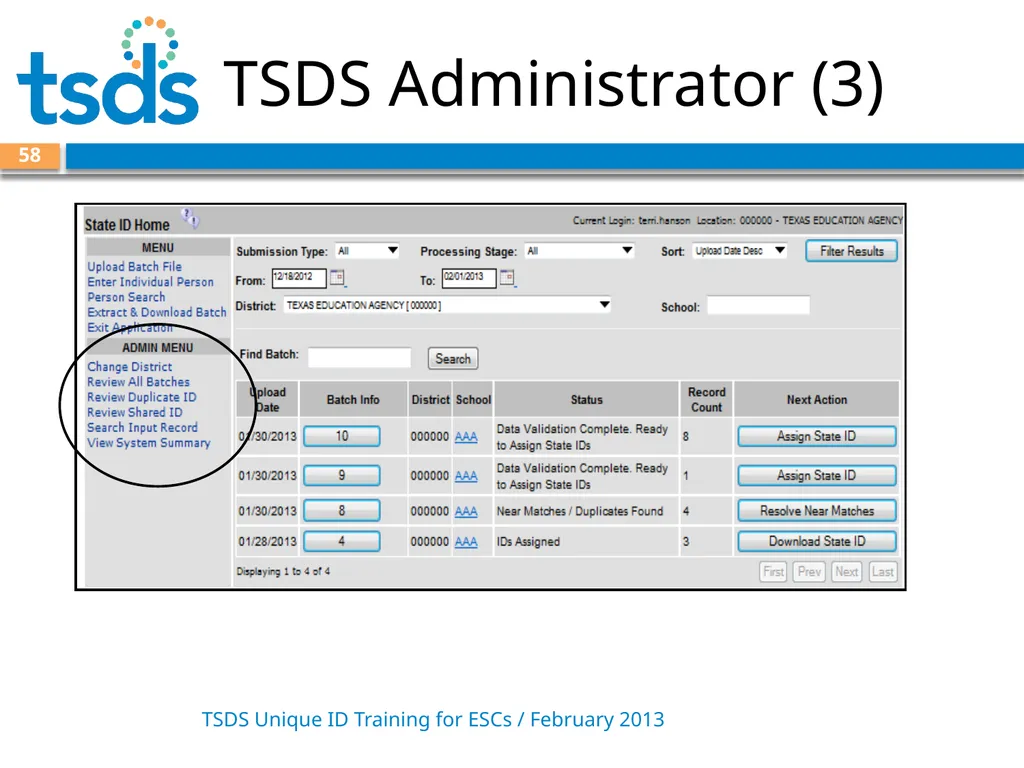
TSDS Administrator (3) TSDS Unique ID Training for ESCs / February 2013 58<br>
59
Questions about Training TSDS Unique ID Training for ESCs / February 2013 59 For additional questions or clarification about Unique ID training, please contact us at –
TSDS_Training@tea.state.tx.us<br>
TSDS_Training@tea.state.tx.us<br>