Workday Training for Year-End Journal Entry Accruals March 5, 2025 Agenda 2 1. Overview of Year End Journal Entries 2. Process for Submission of Year End Journal Entries in Workday 3. JE Backup and Approval Process in Workday 4. Demo 5.
"Workday Training for Year-End Journal Entry" is the property of its rightful owner. Permission is granted to
download and print the materials on this website for personal, non-commercial use only, and to display it
on your personal computer provided you do not modify the materials and that you retain all copyright
notices contained in the materials. By downloading content from our website, you accept the terms of this
agreement.
Presentation Transcript
01
Workday Training for Year-End Journal Entry Accruals March 5, 2025<br>
02
Agenda 2 1. Overview of Year End Journal Entries
2. Process for Submission of Year End Journal Entries in
Workday
3. JE Backup and Approval Process in Workday
4. Demo
5. Find Journals
6. Review Checklist
7. Resources<br>
03
Year End Journal Entries – what makes them different? 3 Accrual and deferral entries that will reverse out the following month
Must be >$5,000 unless contract related
Submitted directly in Workday using “Accrual” journal source
Approvals in Workday<br>
04
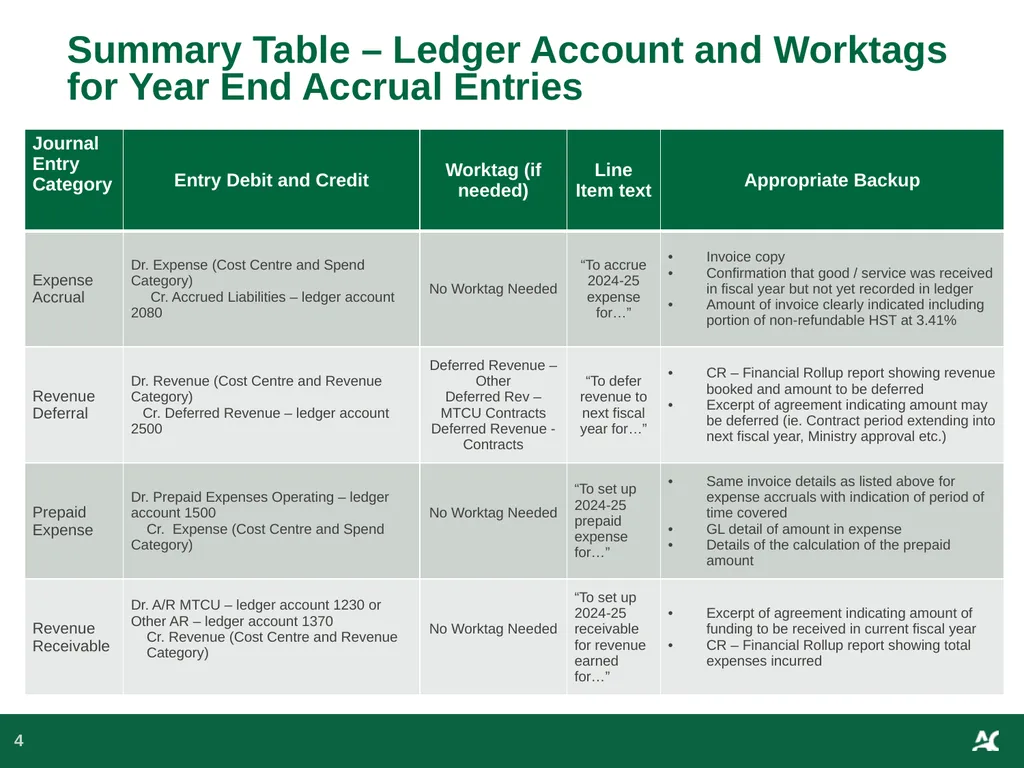
Summary Table – Ledger Account and Worktags for Year End Accrual Entries 4<br>
05
Submission Process for Year End Reversing Accrual Journal Entries 5 The journal entry will be entered and submitted directly in Workday where it will follow the approval process
1. Accounting Date = March 31 2025
2. Select Accrual Journal source
3. Click on Create Reversal<br>
06
Checklist for Journal Entry Backup 6 1. Show all calculations
2. Provide reference & backup to show the source of dollar amounts
3. Include a journal entry summary tab in complex spreadsheets
4. Redact/remove and/or do not submit confidential information
5. Include relevant email trails showing approvals
6. Only include relevant portion of supporting documents<br>
07
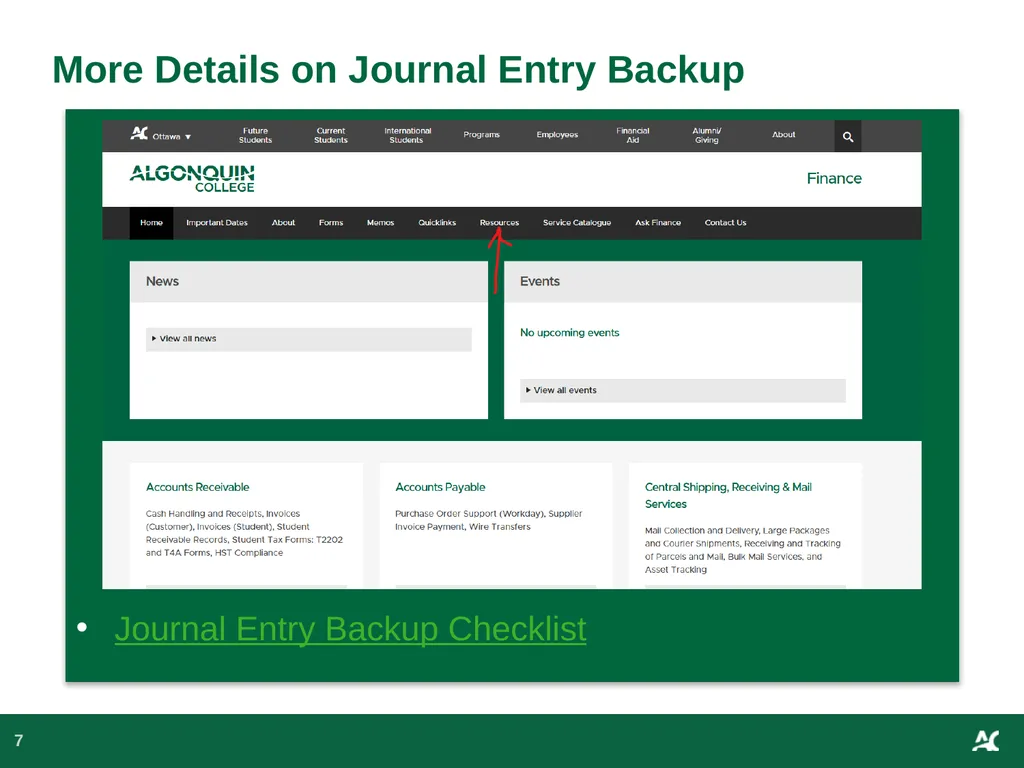
More Details on Journal Entry Backup 7 Journal Entry Backup Checklist<br>
08
8 Approval Process in Workday Field Accountant Create Journal Cost Center Manager
Review and Final Approval if <$25K Accountant CCH Approver (Finance) Review if >$25K Controller
Review and Approval
>$100K Financial Services Supervisor
(Finance)
Review if >$25K Accounting Manager (Finance)
Review and Final Approval if >$25K but <$100k VP Finance
Final Review, Approval and Posting > $100K<br>
09
DEMO 9<br>
10
Workday Inbox Archive 10 How to Find your Journal Entries<br>
11
CR- General Ledger Details or CR- Journal Entry Summary 11 How to Find your Journal Entries<br>
12
Search box in Workday if you have the journal number 12 How to Find your Journal Entries<br>
13
Accounting Date = “2025-03-31”
Journal Source = “Accrual Journal”
Create Reversal =
Reversal Date = “2025-04-01”
Line Memo is required (copy & paste the Header Memo) on the line of the journal with the balance sheet account
No Cost Center, Revenue or Spend Category, or Region required on the Balance Sheet Line
Deferred Revenue Worktag if required
Check your Workday inbox daily in case a journal is sent back 13 Review Checklist<br>