
Computer Practice N6 www.futuremanagers.com
NS
Published · 38 slides · 0 views
1 / 1
Description
Computer Practice N6 www.futuremanagers.com DEFINITION OF INFORMATION SYSTEMS An information system is an integrated, manmachine system for providing information to support the operations, management and decision-making functions in an
Related Topics
Share
Embed code
Download this presentation From Below
"Computer Practice N6 www.futuremanagers.com" is the property of its rightful owner. Permission is granted to download and print the materials on this website for personal, non-commercial use only, and to display it on your personal computer provided you do not modify the materials and that you retain all copyright notices contained in the materials. By downloading content from our website, you accept the terms of this agreement.
Presentation Transcript
01
Computer Practice
N6<br>
N6<br>
02
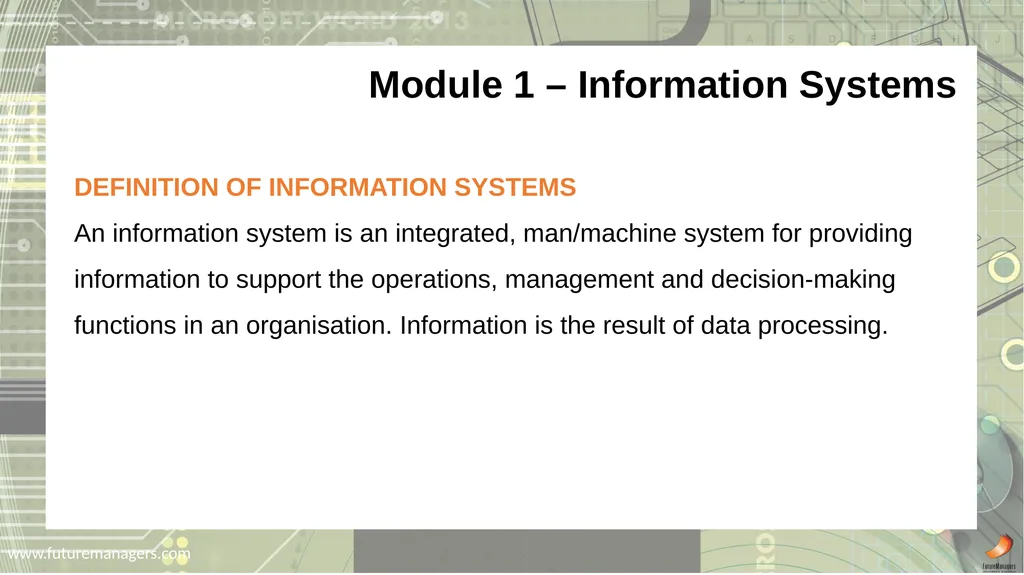
www.futuremanagers.com DEFINITION OF INFORMATION SYSTEMS
An information system is an integrated, man/machine system for providing information to support the operations, management and decision-making functions in an organisation. Information is the result of data processing. Module 1 – Information Systems<br>
An information system is an integrated, man/machine system for providing information to support the operations, management and decision-making functions in an organisation. Information is the result of data processing. Module 1 – Information Systems<br>
03
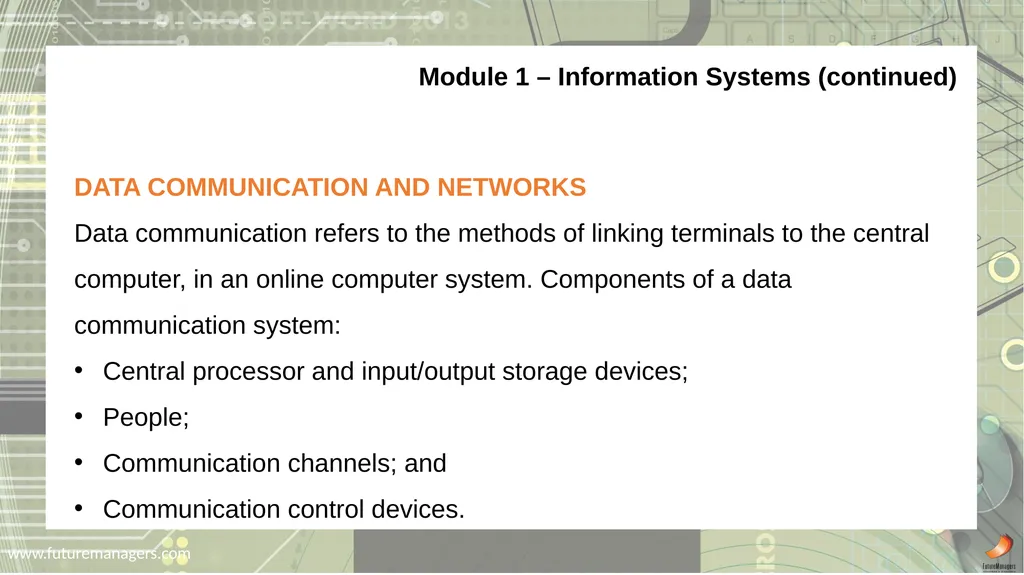
www.futuremanagers.com Module 1 – Information Systems (continued) DATA COMMUNICATION AND NETWORKS
Data communication refers to the methods of linking terminals to the central computer, in an online computer system. Components of a data communication system:
Central processor and input/output storage devices;
People;
Communication channels; and
Communication control devices.<br>
Data communication refers to the methods of linking terminals to the central computer, in an online computer system. Components of a data communication system:
Central processor and input/output storage devices;
People;
Communication channels; and
Communication control devices.<br>
04
www.futuremanagers.com Module 1 – Information Systems (continued) SECURITY IN THE COMPUTER ENVIRONMENT
Controls can be implemented to guard against ruin of hardware and data:
Firefighting equipment;
Emergency plan;
Clean environment;
Duplication of hardware;
Insurance; and
Uninterruptible Power Supply (UPS).<br>
Controls can be implemented to guard against ruin of hardware and data:
Firefighting equipment;
Emergency plan;
Clean environment;
Duplication of hardware;
Insurance; and
Uninterruptible Power Supply (UPS).<br>
05
www.futuremanagers.com Module 1 – Information Systems (continued) ACQUIRING COMPUTERS FOR BUSINESS CONCERNS
Formal steps taken when buying computer hardware for business concerns
Draw up the request for proposals (RFP);
Send requests to suppliers;
Draw up a short list;
Evaluate the suppliers on the short list; and
Make the final selection.<br>
Formal steps taken when buying computer hardware for business concerns
Draw up the request for proposals (RFP);
Send requests to suppliers;
Draw up a short list;
Evaluate the suppliers on the short list; and
Make the final selection.<br>
06
www.futuremanagers.com Module 1 – Information Systems (continued) FINANCING
There are different methods to pay the supplier when purchasing a computer:
Outright purchase;
Leasing;
Suspensive sale agreements; and
Rental from the manufacturer.<br>
There are different methods to pay the supplier when purchasing a computer:
Outright purchase;
Leasing;
Suspensive sale agreements; and
Rental from the manufacturer.<br>
07
www.futuremanagers.com HARD DISK BASICS
A modern hard disk is able to store an amazing amount of information in a small space. A hard disk can also access any of its information in a fraction of a second. A typical desktop machine will have a hard disk with a capacity of between 10 and 40 gigabytes. Data is stored onto the disk in the form of files. Module 2 – Operating Systems<br>
A modern hard disk is able to store an amazing amount of information in a small space. A hard disk can also access any of its information in a fraction of a second. A typical desktop machine will have a hard disk with a capacity of between 10 and 40 gigabytes. Data is stored onto the disk in the form of files. Module 2 – Operating Systems<br>
08
www.futuremanagers.com Module 2 – Operating Systems (continued) PREPARATION OF A HARD DISK
If you need to replace your hard drive either because it has experienced hardware failure or you want to upgrade your primary hard drive, then you need to prepare the new driver. After installing a hard drive, partitioning and formatting should be done before it can be used by Windows 7.<br>
If you need to replace your hard drive either because it has experienced hardware failure or you want to upgrade your primary hard drive, then you need to prepare the new driver. After installing a hard drive, partitioning and formatting should be done before it can be used by Windows 7.<br>
09
www.futuremanagers.com Module 2 – Operating Systems (continued) CUSTOMIZING YOUR SYSTEM
To customize your system in a Windows environment is not complicated.. Click Start | Help and Support | Pick one of the Help Topics
(Hardware | Installing and configuring hardware) or Type CUSTOMIZE in the SEARCH text box and press ENTER.<br>
To customize your system in a Windows environment is not complicated.. Click Start | Help and Support | Pick one of the Help Topics
(Hardware | Installing and configuring hardware) or Type CUSTOMIZE in the SEARCH text box and press ENTER.<br>
10
www.futuremanagers.com Module 2 – Operating Systems (continued) WINDOWS 7 COMMANDS
There are several commands possible on Windows 7 systems, such as but certainly not limited to:
Help support;
Formatting;
Disk copy;
Directory (DIR); and
Date and time.<br>
There are several commands possible on Windows 7 systems, such as but certainly not limited to:
Help support;
Formatting;
Disk copy;
Directory (DIR); and
Date and time.<br>
11
www.futuremanagers.com WHAT IS A COMPUTER VIRUS?
A virus is a program that can copy itself and infect various parts of your computer, such as documents, programs, and parts of your operating system. Most viruses attach themselves to a file or part of your hard disk and then copy themselves to other places within the operating system. Module 3 – Computer Viruses<br>
A virus is a program that can copy itself and infect various parts of your computer, such as documents, programs, and parts of your operating system. Most viruses attach themselves to a file or part of your hard disk and then copy themselves to other places within the operating system. Module 3 – Computer Viruses<br>
12
www.futuremanagers.com Module 3 – Computer Viruses (continued) TYPES OF VIRUSES
There are different types of computing viruses:
File viruses which attack executable files; and
Boot sector viruses which attack the the boot sector of the diskette or the master boot record of a hard drive.<br>
There are different types of computing viruses:
File viruses which attack executable files; and
Boot sector viruses which attack the the boot sector of the diskette or the master boot record of a hard drive.<br>
13
www.futuremanagers.com Module 3 – Computer Viruses (continued) VIRUS ACTIONS
The action of viruses can be divided into three groups:
Logical bomb;
Trojan Horse; and
Worm.<br>
The action of viruses can be divided into three groups:
Logical bomb;
Trojan Horse; and
Worm.<br>
14
www.futuremanagers.com Module 3 – Computer Viruses (continued) VIRUS STAGES
A computer virus can be found in different stages:
Propagation stage (transmission stage);
Dormancy period (hibernation period);
3. Inactive stage;
4. Active period ; and
5. Disinfecting stage.<br>
A computer virus can be found in different stages:
Propagation stage (transmission stage);
Dormancy period (hibernation period);
3. Inactive stage;
4. Active period ; and
5. Disinfecting stage.<br>
15
www.futuremanagers.com Module 3 – Computer Viruses (continued) SPREADING OF VIRUSES
Viruses can be spread through:
Personal computers (PCs);
Networks; and
Mainframe computers.<br>
Viruses can be spread through:
Personal computers (PCs);
Networks; and
Mainframe computers.<br>
16
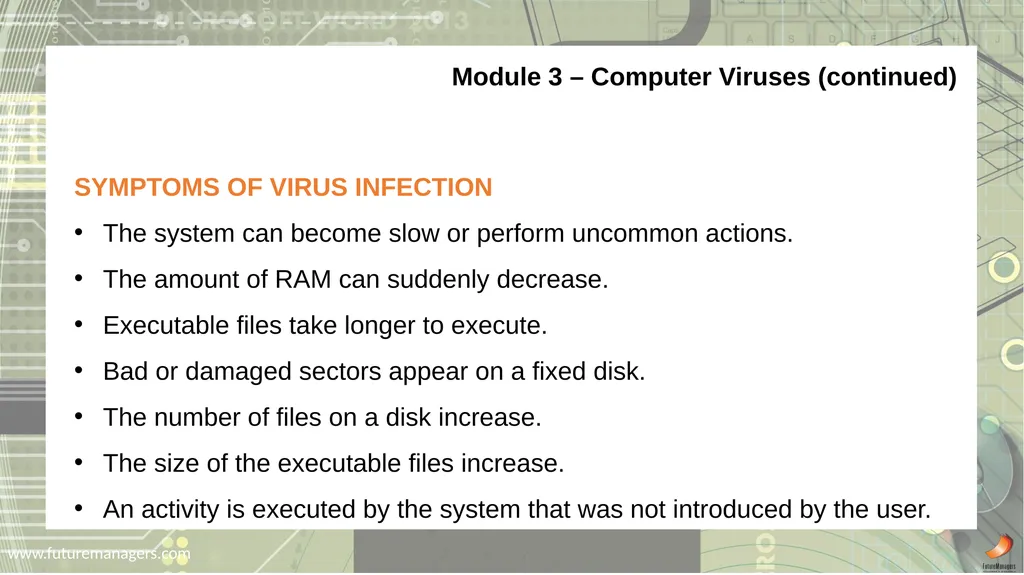
www.futuremanagers.com Module 3 – Computer Viruses (continued) SYMPTOMS OF VIRUS INFECTION
The system can become slow or perform uncommon actions.
The amount of RAM can suddenly decrease.
Executable files take longer to execute.
Bad or damaged sectors appear on a fixed disk.
The number of files on a disk increase.
The size of the executable files increase.
An activity is executed by the system that was not introduced by the user.<br>
The system can become slow or perform uncommon actions.
The amount of RAM can suddenly decrease.
Executable files take longer to execute.
Bad or damaged sectors appear on a fixed disk.
The number of files on a disk increase.
The size of the executable files increase.
An activity is executed by the system that was not introduced by the user.<br>
17
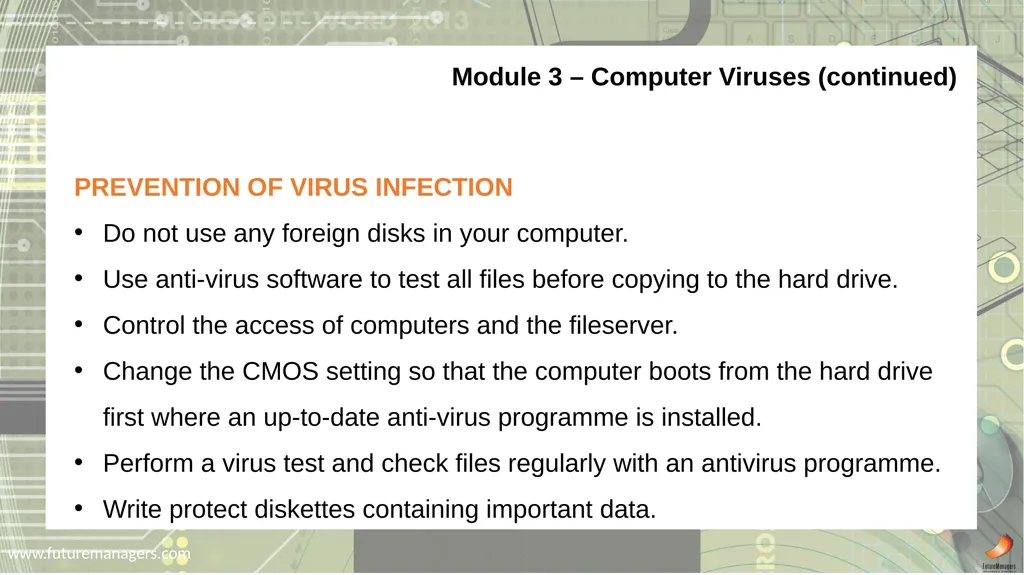
www.futuremanagers.com Module 3 – Computer Viruses (continued) PREVENTION OF VIRUS INFECTION
Do not use any foreign disks in your computer.
Use anti-virus software to test all files before copying to the hard drive.
Control the access of computers and the fileserver.
Change the CMOS setting so that the computer boots from the hard drive first where an up-to-date anti-virus programme is installed.
Perform a virus test and check files regularly with an antivirus programme.
Write protect diskettes containing important data.<br>
Do not use any foreign disks in your computer.
Use anti-virus software to test all files before copying to the hard drive.
Control the access of computers and the fileserver.
Change the CMOS setting so that the computer boots from the hard drive first where an up-to-date anti-virus programme is installed.
Perform a virus test and check files regularly with an antivirus programme.
Write protect diskettes containing important data.<br>
18
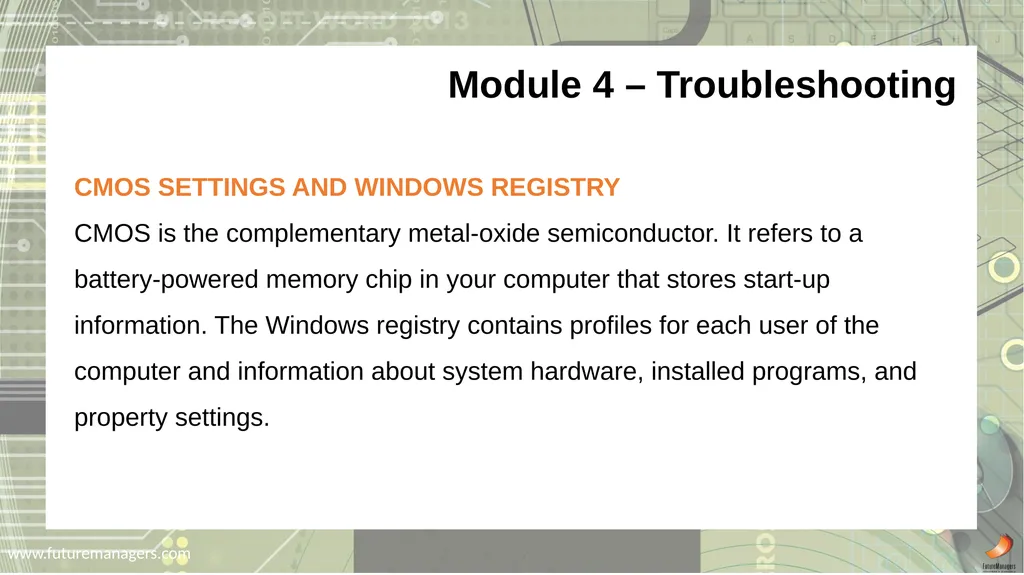
www.futuremanagers.com CMOS SETTINGS AND WINDOWS REGISTRY
CMOS is the complementary metal-oxide semiconductor. It refers to a battery-powered memory chip in your computer that stores start-up information. The Windows registry contains profiles for each user of the computer and information about system hardware, installed programs, and property settings. Module 4 – Troubleshooting<br>
CMOS is the complementary metal-oxide semiconductor. It refers to a battery-powered memory chip in your computer that stores start-up information. The Windows registry contains profiles for each user of the computer and information about system hardware, installed programs, and property settings. Module 4 – Troubleshooting<br>
19
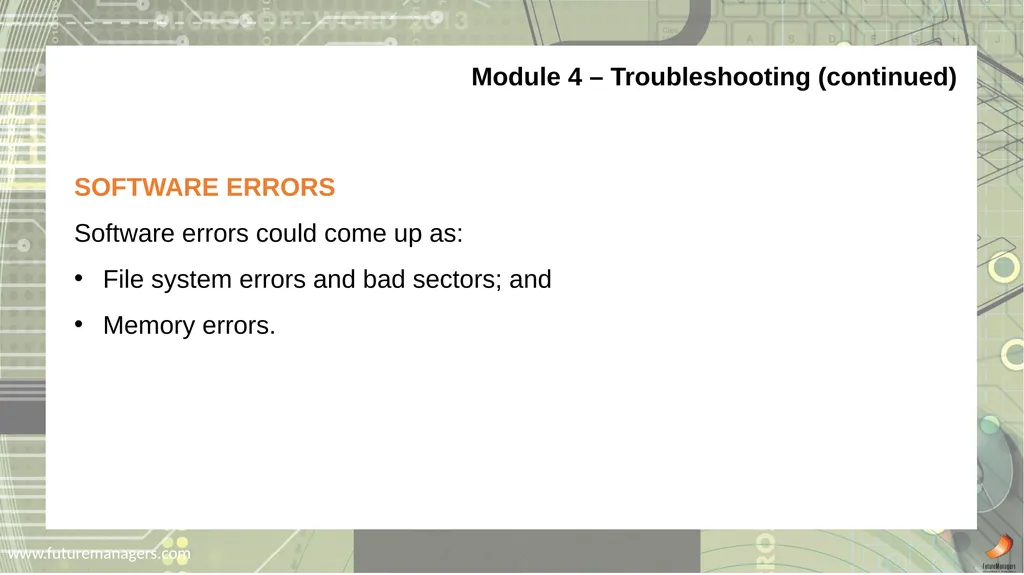
www.futuremanagers.com Module 4 – Troubleshooting (continued) SOFTWARE ERRORS
Software errors could come up as:
File system errors and bad sectors; and
Memory errors.<br>
Software errors could come up as:
File system errors and bad sectors; and
Memory errors.<br>
20
www.futuremanagers.com Module 4 – Troubleshooting (continued) HARDWARE PROBLEMS
Hardware issues could be:
Monitor faults;
Bad keyboard maintenance;
Bad mouse maintenance;
Printer errors;
Cabling problems; and
Hard drive errors.<br>
Hardware issues could be:
Monitor faults;
Bad keyboard maintenance;
Bad mouse maintenance;
Printer errors;
Cabling problems; and
Hard drive errors.<br>
21
www.futuremanagers.com Module 4 – Troubleshooting (continued) TROUBLESHOOTING WITH WINDOWS 7
Click Start | Help and Support. The Help and Support Center window will appear.
Type the keyword: troubleshooting in the dialogue box.
Select the correct topic/problem to get more information.<br>
Click Start | Help and Support. The Help and Support Center window will appear.
Type the keyword: troubleshooting in the dialogue box.
Select the correct topic/problem to get more information.<br>
22
www.futuremanagers.com AUTOMATIC BULLETS AND NUMBERING
MS-Word automatically converts a paragraph to a bullet item when text starts with a hyphen (-) or asterisk (*) followed by an ENTER to end the paragraph. MS-Word automatically converts the paragraph to a numbered list item when ENTER is pressed at the end of a paragraph and starting with 1. Space OR 1. Tab, followed by text. Module 5 – Word Processing: MS-Word 2013<br>
MS-Word automatically converts a paragraph to a bullet item when text starts with a hyphen (-) or asterisk (*) followed by an ENTER to end the paragraph. MS-Word automatically converts the paragraph to a numbered list item when ENTER is pressed at the end of a paragraph and starting with 1. Space OR 1. Tab, followed by text. Module 5 – Word Processing: MS-Word 2013<br>
23
www.futuremanagers.com Module 5 – Word Processing: MS-Word 2013 (continued) CREATE AND EDIT COLUMNS
Divide existing text into columns: Select the appropriate text and click Page Layout tab
Format columns: Click Page Layout tab | Page Setup group: Columns | More Columns | Specify the number of columns.<br>
Divide existing text into columns: Select the appropriate text and click Page Layout tab
Format columns: Click Page Layout tab | Page Setup group: Columns | More Columns | Specify the number of columns.<br>
24
www.futuremanagers.com Module 5 – Word Processing: MS-Word 2013 (continued) CREATE AND EDIT A TABLE
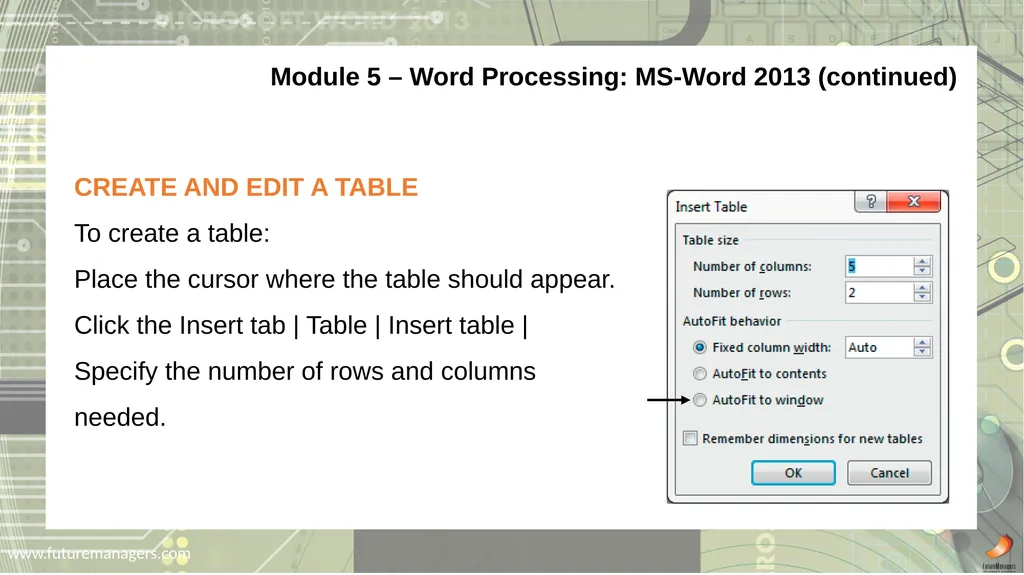
To create a table:
Place the cursor where the table should appear.
Click the Insert tab | Table | Insert table | Specify the number of rows and columns needed.<br>
To create a table:
Place the cursor where the table should appear.
Click the Insert tab | Table | Insert table | Specify the number of rows and columns needed.<br>
25
www.futuremanagers.com Module 5 – Word Processing: MS-Word 2013 (continued) PICTURES/GRAPHICS AND WORDART
It is possible to include media into a document in the form of:
WordArt;
Symbols; and
Pictures.<br>
It is possible to include media into a document in the form of:
WordArt;
Symbols; and
Pictures.<br>
26
www.futuremanagers.com Module 5 – Word Processing: MS-Word 2013 (continued) EQUATIONS
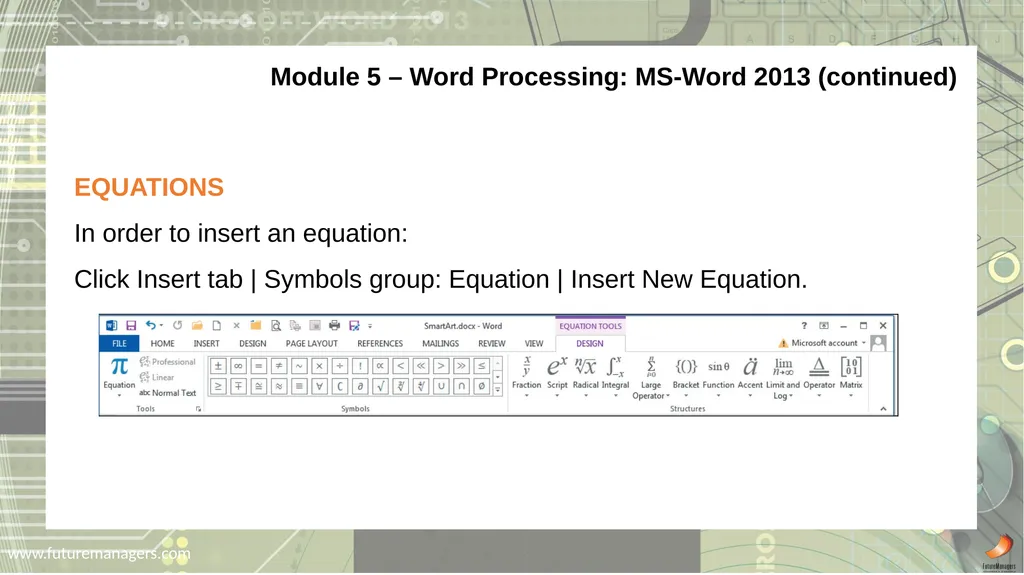
In order to insert an equation:
Click Insert tab | Symbols group: Equation | Insert New Equation.<br>
In order to insert an equation:
Click Insert tab | Symbols group: Equation | Insert New Equation.<br>
27
www.futuremanagers.com Module 5 – Word Processing: MS-Word 2013 (continued) TEMPLATES AND STYLES
A Template is a “Skeleton document” in which you have to insert new “flesh” every time. A template determines the basic structure for a document and contains document settings such as AutoText entries, default fonts, margin settings, key assignments, macros, menus, page layout, special formatting, and styles.<br>
A Template is a “Skeleton document” in which you have to insert new “flesh” every time. A template determines the basic structure for a document and contains document settings such as AutoText entries, default fonts, margin settings, key assignments, macros, menus, page layout, special formatting, and styles.<br>
28
www.futuremanagers.com Module 5 – Word Processing: MS-Word 2013 (continued) TABLES OF CONTENTS
Create a Table of Contents as follows:
Place the cursor where you want to insert the Table of Contents | click the References tab | Table of Contents group: Table of Contents | Select one of the options or click Custom Table of Contents.<br>
Create a Table of Contents as follows:
Place the cursor where you want to insert the Table of Contents | click the References tab | Table of Contents group: Table of Contents | Select one of the options or click Custom Table of Contents.<br>
29
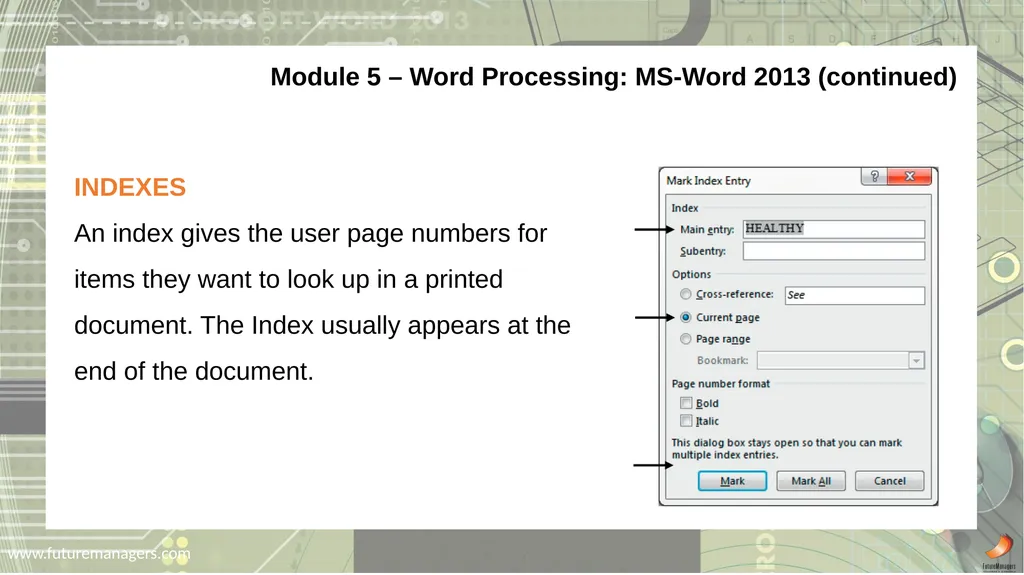
www.futuremanagers.com Module 5 – Word Processing: MS-Word 2013 (continued) INDEXES
An index gives the user page numbers for items they want to look up in a printed document. The Index usually appears at the end of the document.<br>
An index gives the user page numbers for items they want to look up in a printed document. The Index usually appears at the end of the document.<br>
30
www.futuremanagers.com Module 5 – Word Processing: MS-Word 2013 (continued) MAIL MERGE
Mail Merge is used for regular correspondence with the same people.
A main document (e.g. letter, labels or envelopes) is prepared each time, but the same data source (names, addresses, etc.) is used several times.
Use mail merge when you want to create a set of documents that are basically the same but each document contains unique elements.<br>
Mail Merge is used for regular correspondence with the same people.
A main document (e.g. letter, labels or envelopes) is prepared each time, but the same data source (names, addresses, etc.) is used several times.
Use mail merge when you want to create a set of documents that are basically the same but each document contains unique elements.<br>
31
www.futuremanagers.com ADVANCED CHARTS
There are different types of charts:
A column chart which compares values directly;
A stacked column chart which compares parts of several totals;
A pie chart which compares parts of one total;
A line chart compares values over time;
A bar chart which illustrates comparisons among individual items; and
Area chart which emphasize the magnitude of change over time. Module 6 – Spreadsheets: MS-Excel 2013<br>
There are different types of charts:
A column chart which compares values directly;
A stacked column chart which compares parts of several totals;
A pie chart which compares parts of one total;
A line chart compares values over time;
A bar chart which illustrates comparisons among individual items; and
Area chart which emphasize the magnitude of change over time. Module 6 – Spreadsheets: MS-Excel 2013<br>
32
www.futuremanagers.com Module 6 – Spreadsheets: MS-Excel 2013 (continued) RANGE NAMES
A name is a meaningful shorthand that makes it easier to understand the purpose of a cell reference, constant, formula, or table, each of which may be difficult to comprehend at first glance.<br>
A name is a meaningful shorthand that makes it easier to understand the purpose of a cell reference, constant, formula, or table, each of which may be difficult to comprehend at first glance.<br>
33
www.futuremanagers.com Module 6 – Spreadsheets: MS-Excel 2013 (continued) =IF FUNCTION
Returns one value if a condition you specify evaluates to TRUE and another value if it evaluates to FALSE.
Use the IF function to conduct conditional tests on values and formulas.<br>
Returns one value if a condition you specify evaluates to TRUE and another value if it evaluates to FALSE.
Use the IF function to conduct conditional tests on values and formulas.<br>
34
www.futuremanagers.com Module 6 – Spreadsheets: MS-Excel 2013 (continued) =VLOOKUP FUNCTION
This function is also called the VERTICAL LOOKUP function. It searches for a value in the leftmost column of a table and returns a value in the same row from a column you specify in the table.<br>
This function is also called the VERTICAL LOOKUP function. It searches for a value in the leftmost column of a table and returns a value in the same row from a column you specify in the table.<br>
35
www.futuremanagers.com Module 6 – Spreadsheets: MS-Excel 2013 (continued) =HLOOKUP FUNCTION
This function is also called the HORIZONTAL LOOKUP function. It works almost the same as the VLOOKUP function. It searches for a value in the top row of a reference table and then returns a value in the same column from a row you specify.<br>
This function is also called the HORIZONTAL LOOKUP function. It works almost the same as the VLOOKUP function. It searches for a value in the top row of a reference table and then returns a value in the same column from a row you specify.<br>
36
www.futuremanagers.com Module 6 – Spreadsheets: MS-Excel 2013 (continued) HOW MICROSOFT EXCEL STORES DATES AND TIMES
Microsoft Excel stores dates as sequential numbers known as serial values. MS-Excel stores times as decimal fractions because time is considered a portion of a day. Dates and times are values and, therefore, can be added, subtracted, and included in other calculations.<br>
Microsoft Excel stores dates as sequential numbers known as serial values. MS-Excel stores times as decimal fractions because time is considered a portion of a day. Dates and times are values and, therefore, can be added, subtracted, and included in other calculations.<br>
37
www.futuremanagers.com Module 6 – Spreadsheets: MS-Excel 2013 (continued) FINANCIAL FUNCTIONS
These financial functions are used to make loan and investment decisions.
Click Formulas | Function library group: Financial | select the required function.<br>
These financial functions are used to make loan and investment decisions.
Click Formulas | Function library group: Financial | select the required function.<br>
38
www.futuremanagers.com Module 6 – Spreadsheets: MS-Excel 2013 (continued) EXTERNAL COPYING
External copy in MS-Excel works more or less the same as in Word. Make sure all workbooks are open. Select the information in workbook 1 | click Home | Clipboard group: Copy | Click the second workbook name in the taskbar to open | place cursor in the correct position | click Home | Clipboard group: Paste.<br>
External copy in MS-Excel works more or less the same as in Word. Make sure all workbooks are open. Select the information in workbook 1 | click Home | Clipboard group: Copy | Click the second workbook name in the taskbar to open | place cursor in the correct position | click Home | Clipboard group: Paste.<br>